Known Participant
October 9, 2022
Answered

Quality Issues With the Attached PNG File...

  • October 9, 2022
  • 5 replies
  • 817 views

I posted the attached file which was rejected for quality issues.  I have recently posted similar files, which were accepted.  Usually I can figure out rejected files, but this one has me puzzled.  Any thoughts will be well received.

This topic has been closed for replies.
Correct answer Abambo

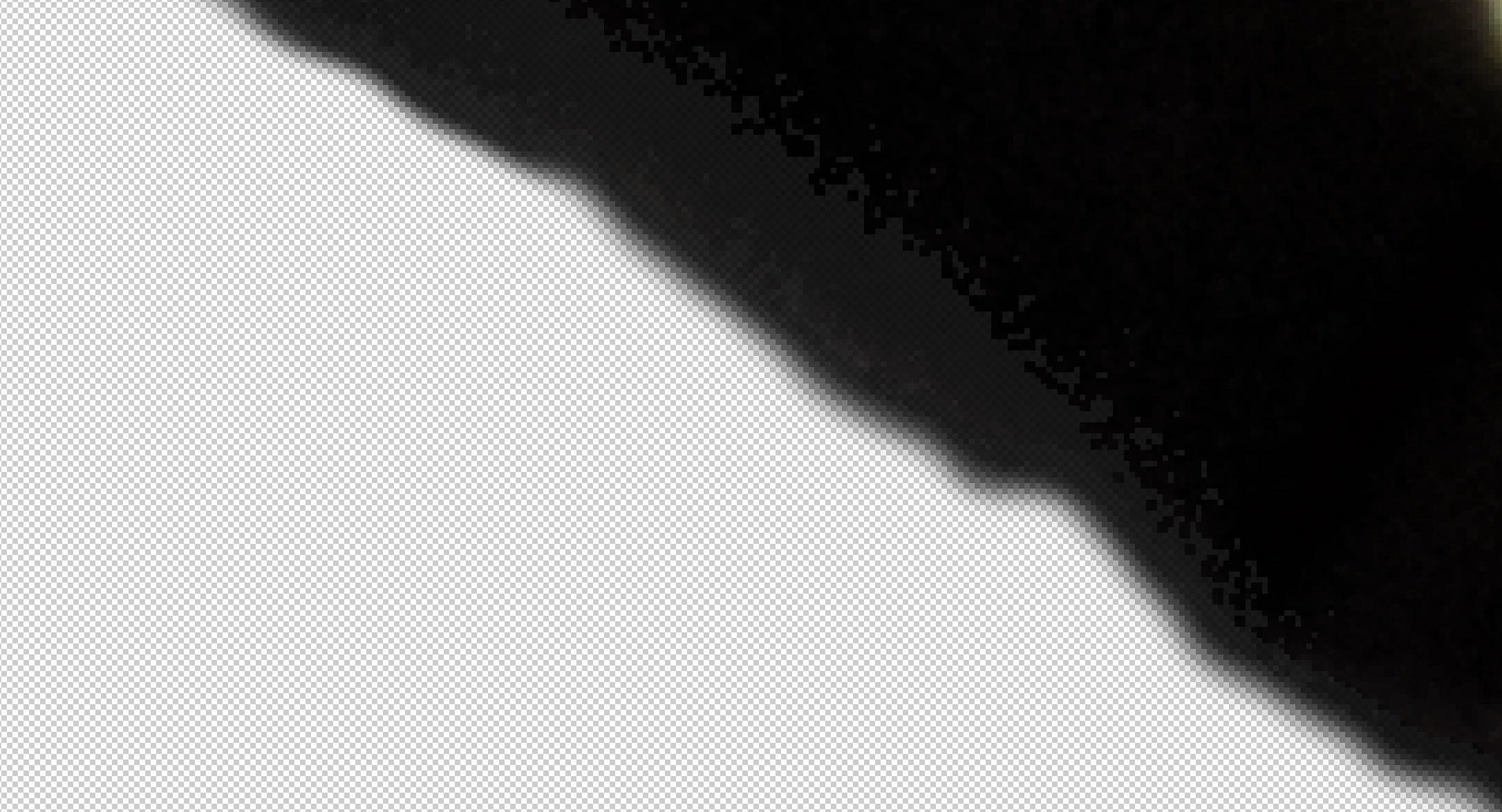
Your picture is out of focus, and you have clipping effects, as shown here:
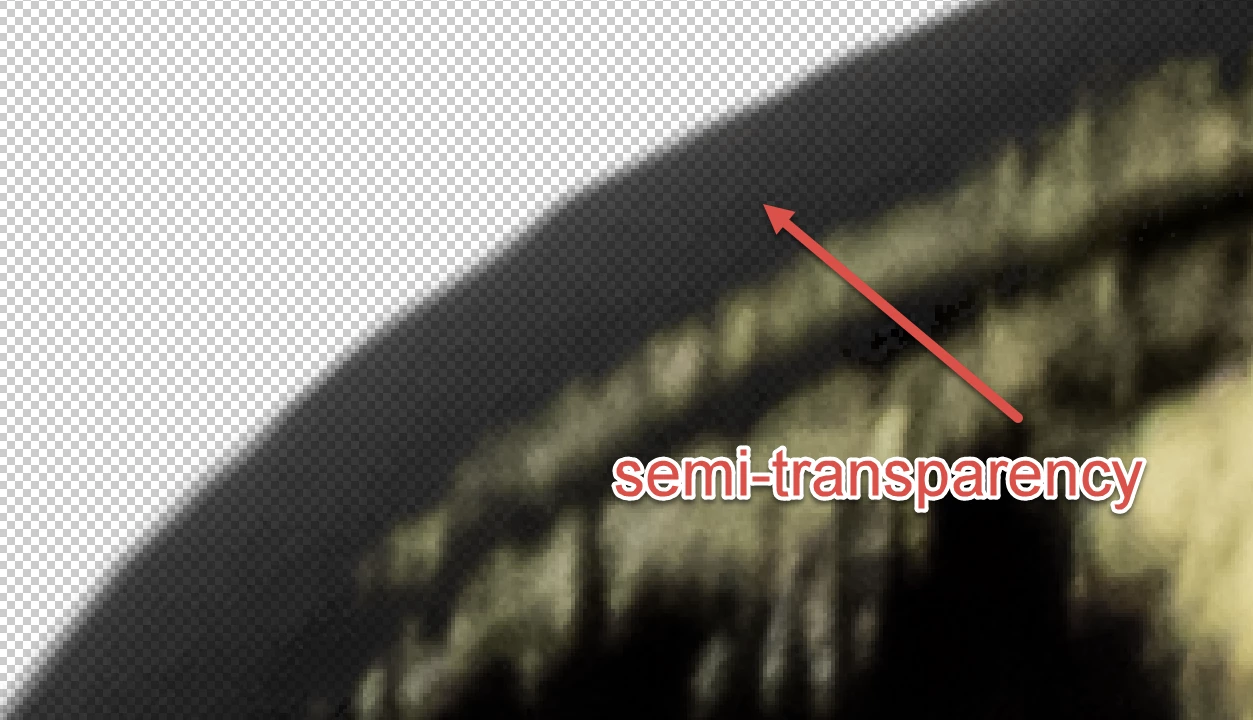
And there are areas, like here, where I do not understand why they are slightly transparent:
Getting a clean cutout of objects is crucial, if you want to use that object getting pasted in a different scene. One trick to see nearly invisible leftovers from my cutout in Photoshop is, that I use the stroke effect. As if by magic, all the areas where you have worked uncleanly become visible. Tidying up is then extremely easy.
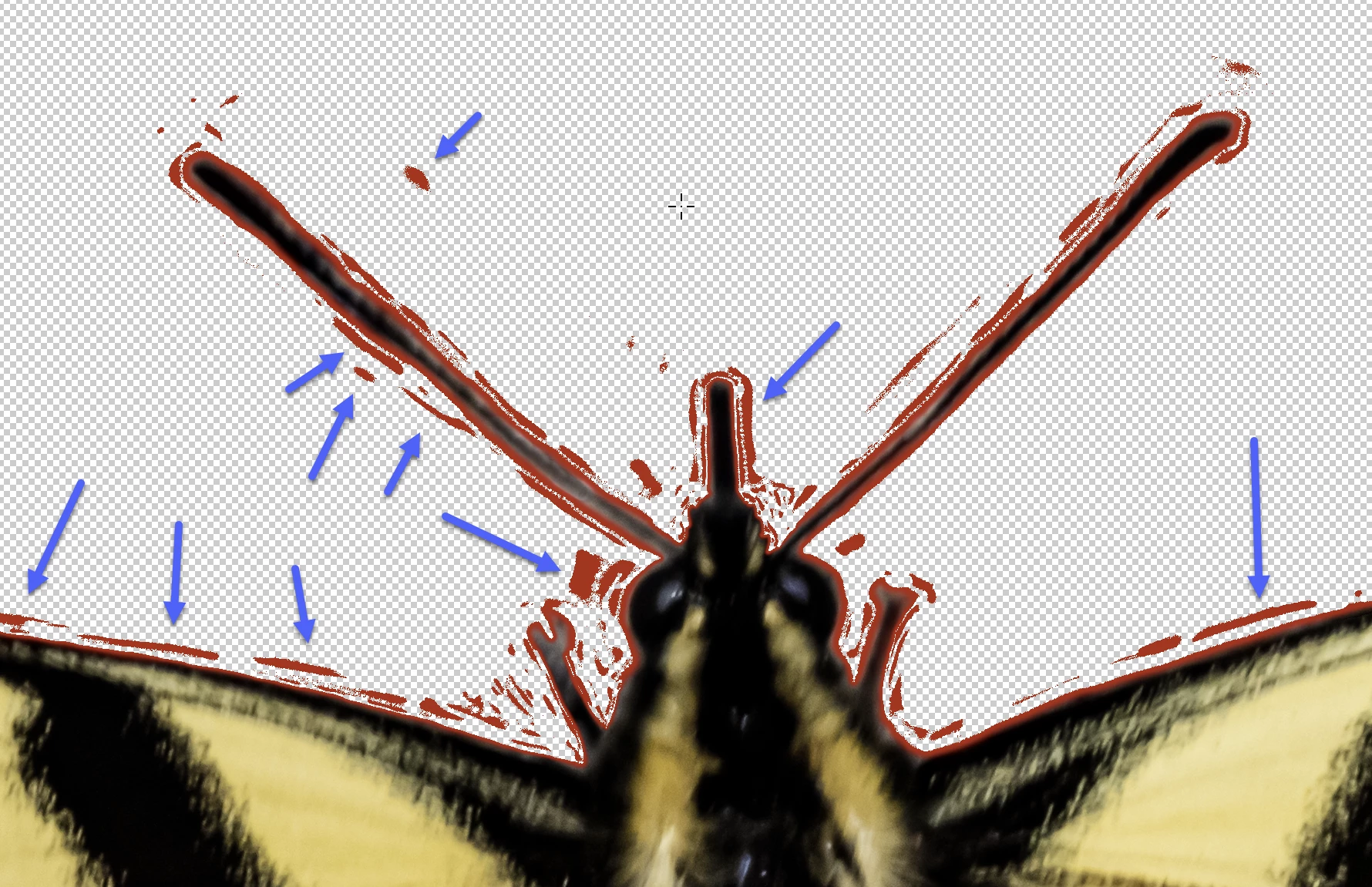
I use a contrast colour, often a full red (in your example, black would be bad) and a stroke size of one to four. I can modify the parameters if needed. You pass over those marks with the masking brush, and the red stains disappear. Easy and fast.


As this picture lacks focus, I would not invest time to fix the errors. The missing focus is irrecoverable.


5 replies

Abambo
Community Expert
AbamboCommunity ExpertCorrect answer
Community Expert
October 9, 2022

Your picture is out of focus, and you have clipping effects, as shown here:

And there are areas, like here, where I do not understand why they are slightly transparent:

Getting a clean cutout of objects is crucial, if you want to use that object getting pasted in a different scene. One trick to see nearly invisible leftovers from my cutout in Photoshop is, that I use the stroke effect. As if by magic, all the areas where you have worked uncleanly become visible. Tidying up is then extremely easy.

I use a contrast colour, often a full red (in your example, black would be bad) and a stroke size of one to four. I can modify the parameters if needed. You pass over those marks with the masking brush, and the red stains disappear. Easy and fast.


As this picture lacks focus, I would not invest time to fix the errors. The missing focus is irrecoverable.


ABAMBO | Hard- and Software Engineer | Photographer
Known Participant
October 13, 2022

Thanks to all for your input.  Abambo, I am working with the strokes direction you provided.  Very helpful, and much appreciated.

Abambo
Community Expert
Community Expert
October 13, 2022

You're welcome. I've done cut-outs for 30 years. I know immediately where to spot the errors in those.

ABAMBO | Hard- and Software Engineer | Photographer
Jill_C
Community Expert
Community Expert
October 9, 2022

Its a beautiful butterfly! I agree with George and John regarding both focus and masking. The antennae and lowest part of the wings are both quite soft, and the cutout work along the wing edges could be better.

Jill C., Forum Volunteer
George_F
Community Expert
Community Expert
October 9, 2022

As well as focus, I'm on the fence about the cut out work.  It may be technically correct, but I also think it looks bumpy and a smoother look would benefit it.

George F, Photographer & Forum Volunteer
Inspiring
October 9, 2022

I think it's probably the focus.  Zoomed to 100% or more the head in particular looks soft.  The masking on the other hand looks really good.  Best regards, John

Known Participant
October 9, 2022

I should have added...this is a PNG file, which may have a bearing on this matter.
