Participant
April 18, 2024
Question

Quality or technical issues

  • April 18, 2024
  • 6 replies
  • 233 views

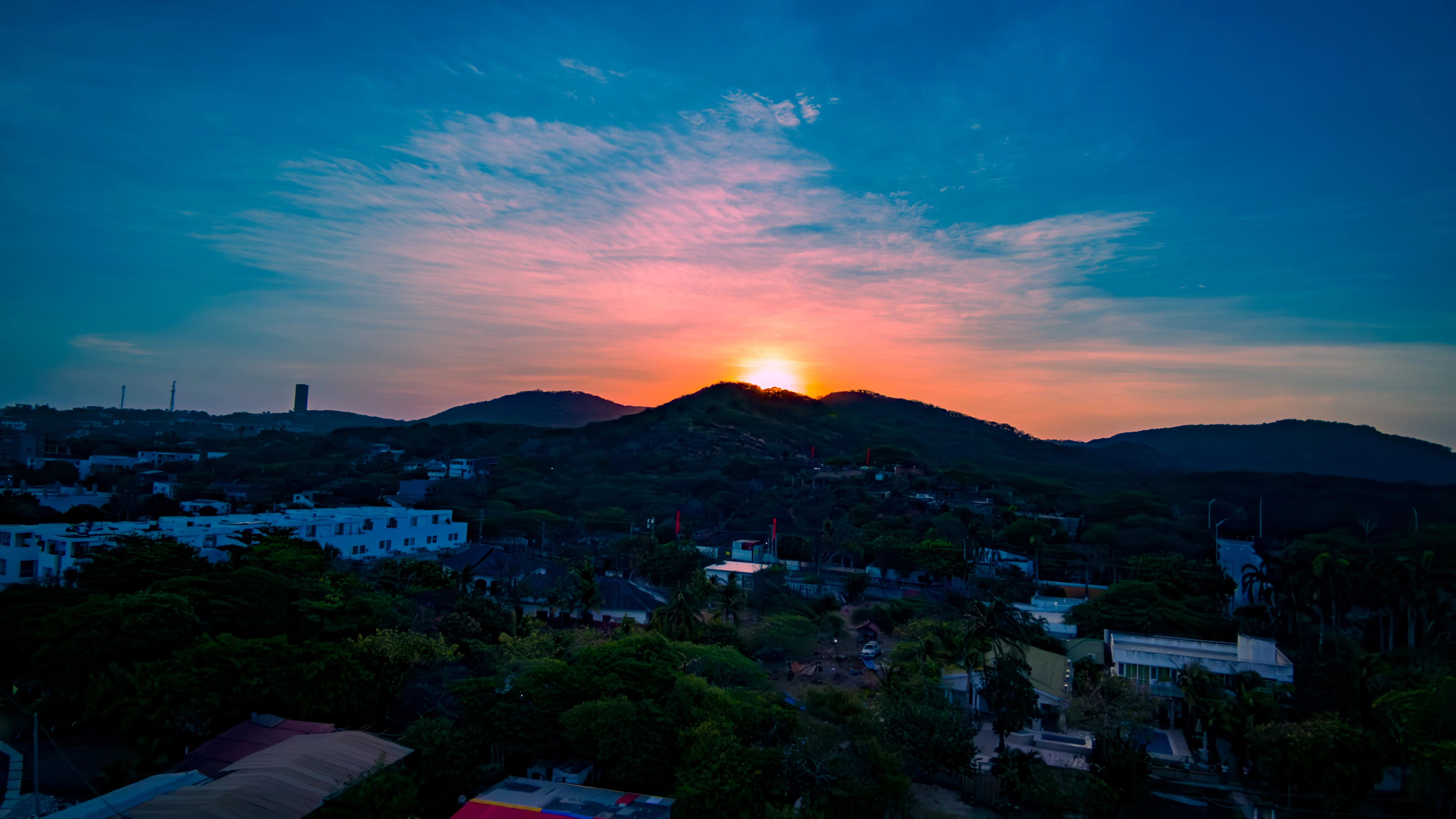
hello, I'm new to Adobe Stock and am new to editing my pictures, I was wondering if anyone would be kind enough to tell me what I should improve with these pictures since they were rejected. 
This topic has been closed for replies.

6 replies

Ricky336
Community Expert
Community Expert
April 18, 2024

Hello,

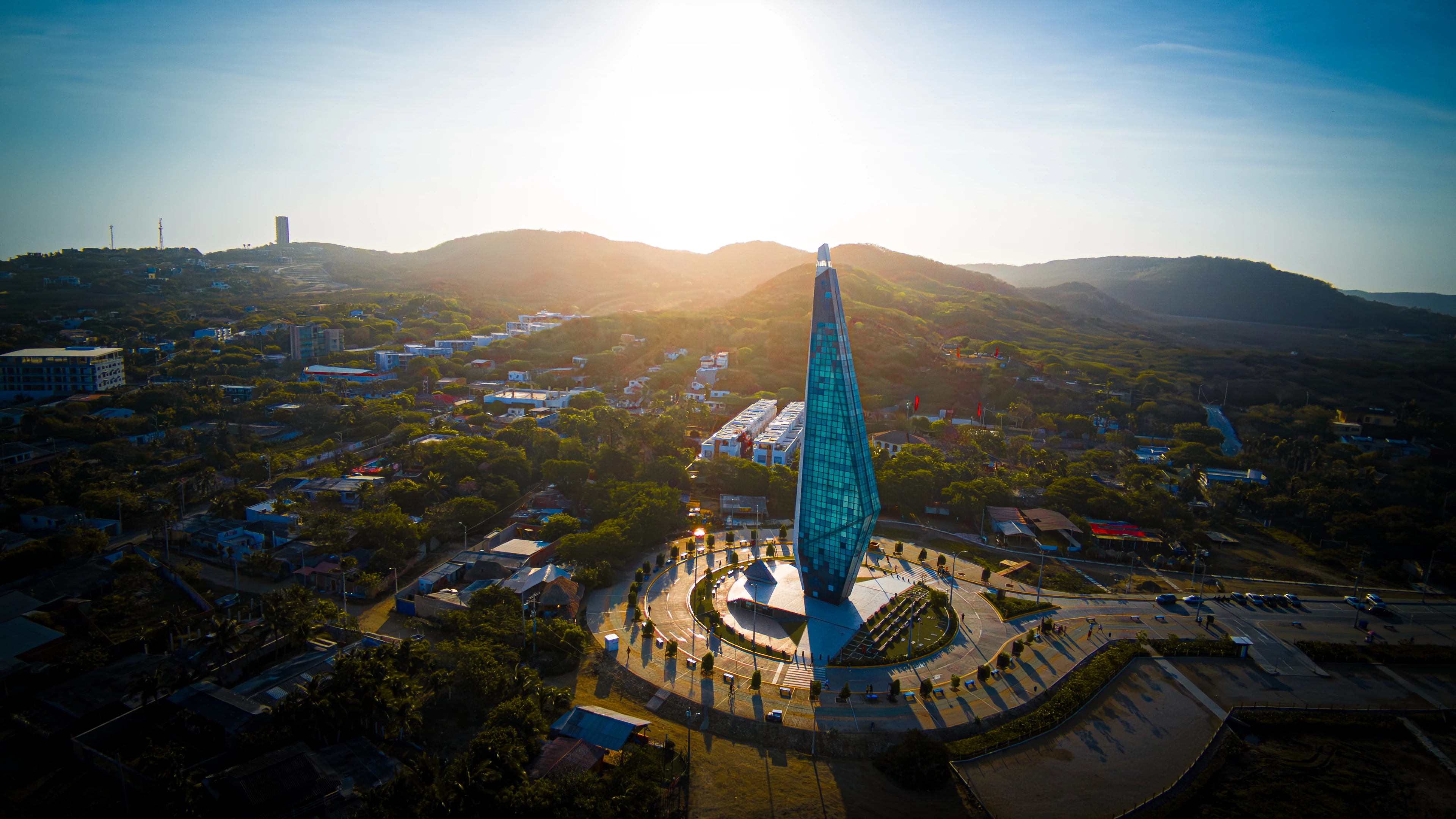
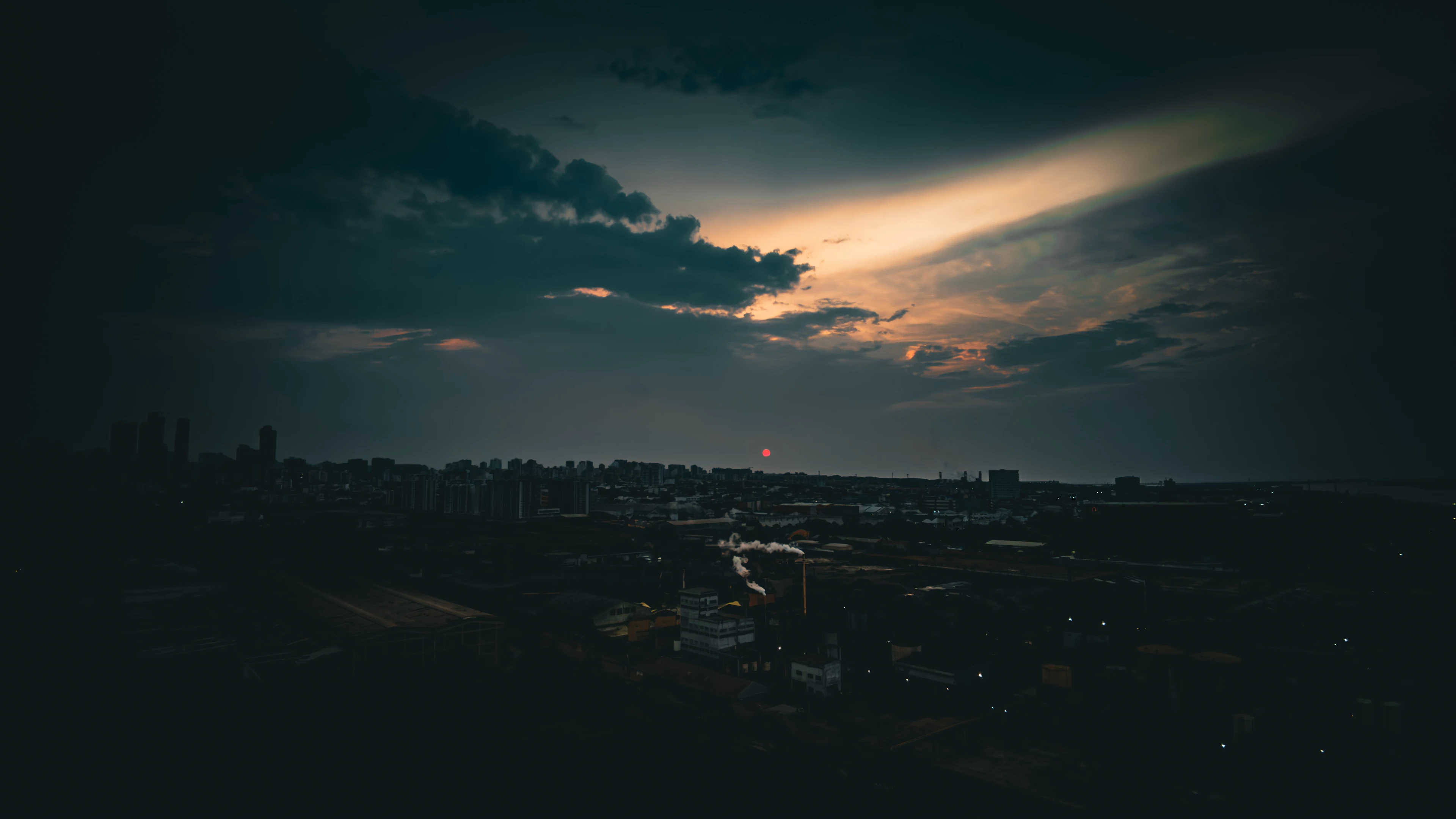
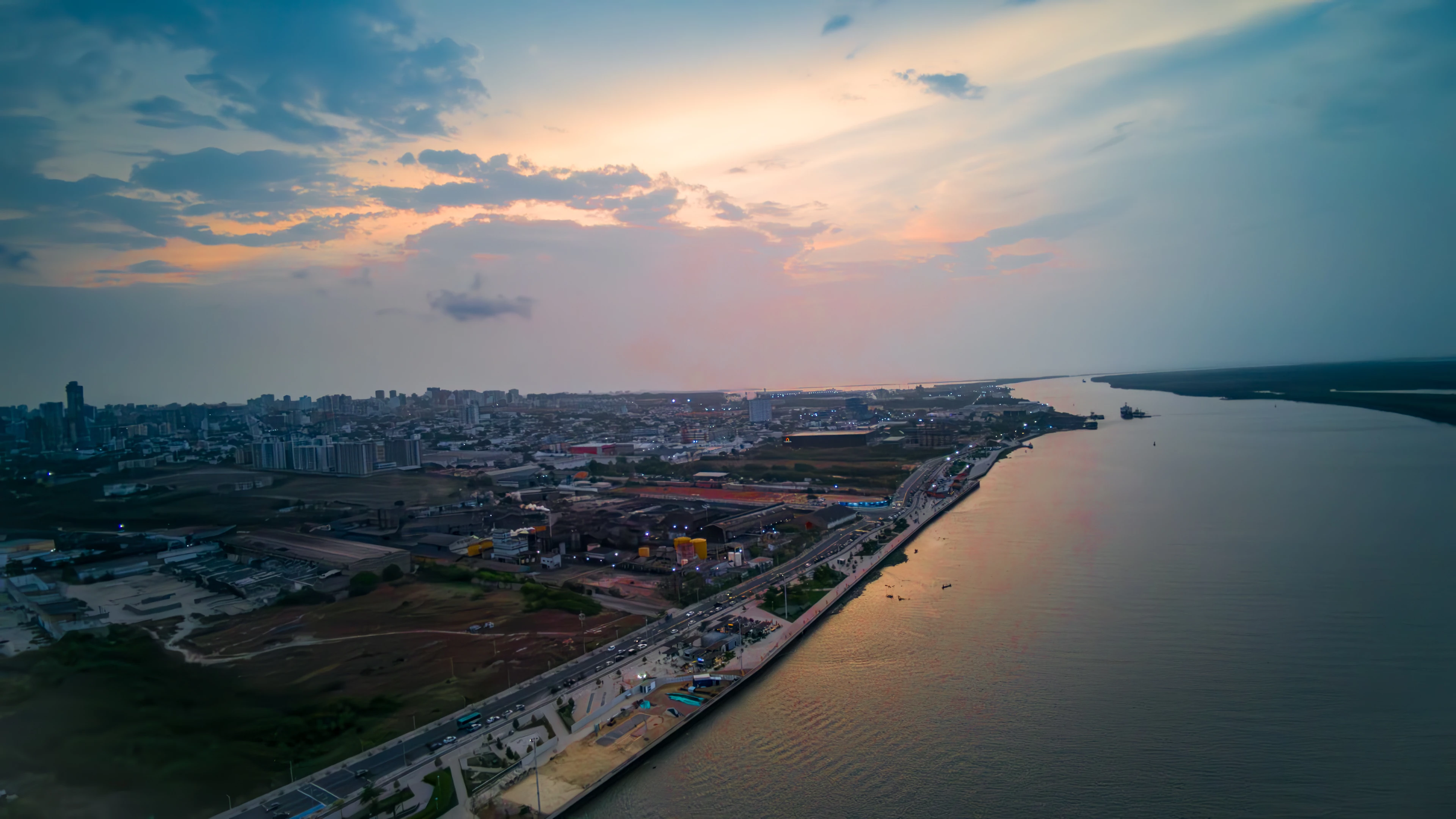
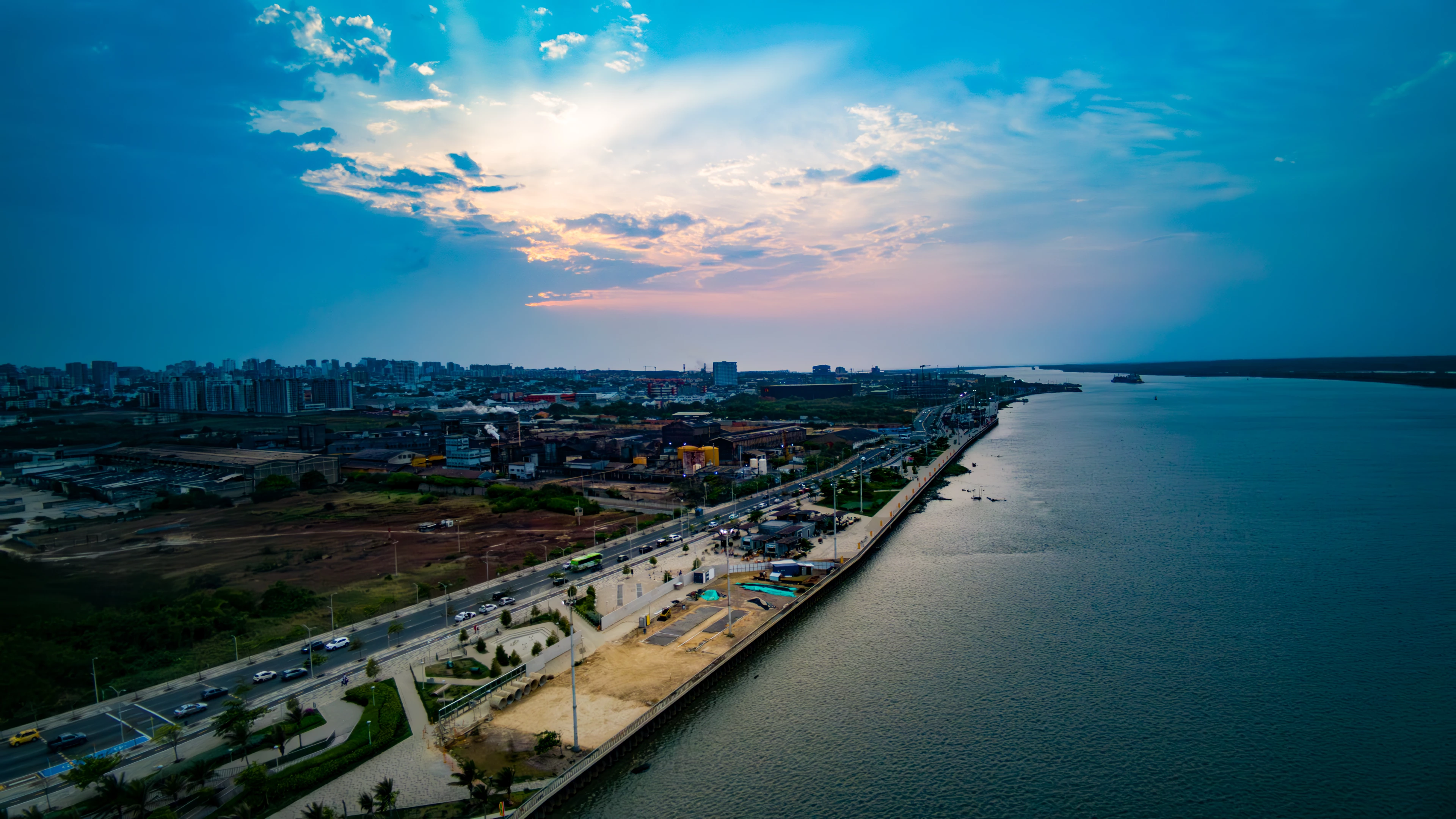
From my viewpoint, there are problems with exposure, generally just too dark, and secondly, white balance is an issue. I see from the metadata you took them from a drone. The lens is displaying light fall-off - so the edges of the lens are darker - you are getting some vignetting.

You need to lighten the pics quite a bit and perhaps do some lens corrections to correct the vignetting. (Though sometimes you can use it to your advantage - it depends on the photo.)

With this drone, you only have control over the exposure compensation as other settings are automatic. Therefore you really need to do some manual editing to get everything correct. 


Exposure:
https://www.adobe.com/creativecloud/photography/discover/exposure-in-photography.html

White balance:
https://www.adobe.com/creativecloud/photography/discover/white-balance.html


And a bit about light fall-off:

Canon Lens Vignetting (Light Fall-off) (the-digital-picture.com)


This applies to all lenses, some lenses are worse than others; this is where the cost comes in.

Abambo
Community Expert
Community Expert
April 18, 2024

The first: the horizon is not level. I would also correct the white balance. This can be done by masking out the sky and correcting only the lower part.

This white line is probably the result of your attempt to edit the picture:

Your second:

Artefacts like this will get your assets refused:

Those are chromatic aberrations that need to be addressed.

You have noise and colour noise (clouds) and those red flags (arrows) are “strange”:


Missing detail is also a reason for rejecting this asset:

Contrast is missing on your main object:

(and as @RALPH_L said, this would also be a reason for an IP rejection)


Your third is a nice picture, but completly overprocessed and mainly underexposed:

To the left of the histogram, you see that flattened green and blue content, which gives a flat look (missing contrast).

You have this white line at the sky border:

I would guess that comes with overprocessing or bad masking.

Your fourth:

Washed out colours and a strange red noise pattern in the water and out of the water.

There is absolutely no detail left. This would be an IP violation, if there would be the required detail in the image:

There is missing contrast, but the asset is not under or over exposed.

Your fifth is simple oversaturated and the white balance is too cool. 


Without offence, but I think that your drone is not delivering the quality images that are needed for Adobe stock. The images are, however, pleasant, and they will accumulate plenty of likes on social media.

ABAMBO | Hard- and Software Engineer | Photographer
RALPH_L
Community Expert
Community Expert
April 18, 2024

Exposure. Photo 2 may have an IP issue.

Abambo
Community Expert
Community Expert
April 18, 2024
quote

Exposure. Photo 2 may have an IP issue.


By @RALPH_L

Yes, I would agree on that.

ABAMBO | Hard- and Software Engineer | Photographer
Jill_C
Community Expert
Community Expert
April 18, 2024

The first appears to be oversaturated and is underexposed in the shadows.

The second has a blownout sky and string vignette.

The third is quite underexposed.

The fourth seems to have chroma noise.

The fifth is underexposed and blurry.


Jill C., Forum Volunteer
Abambo
Community Expert
Community Expert
April 18, 2024

At a first sight, and without even loading them into Photoshop, I would say that all of them have exposure problems. They look like underexposed. I will later take them to Photoshop to further lookinto them.

ABAMBO | Hard- and Software Engineer | Photographer
daniellei4510
Community Expert
Community Expert
April 18, 2024

In a nutshell, most are all under exposed but and with burned out highlights. Check your histogram in Photoshop and make adjustments accordingly. Yes, I know...these are very early morning or late night shots, but the shadows still need to be opened up.

Adobe Community Expert | If you can't fix it, hide it; if you can't hide it, delete it.