Greetings to the forum participants. I started experimenting with AI. There are a lot of refusals due to QUALITY ISSUES. I ask for your help to understand where the errors are. I'm waiting for criticism. Thank you for your time.
It's very clear from these examples that you aren't taking the time to edit your images or at least to curate the results of your AI generations. After upscaling, view all of your images at a minimum of 100% and inspect every inch of the asset in order to properly correct the errors. As @Abambo mentioned, this are nice images at first glance, but AI will have issues 99.9% of the time, especially when it comes to generating people...and more so when multiple people are in a single image. Carefully inspect eyes, mouths, noses, ears, and hands. If they can be fixed, fix them. If not, regenerate until you get a result that you feel your can edit without spending hours attempting to do so.
Translate
Adobe Community Expert | I have miles to go before I sleep, but I'm all done on this end.
Thank you very much for your help. Yes, now I understand that I need to spend a lot more time looking at each work. And correct the slightest flaws in the illustration. Thank you for your advice.
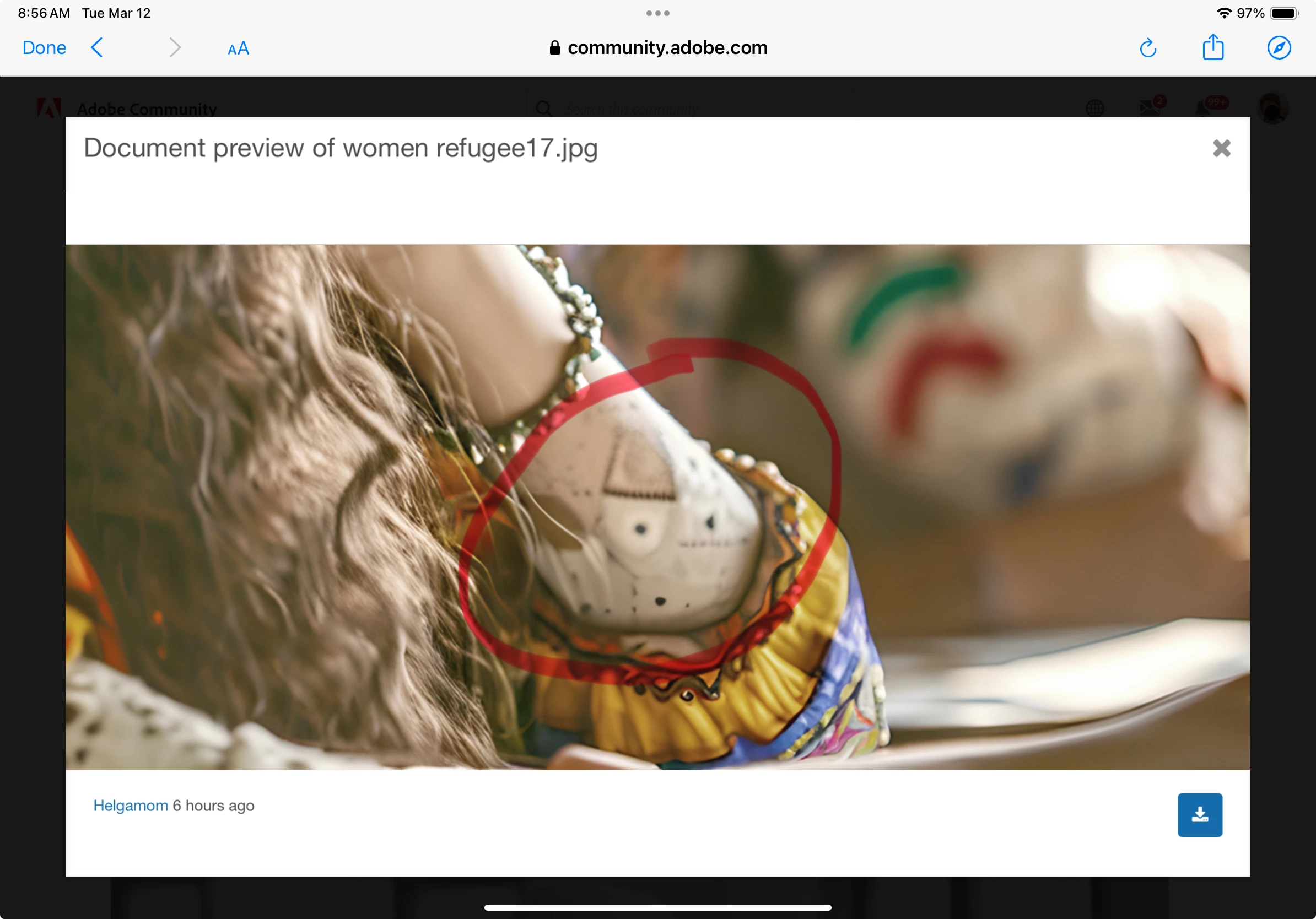
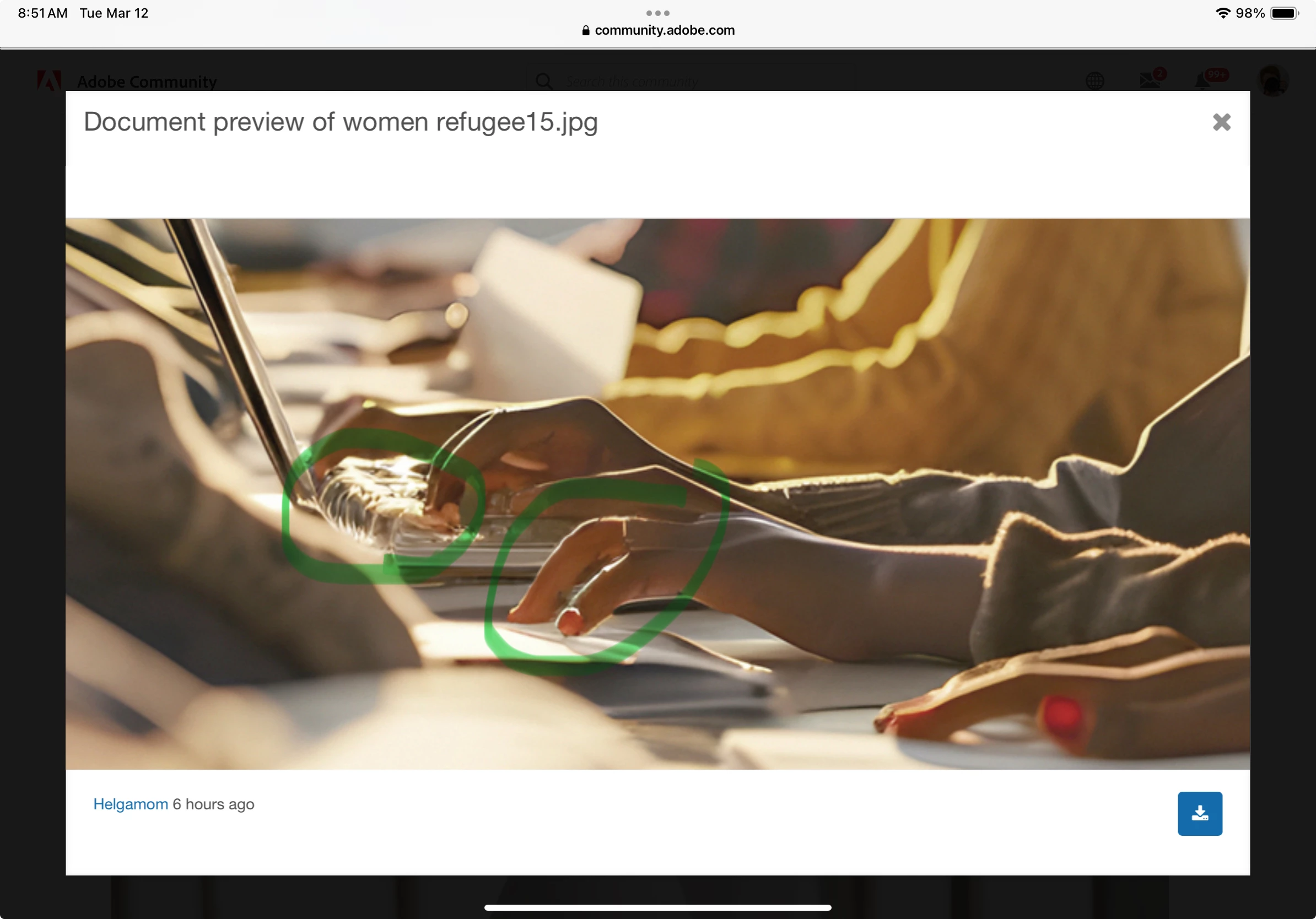
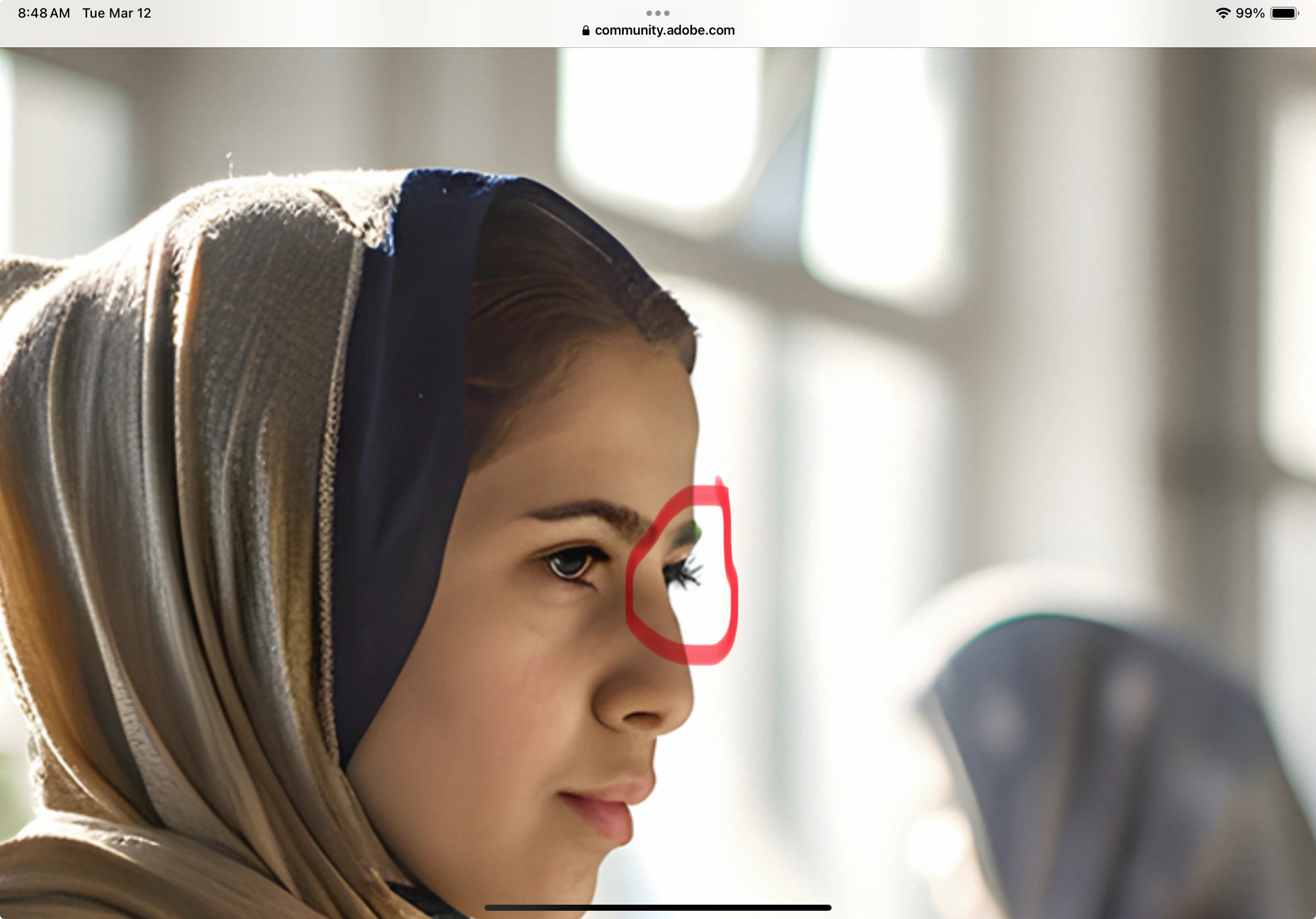
Some are nice, at a first sight, but if you look at the details, you see the troubles. With others, you even don't need to look very hard to spot the issues. Some examples, all are typical quality issues from generative AI.
elder 6:
Woman 17:
That one has a lot of very visible issues.
Untitled 10:
untitled 8:
refugee 32:
I did not search extensively to catch all errors. You really need to check your assets at 100%, and correct the issues. When you can't correct, do not submit. Even if one or the other does slip through, you won't get happy with that, as the first customer complaining about this will make Adobe deleting your asset. If that happens a lot, you may get blocked.
Be careful with your titles. Check the restrictions.
Translate
ABAMBO | Hard- and Software Engineer | Photographer




 AdChoices