
Known Participant
February 11, 2026
Question

Question about "Quality Issues" rejection

  • February 11, 2026
  • 4 replies
  • 44 views

I’m so confused about the “Quality Issues” rejection. I had several photos accepted, and submitted several photos of the same style which were all rejected for “Quality Issues”. My first thought was “over filtering” -maybe, but they are very similar to photos I submitted that were accepted. I don’t know how I can submit what they want when I don’t know the secret. 

Also, it won’t let me upload the full size images here, so these are resized.

First photo - accepted.

Second photo - rejected
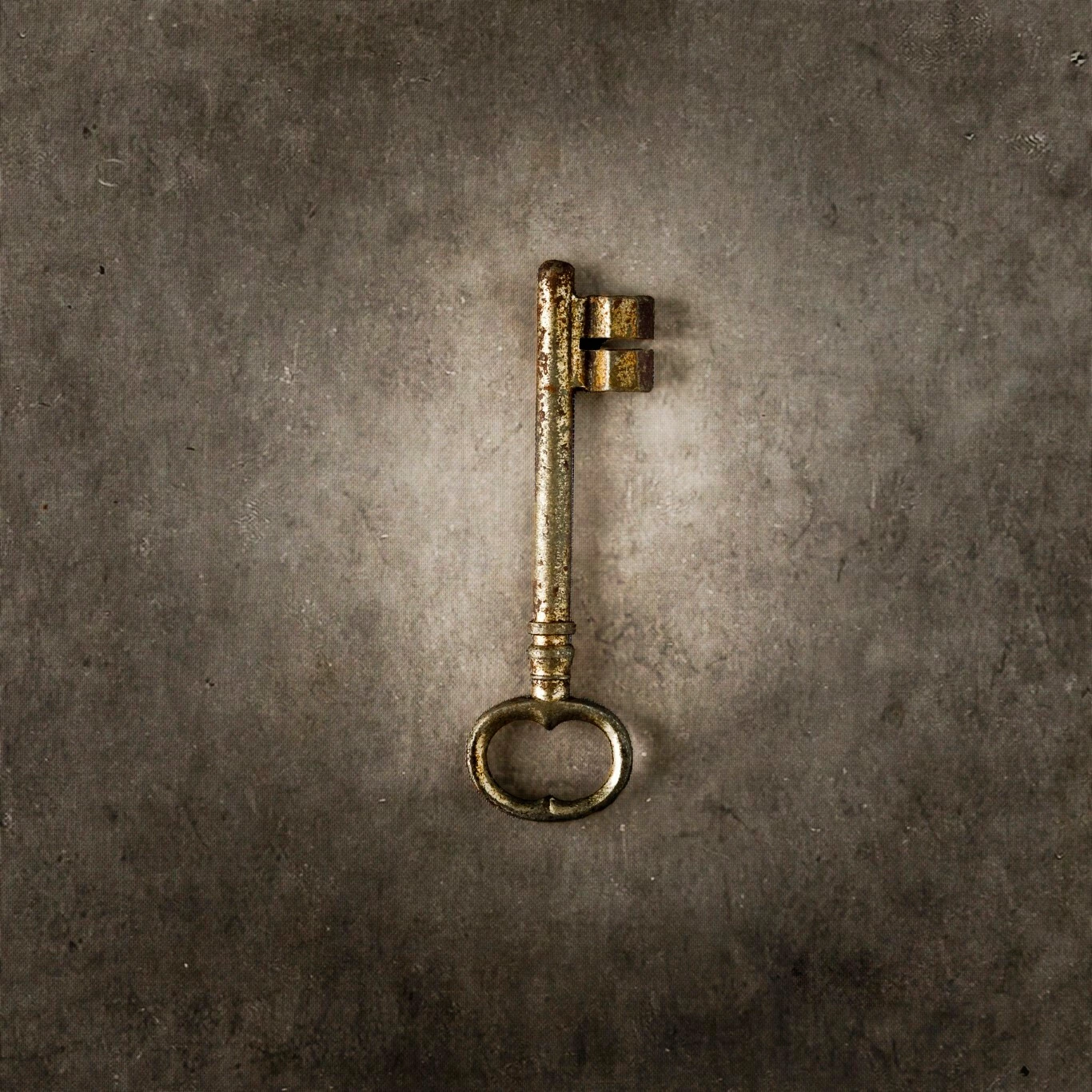
This one was accepted


    4 replies

    RALPH_L
    Community Expert
    Community Expert
    February 12, 2026

    Beautiful. However I would apply some sharpening.

    Nancy OShea
    Community Expert
    Community Expert
    February 11, 2026

    Don’t let artistry diminish the emphasis of your subject in Stock photography.

    Your main subject is a “vintage key,” not the background vignette behind it.


    This is what you’re competing with in Stock inventory.

    https://stock.adobe.com/search?k=vintage+key   479K results.


    Read Photo DOs & DON’Ts in your Contributor User Guide. 

    Hope that helps. 

    Nancy O'Shea— Product User & Community Expert
    Known Participant
    February 11, 2026

    Thank you. The key was accepted. That’s why I was confused that others in a similar style were not, but I understand that may have just been the particular moderator who accepted it and it isn’t really the right style for Adobe. I won’t be submitting any others.

    daniellei4510
    Community Expert
    Community Expert
    February 11, 2026

    They don’t make it easy, do they? :) We’re not supposed to submit black and white images, either, but I've only had one out maybe three or four dozen rejected. And they sell. Yes, the images CALL for black and white (vintage, horror, 80’s fashion, and some surreal in nature that would be less expressive in color). Granted, I don’t make a regular practice of it, and it’s certainly easy to change a color image to black and white rather than the opposite. But I rarely try to second guess what the moderators will or won’t accept, especially since the “similar content” rejections started. My primarily focus is still on quality.

    Adobe Community Expert | If you can't fix it, hide it; if you can't hide it, delete it.
    Jill_C
    Community Expert
    Community Expert
    February 11, 2026

    The flowers are not in sharp focus, and the overall image seems somewhat underexposed.

    Jill C., Forum Volunteer
    Known Participant
    February 11, 2026

    Thank you. The under exposure was intentional, and the flowers seem out of focus probably because of the antique look I was trying to achieve. I have other photos like this that were accepted, but I understand now that they really aren’t appropriate for Adobe stock. Maybe I had a very lenient or untrained moderator the day the others were accepted. 😂

    I really appreciate you taking the time to comment! 

    daniellei4510
    Community Expert
    Community Expert
    February 11, 2026

    Probably the lost details and definition among the petals. You mentioned “excessive filtering.” The general rule of thumb is that you shouldn’t use special effects filters at all, given that many buyers are graphic designers themselves and if they want special effects, they’ll add them themselves. There may be exceptions, but it is one of the reasons moderators will reject an asset.

    Adobe Community Expert | If you can't fix it, hide it; if you can't hide it, delete it.
    Known Participant
    February 11, 2026

    Thank you for the tip on filters. I’m new to this and just trying to figure out a way to consistently provide what they are looking for.

    Do you know if photos are moderated by live people or AI? I’m curious if these 2 photos were moderated by 2 different people and that’s why one was accepted and the other rejected. They were uploaded about 3 weeks apart.

    I submitted 14 photos this batch and all 14 were rejected. 

    Also in this batch were objects on white backgrounds. (attached: Bunnies - accepted, Bear - rejected. 2 separated batches.) It just makes me wonder if moderators have too much room for subjectivity. One is being more lenient than others, perhaps. 

    Do I have the option to make corrections and resubmit? Any tips on how to do that? Resubmit with all new or different tags and title? 

    I know it will never happen, but it would help if they would tell us specifically why it was rejected, rather than giving us a multiple choices to guess from. Could be this, could be that…. I don’t know how to improve when I don’t know what the problem is! 😂

    daniellei4510
    Community Expert
    Community Expert
    February 11, 2026

    “Do you know if photos are moderated by live people or AI? I’m curious if these 2 photos were moderated by 2 different people and that’s why one was accepted and the other rejected. They were uploaded about 3 weeks apart.”


    Assets rejected for “similar content” are likely rejected by a bot and it’s possible the assets never reach a moderator. There are hundreds of moderators world-wide and assets moderated on different days were probably moderated by different individuals. 

    Yes, you can re-submit after making improvements to assets initially rejected. We recommend only doing this once per asset. Similar content rejections, we believe, are the result of a bot seeing too many examples of the same titles and keywords over and over. I’ve had a handful of assets accepted on the second try by paying close attention to using more unique keywords and placing common keyword near the bottom.

    Moderators review thousands of images per day, so more definitive reasons for rejection cannot be provided in detail. And there is often more than one  reason for a refusal. Learning from your rejections and asking here for assistance is the best process.


    As for your two attachments, the bunnies are out of focus and lack detail. Experiment with different AI models that work best with various styles and subjects. I have never gotten an AI result that didn’t require further edits or enhancements, be they require manual refinement and more passes through AI enhancement software.


    Adobe Community Expert | If you can't fix it, hide it; if you can't hide it, delete it.