
Participant
January 9, 2020
Question

refusal

  • January 9, 2020
  • 4 replies
  • 271 views

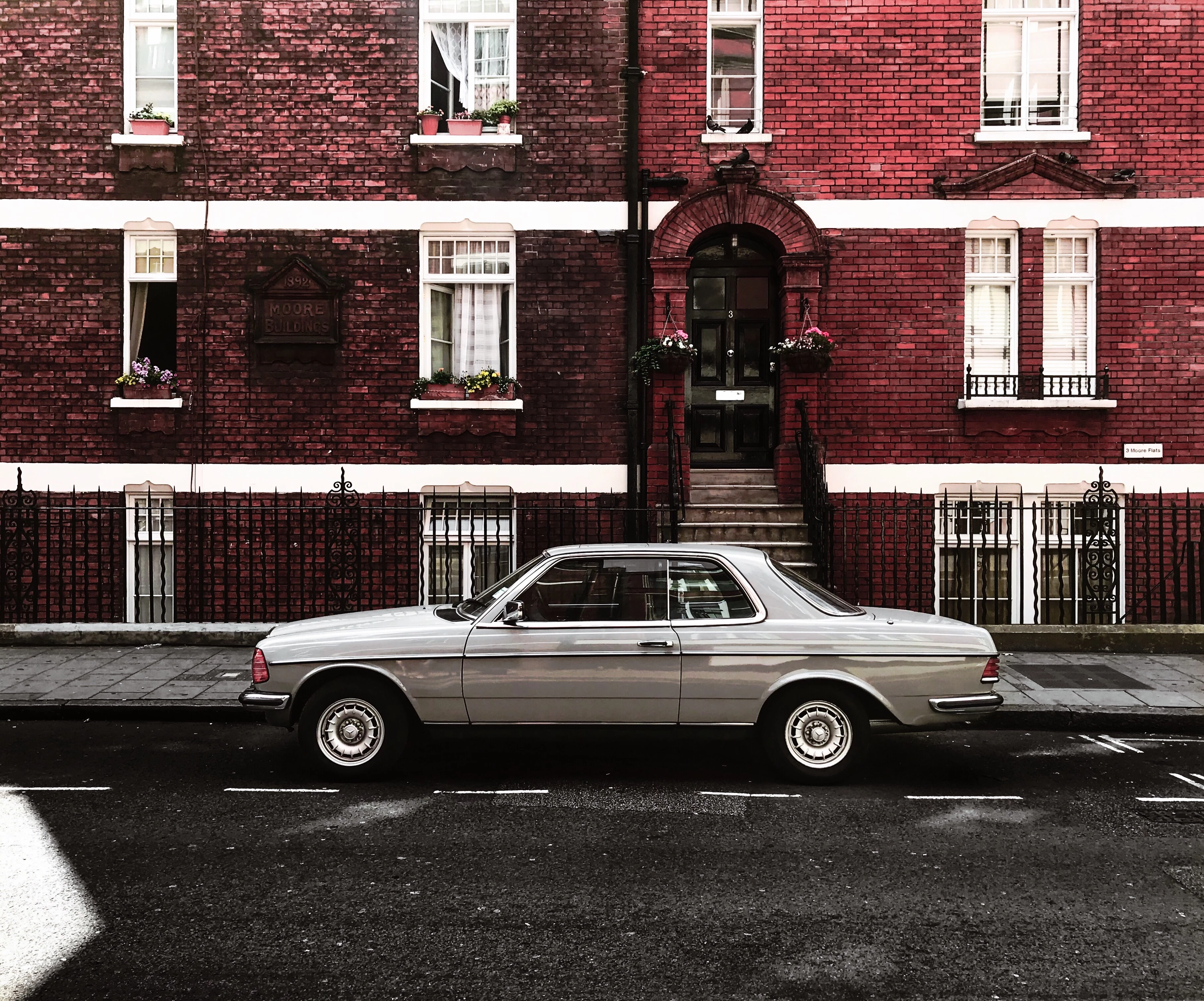
I uploaded some files to adobe stock and moderator didn't accept them. I read all rules about files and privacy but didn't find the current reason - under some photos moderator said there are a lot of noise in the picture and it is too dark, but a suppose it is note - it has pretty good quality and it is bright. So, if someone can tell me why, it would be cool 🙂

if it would not be difficult? drop me a line on my mail - [mail address deleted according to the privacy rules for this forum]
 

[Moderator deleted private information. Please do not post private information like e-mails and phone numbers]

This topic has been closed for replies.

4 replies

Ricky336
Community Expert
Community Expert
January 10, 2020

Look at your histogram. It gives a lot of information. In your image, the pixels are piled up on the left. This shows that the image is underexposed. The peaks on the right show the highlight areas which come from the white parts of the photo.

This is the histogram of your image in Photoshop.

Abambo
Community Expert
Community Expert
January 10, 2020

Please give the exact refusal reason. This is important so that we do not need to guess. You may also look up the contributor documentation for more information about refusals. https://helpx.adobe.com/stock/contributor/user-guide.html?topic=/stock/contributor/morehelp/review.ug.js


I looked into your picture and did some edits: basically Adobe Camera Raw and the "Auto" adjust feature with some minor tweaking of the whites and highlights. The result is a better image.


But, except you have a property release, you would need probably to photoshop all that could identify the building. And at least the big white blotch in the foreground is disturbing.


ABAMBO | Hard- and Software Engineer | Photographer
jacquelingphoto2017
Community Expert
Community Expert
January 10, 2020

Hi Darkstrouk,

That is a beautiful photo, however you will need to make some adjustments for it to be approved. It is indeed underexposed. It needs to be a little more lighted. There are also some noise at the edge of the pavement, and by the wheel. To view the noise you need to zoom to between 100 and 200% magnification, scroll and examine for grainy appearance and use a photo editor to make the corrections. Your colors should be smooth/even.

Best wishes

JG

Leslie Moak Murray
Community Expert
Community Expert
January 10, 2020

Are you saying you uploaded files as a contributor and they were rejected?