Known Participant
October 22, 2023
Answered

Refusal reason for this image "Quality Issue" and how to fix it

  • October 22, 2023
  • 3 replies
  • 469 views


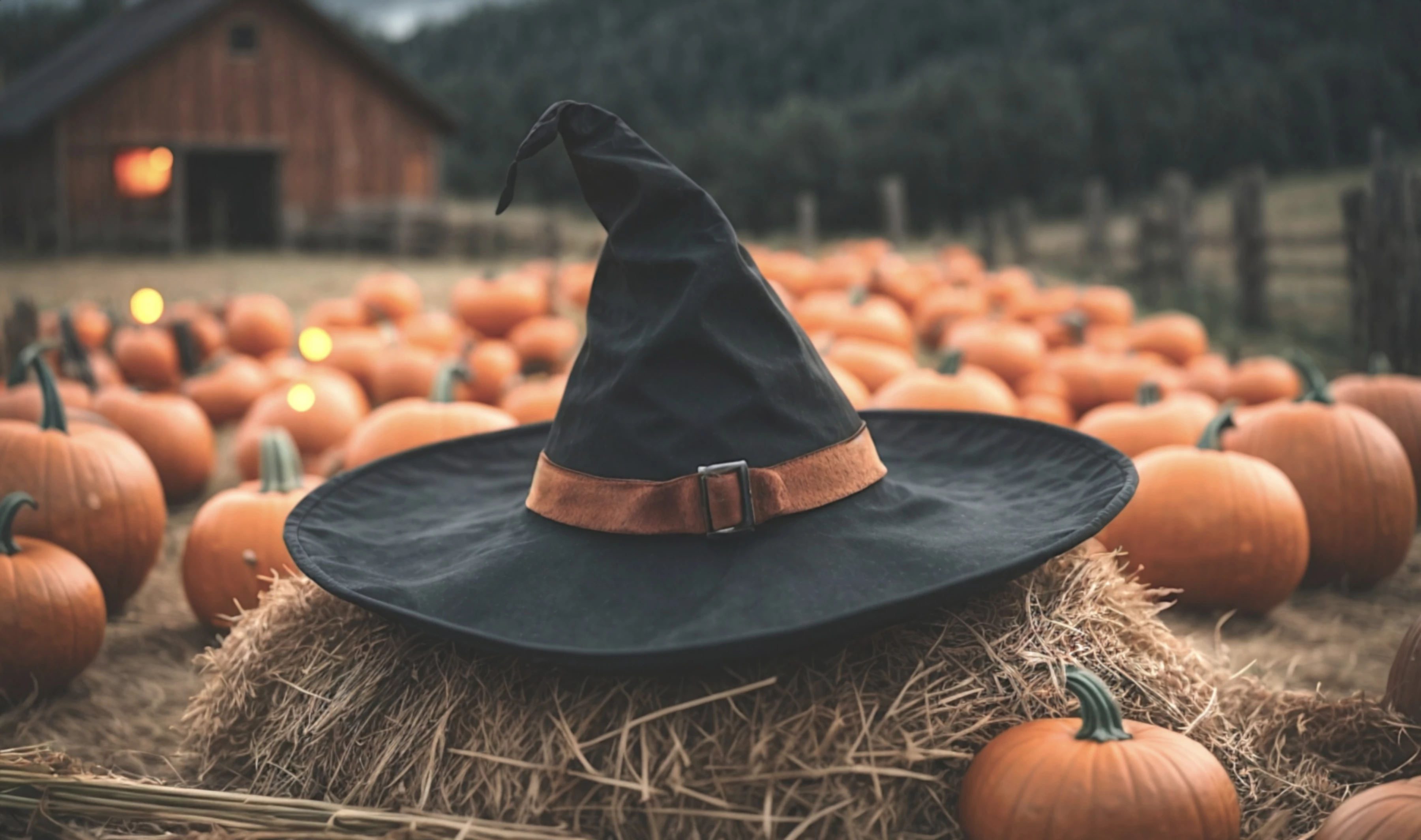
Hi there,  I can't fix something if I don't know what the issue is.  Could someone guide me in the right direction?  The image was refused by Adobe.  It's a close up of a witches hat on a haystack with blurred background.  Does someone have an idea why it was fused and how I fix it?  It was generated with AI
This topic has been closed for replies.
Correct answer daniellei4510

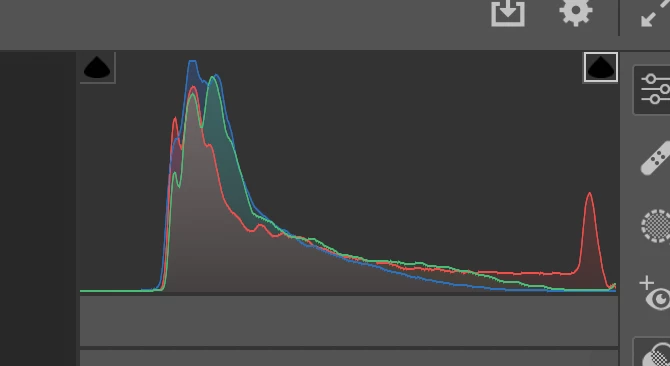
What @Jill_C said, plus there are no pure blacks or pure whites, as it lacks contrast.

3 replies

FernLAuthor
Known Participant
October 22, 2023

Removed dots and added some contrast to fix the washout

Ricky336
Community Expert
Community Expert
October 23, 2023

This is an improvement. Have a think about the light in the barn as well. Is this necessary?

daniellei4510
Community Expert
daniellei4510Community ExpertCorrect answer
Community Expert
October 22, 2023

What @Jill_C said, plus there are no pure blacks or pure whites, as it lacks contrast.

Adobe Community Expert | If you can't fix it, hide it; if you can't hide it, delete it.
Jill_C
Community Expert
Community Expert
October 22, 2023

The 3 yellow bokeh dots on the left side among the pumpkins don't make sense. Bokeh is only created if there are small light sources, which are non-existent in that area. The overall image is rather hazy and lacking in contrast. You could bring up the whites and deepen the blacks.

Jill C., Forum Volunteer
FernLAuthor
Known Participant
October 22, 2023

Initially, I didn't think much of the 3 yellow highlights or dots.   It's a farm so just assuming they are insects reflection or fireflies But I removed them