

This topic has been closed for replies.
Correct answer Abambo

I would add to @Marianne-Deiters' analysis: Sharpen your Photoshop skills:
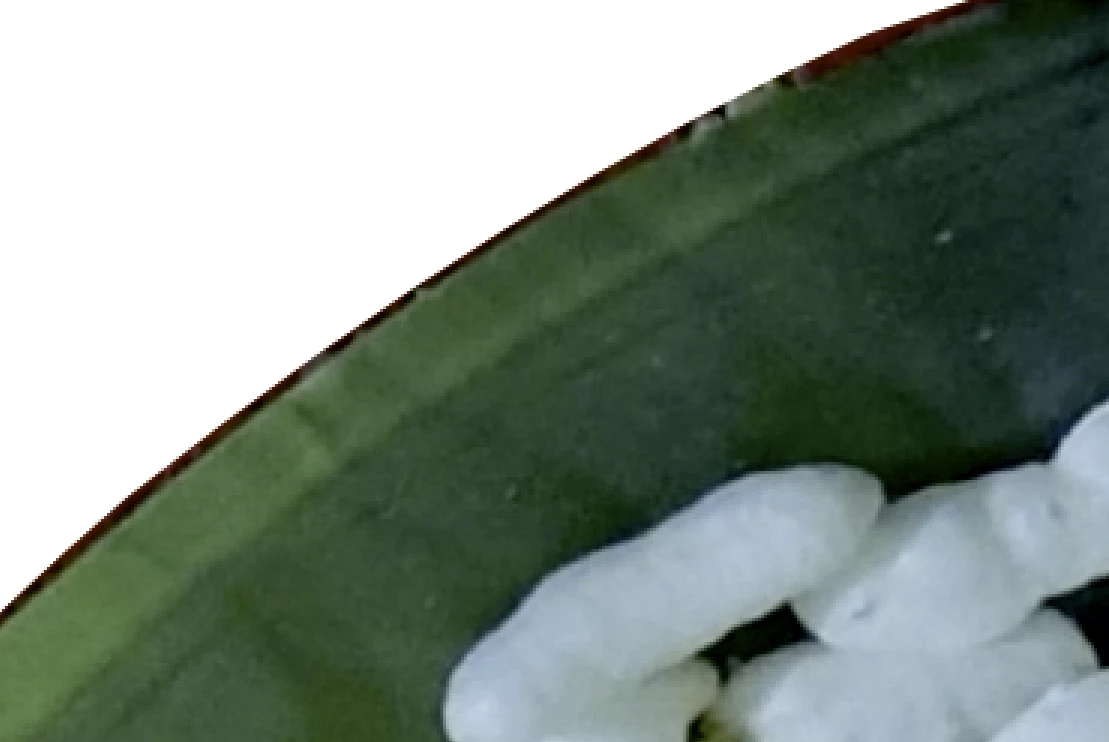
The cutout is really badly done.


If you are new to stock, you should consider these resources: https://helpx.adobe.com/stock/contributor/tutorials.html
Please read the contributor user manual for more information on Adobe stock contributions: https://helpx.adobe.com/stock/contributor/user-guide.html
See here for rejection reasons: https://helpx.adobe.com/stock/contributor/help/reasons-for-content-rejection.html
and especially quality and technical issues: https://helpx.adobe.com/stock/contributor/help/quality-and-technical-issues.html

2 replies

Abambo
Community Expert
AbamboCommunity ExpertCorrect answer
Community Expert
June 8, 2022

I would add to @Marianne-Deiters' analysis: Sharpen your Photoshop skills:

The cutout is really badly done.


If you are new to stock, you should consider these resources: https://helpx.adobe.com/stock/contributor/tutorials.html
Please read the contributor user manual for more information on Adobe stock contributions: https://helpx.adobe.com/stock/contributor/user-guide.html
See here for rejection reasons: https://helpx.adobe.com/stock/contributor/help/reasons-for-content-rejection.html
and especially quality and technical issues: https://helpx.adobe.com/stock/contributor/help/quality-and-technical-issues.html

ABAMBO | Hard- and Software Engineer | Photographer
Marianne-Deiters
Participating Frequently
June 8, 2022

The white balance is wrong, the bleed is too close to the motif and the file must be delivered in RGB instead of CMYK. It could also be sharpened.