


April 21, 2023
Answered

Rejected again, quality issue.

  • April 21, 2023
  • 3 replies
  • 862 views

Ok guys, Photos rejected again. What's wrong?
If my photos are not good, at this point there is no point in working with Adobe, the same photos that you rejected have been accepted by 4 other reputable stock photo companies, I will tell you the names privately if you are interested and give a 'look at my portfolio.

I received over 155 rejected photos in 4/5 months. I cannot afford to waste time and will cancel my account. I would like to know why these 2 photos were rejected. Thank you
This topic has been closed for replies.
Correct answer RALPH_L

Both photos have underexposed shadows.

The second photo has artifacts in the sky.

The issues in the second photo clearly show that the review process in the other 4 reputable stock photo companies is not efficient. Adobe offers quality photos and for our photos to be accepted they must meet the standards. 

I hope you feel differently about wanting to cancel your account. Remember, Adobe pays out 3x more than Shutterstock for photos sold to customers with a standard account.


3 replies

George_F
Community Expert
Community Expert
April 21, 2023

Along with what the others have mentioned, I think a quick glance at the histograms reveals a bit about the rejections here.  This may have been intentional on your part, but I believe Adobe would view this as underexposure.  I do think these would benefit from at least a shadows and black points adjustment.


I think it's important to remember a rejection from Adobe doesn't mean it's a bad photo necessarily, but just didn't meet the Adobes criteria for a commercial asset.


Cheers!

George F, Photographer & Forum Volunteer
April 21, 2023

Hello, I make some correction at the photos. I would like to have your opinion.

Thanks

George_F
Community Expert
Community Expert
April 21, 2023

Moving in the right direction!  If you look at the histogram though, there is still a portion of the whites area missing information, and some blacks that are clipped.


It is worth noting there is a blurry area in the tree/bush that will keep this photo from being accepted in my opinion.  But I like this version much better.


Cheers!

George F, Photographer & Forum Volunteer
Abambo
Community Expert
Community Expert
April 21, 2023

2114: The shadows could be lifted, but generally, the exposure is OK. There is a white hallo around the tree. And then, there are artefacts:

There is a line running vertically through the sky (hard to see):

Colour clipping with the sun:

Finally, there may also be an IP problem with the inscription in the wood.

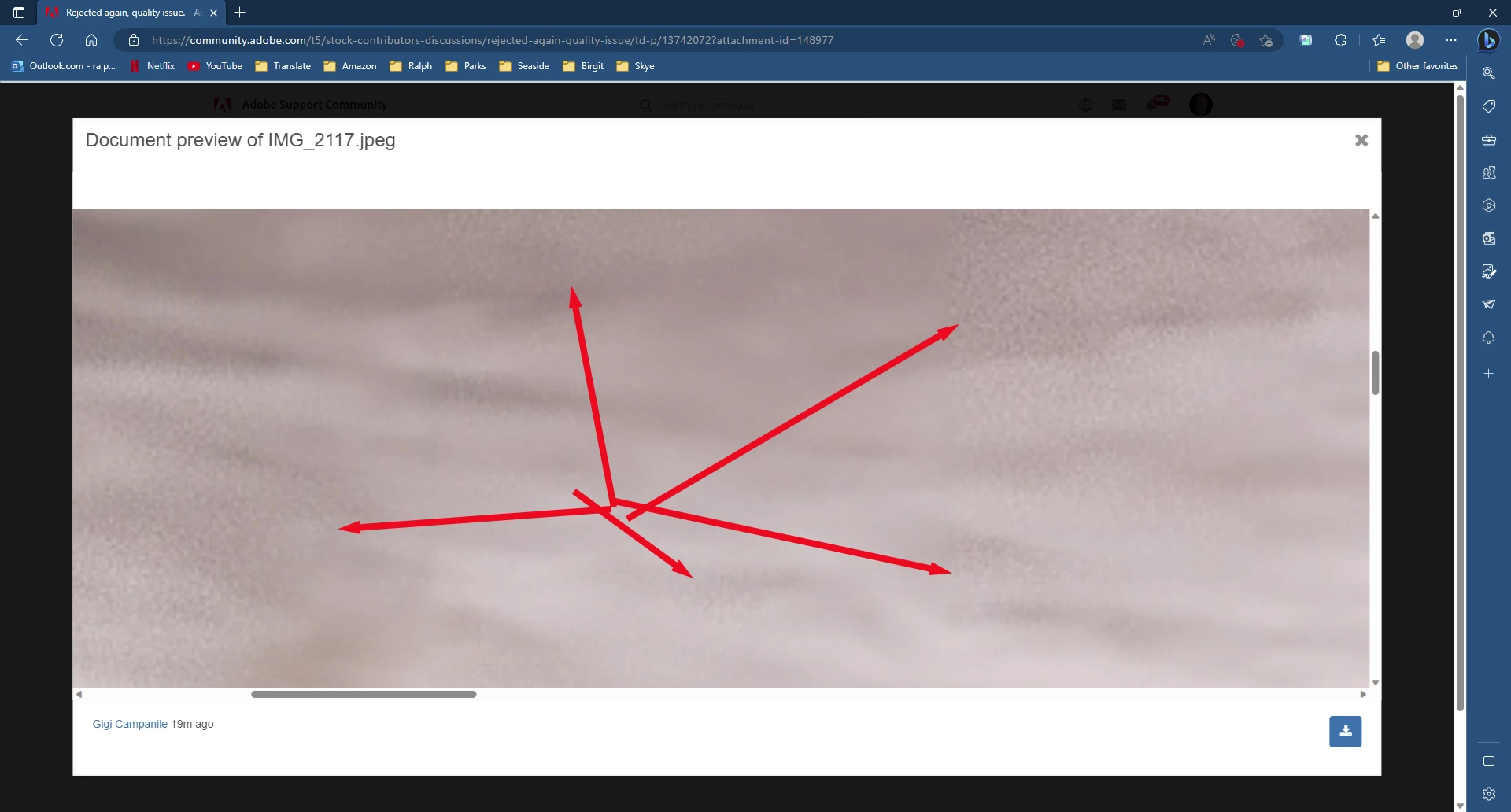
2117: artefacts:

In addition, the focus falls off at the borders. You could argue that the asset could have a lift of the shadows.


All in all, the refusals are correct. I don't know what those 4 “reputable stock photo companies” are looking for, but they did a poor moderation job. Refusals on these were easy, as one artefact is enough to refuse the asset. And yes, if all your assets are like this, it is indeed best to stop submitting.


As a side note: I have some HDR assets in the database, but I'm cautious not to push the sliders to the extreme.

ABAMBO | Hard- and Software Engineer | Photographer
April 21, 2023

May I know how much you enlarged the photo?

Thanks

Abambo
Community Expert
Community Expert
April 21, 2023

200%. You see artefacts better at an enlarged size, but with your assets, no need for that:

ABAMBO | Hard- and Software Engineer | Photographer
RALPH_L
Community Expert
RALPH_LCommunity ExpertCorrect answer
Community Expert
April 21, 2023

Both photos have underexposed shadows.

The second photo has artifacts in the sky.

The issues in the second photo clearly show that the review process in the other 4 reputable stock photo companies is not efficient. Adobe offers quality photos and for our photos to be accepted they must meet the standards. 

I hope you feel differently about wanting to cancel your account. Remember, Adobe pays out 3x more than Shutterstock for photos sold to customers with a standard account.


April 21, 2023

Hi Ralph,

How much did you enlarge it, over 200? At that magnification you don't find any perfect photo. Except if you don't have a definition that goes beyond 50/60 mega Pixels. my camera has 32.5 MP

Abambo
Community Expert
Community Expert
April 21, 2023
quote

Hi Ralph,

How much did you enlarge it, over 200? At that magnification you don't find any perfect photo. Except if you don't have a definition that goes beyond 50/60 mega Pixels. my camera has 32.5 MP


By @26775709

You see the artefacts at 100%, but most of the time, it is difficult to see exactly what happens, especially on my 4k screen. Therefore, I enlarge to 200-400%, but that is to avoid having to glue my nose to the screen. The artefacts got introduced with your processing.


ABAMBO | Hard- and Software Engineer | Photographer