



Participant
January 12, 2023
Answered

Rejected because of quality

  • January 12, 2023
  • 3 replies
  • 328 views

Hello,

somebody skilled could help me explained in detail reason for rejection ?


Thank you in advance

This topic has been closed for replies.
Correct answer Ricky336

Hello,

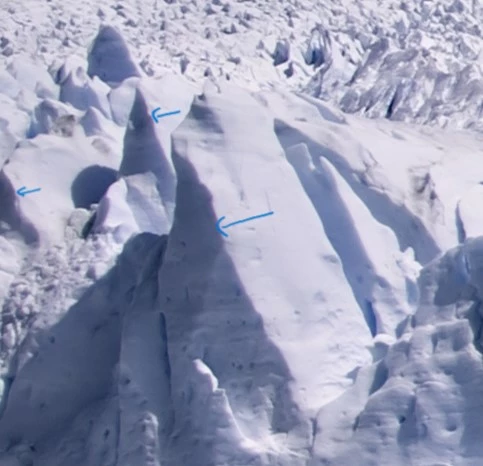
To fix the colour cast, you'll have to adjust the colour temperature by adjusting the blue/yellow slider and the tint slider green/magenta in Camera Raw, or altering the curves and levels in Photoshop (or equivalent software).

And removing the slight purple fringe on the edge of some parts of the glacier. 
 

3 replies

Ricky336
Community Expert
Ricky336Community ExpertCorrect answer
Community Expert
January 13, 2023

Hello,

To fix the colour cast, you'll have to adjust the colour temperature by adjusting the blue/yellow slider and the tint slider green/magenta in Camera Raw, or altering the curves and levels in Photoshop (or equivalent software).

And removing the slight purple fringe on the edge of some parts of the glacier. 


Nancy OShea
Community Expert
Community Expert
January 13, 2023

And too much pink/purple in the sky.

Adjusting White Balance

https://www.adobe.com/creativecloud/photography/discover/white-balance.html


Nancy O'Shea— Product User & Community Expert
Jill_C
Community Expert
Community Expert
January 13, 2023

White balance is too blue and there's a bit of chromatic aberration (purple border here and there). When I zoom in to 100%+ I'm not seeing sharp focus on the face of the glacier. You could also lift the shadows and bring more detail out in that mountain on the right.

Jill C., Forum Volunteer