IRStone
Participant
June 7, 2023
Answered

Rejected vector file for technical reasons

  • June 7, 2023
  • 3 replies
  • 244 views

Good afternoon,

I have several regections on vector files with standart message:

Your file has one or more of these issues:

  • Your vector file contains a raster/bitmap image, and vector files must not contain raster elements.
  • Your JPEG preview file has been compressed too much, so textural problems have occurred in the file.
  • Your JPEG preview resolution must not be less than 5,000 X 3,000 (15 million pixels)
  • You didn't use anti-aliasing when exporting your vector file to JPEG, so there are problems with lines on the JPEG fileI have cheked but cannot see any problems. I would very apprisiate if you can help me to find mistakes. Regards, IR

This topic has been closed for replies.
Correct answer Abambo

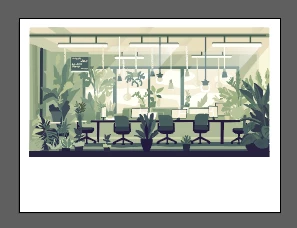
This is, how the asset opens with me, and the white frame is for sure an issue.


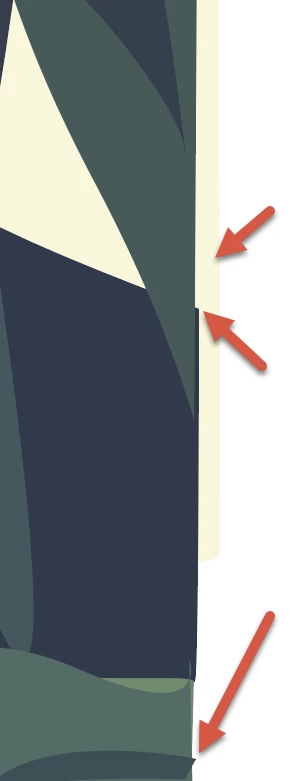
There is also no clipping mask around your asset. So, you have issues like these ones:

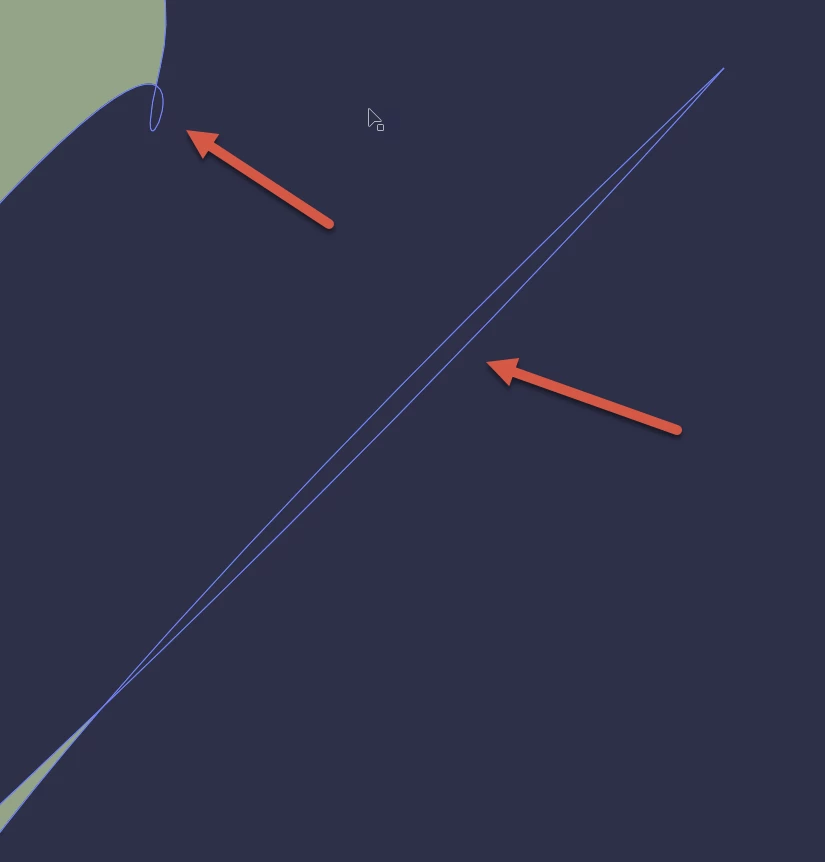
A third problem may be the loops:

In addition, I have the slight feeling that this is a vectorized asset of a generative AI picture. That would not be allowed.


3 replies

Nancy OShea
Community Expert
Community Expert
June 7, 2023

Generative AI must be submitted as JPG. 

Also Stock has special instructions for submitting Generative AI Illustrations. See below.

https://helpx.adobe.com/stock/contributor/help/generative-ai-content.html


Nancy O'Shea— Product User & Community Expert
Abambo
Community Expert
AbamboCommunity ExpertCorrect answer
Community Expert
June 7, 2023

This is, how the asset opens with me, and the white frame is for sure an issue.


There is also no clipping mask around your asset. So, you have issues like these ones:

A third problem may be the loops:

In addition, I have the slight feeling that this is a vectorized asset of a generative AI picture. That would not be allowed.


ABAMBO | Hard- and Software Engineer | Photographer
Nancy OShea
Community Expert
Community Expert
June 7, 2023
Nancy O'Shea— Product User & Community Expert