


Answered

AbamboCorrect answer
Community Expert
March 20, 2025
You have cutout errors: 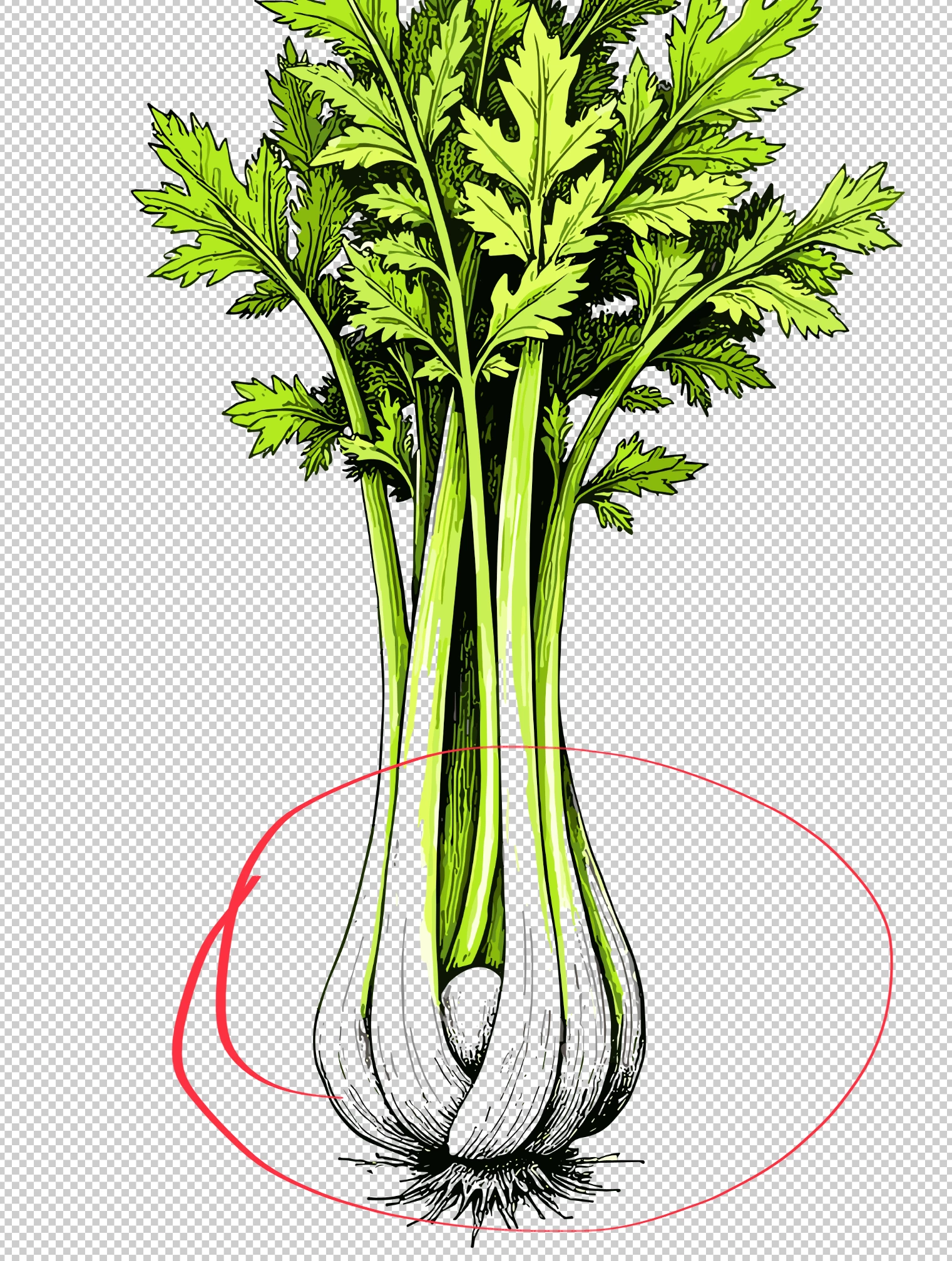
They should be filled with white, not transparent!
Your lines are quite soft, and there are also some classic cutout errors, like leftovers.
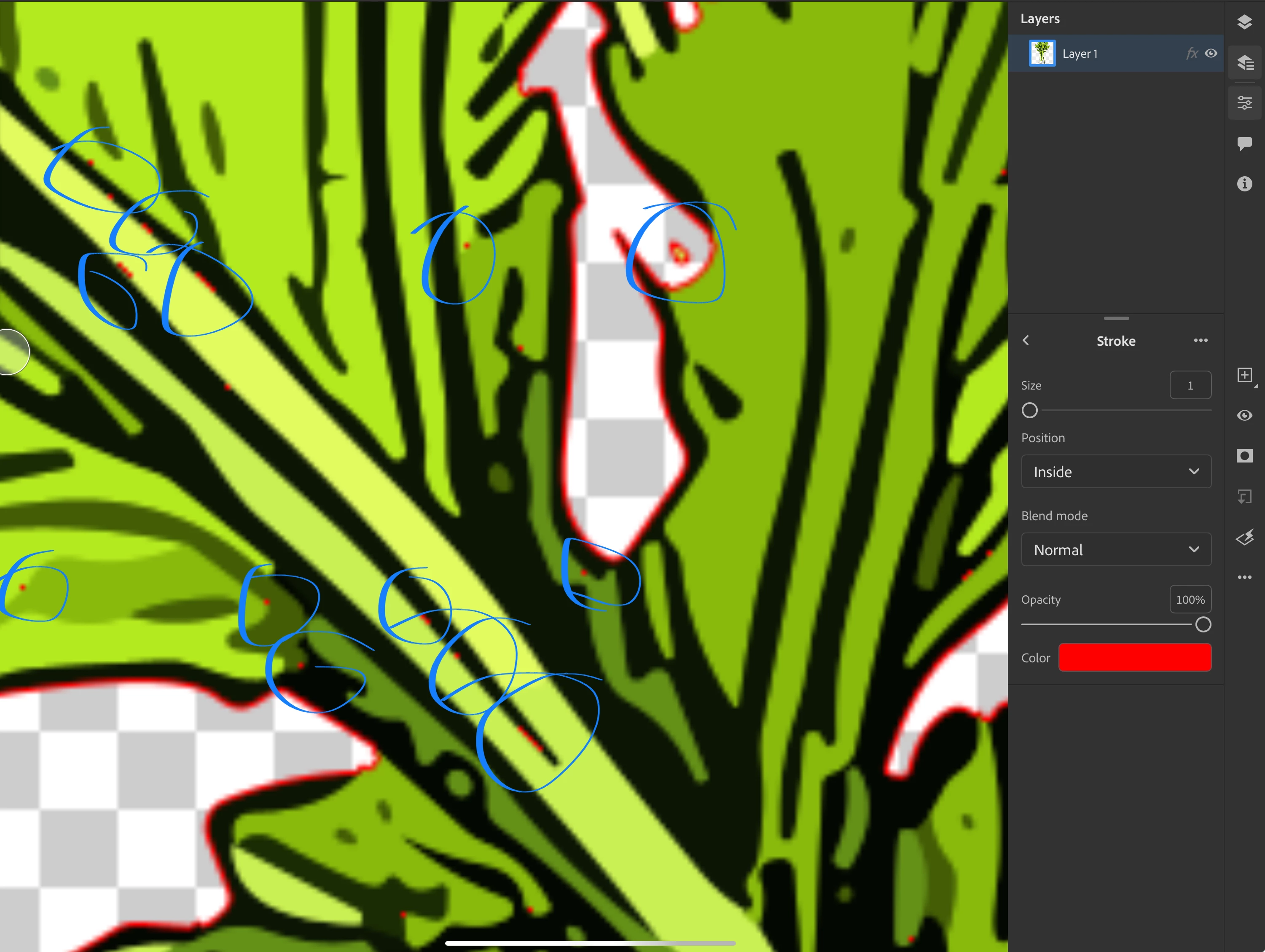
I use the stroke fx in Photoshop to detect cutout issues.
As mentioned above, your lines are "soft" a bit like the cut-out filter or similar in Photoshop. That is not sufficient quality for Adobe stock.
I also checked 303: 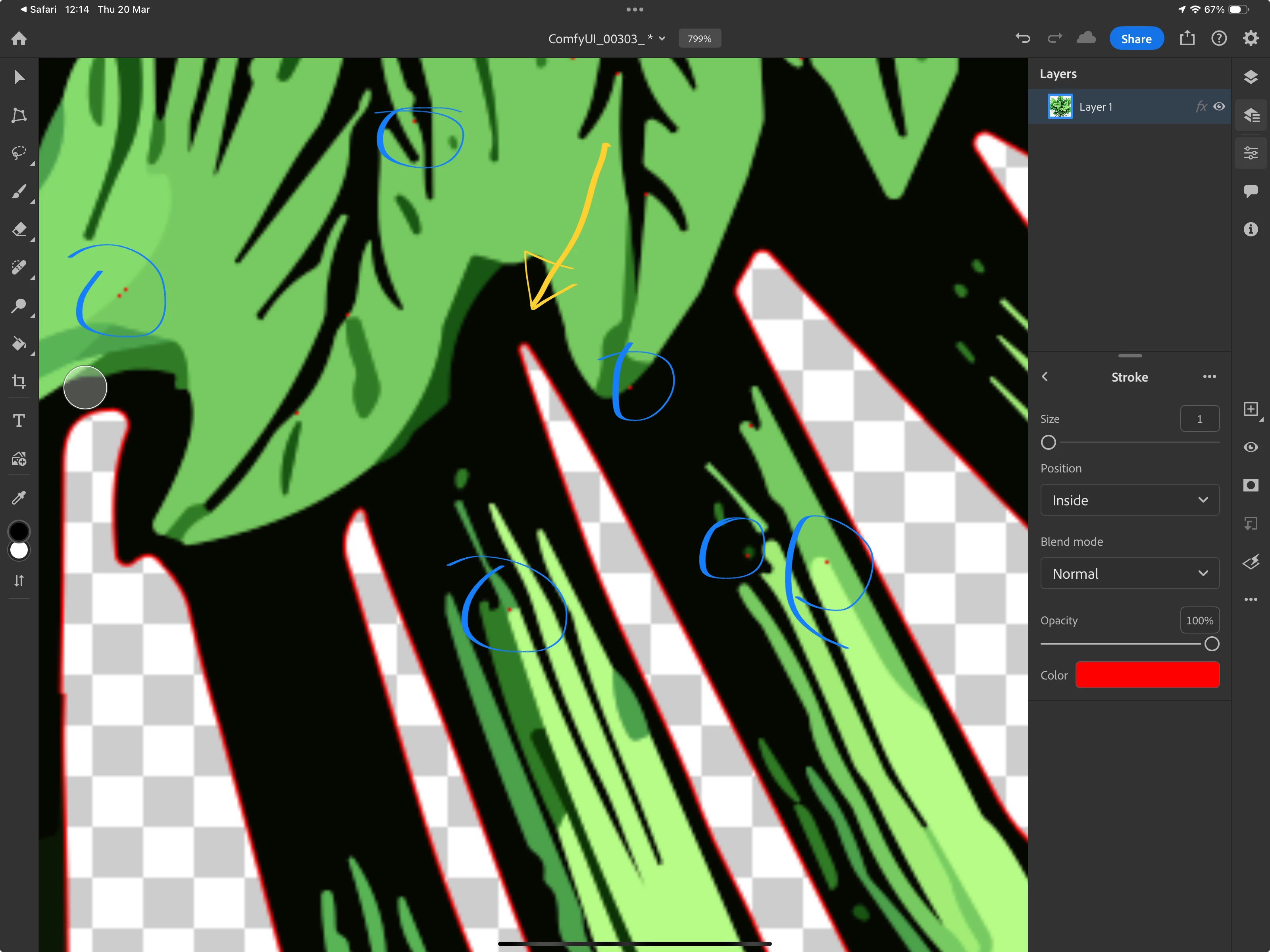
Blue: cutout errors (transparency where there should be none. You see that well with the stroke effect.
Yellow arrow: corners need to be sharp angles, not this round soft angle.
ABAMBO | Hard- and Software Engineer | Photographer
 AdChoices