Participant
March 15, 2018
Answered

Rejection due to technical error
  • March 15, 2018
  • 3 replies
  • 816 views

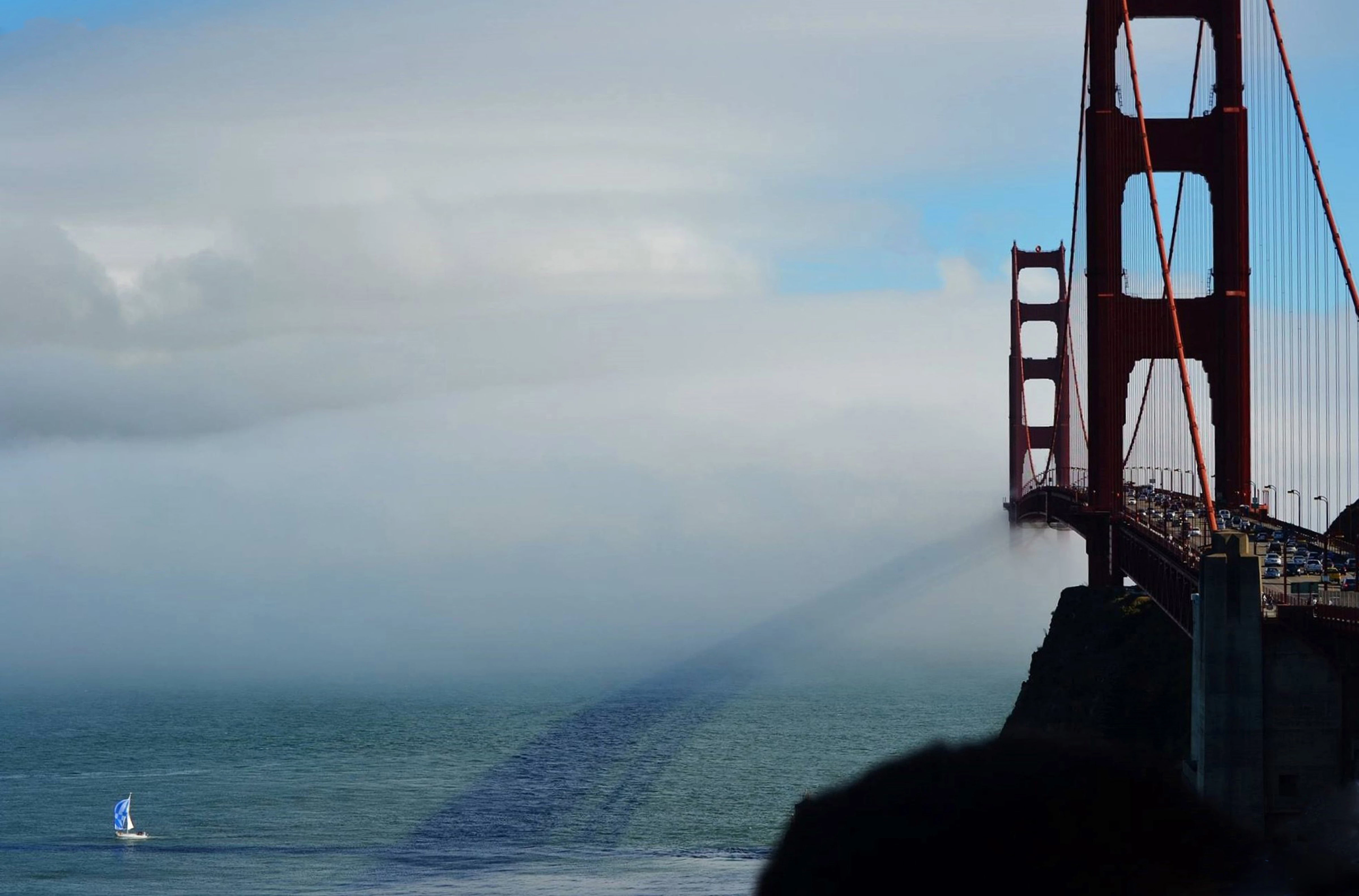
This photo was rejected due to technical issues but I am unsure why. Any input or suggestions are much appreciated!

This topic has been closed for replies.
Correct answer Ricky336

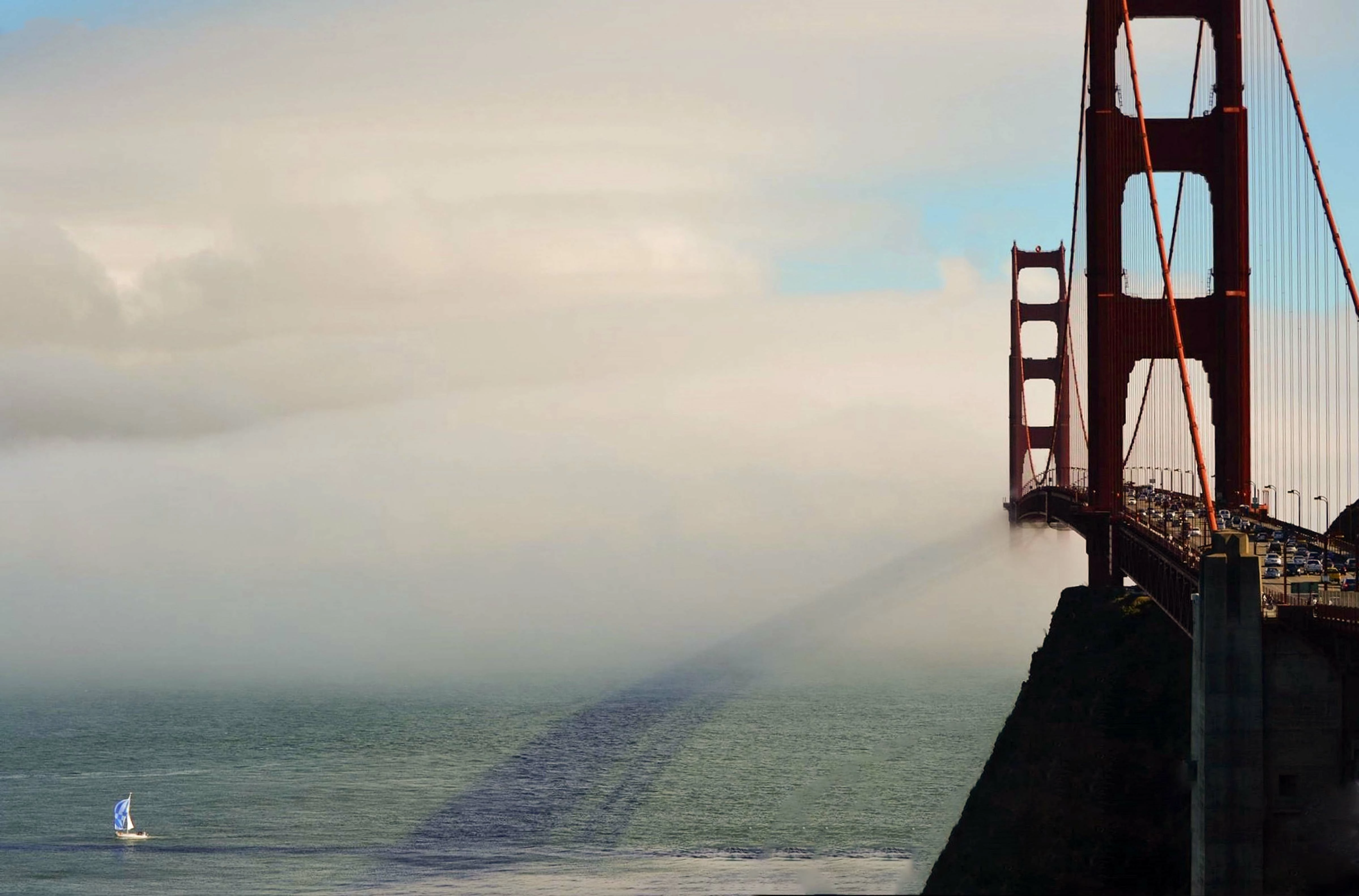
In addition to the above, also think about your white balance. (Perhaps, it is a bit too blue). This also comes under technical reasons. Don't forget about that.

I did a quick white balance adjustment in Photoshop with the camera raw filter using auto as well as removing the rock by using the lasso tool around the rock and then fill using content aware. I don't know if you are using Photoshop, but it is really good at removing unwanted objects!!! This is the result:
3 replies

Ricky336
Community Expert
Ricky336Community ExpertCorrect answer
Community Expert
March 15, 2018

In addition to the above, also think about your white balance. (Perhaps, it is a bit too blue). This also comes under technical reasons. Don't forget about that.

I did a quick white balance adjustment in Photoshop with the camera raw filter using auto as well as removing the rock by using the lasso tool around the rock and then fill using content aware. I don't know if you are using Photoshop, but it is really good at removing unwanted objects!!! This is the result:

Participant
March 15, 2018

I have a version of Photoshop Elements and I still have a lot to learn about the various tools. Thanks for your help!

v.poth
Inspiring
March 15, 2018

Hi,

please see the explanation of the reason for refusal "technical reasons":

https://helpx.adobe.com/stock/contributor/help/quality-and-technical-issues.html

Then take a look at the bridge in 100% view. There are a lot of chromatic aberrations here. I think the bridge was also too strongly cropped for the selector.

Apart from these reasons for refusal, however, it seems to me that the image as a whole is not sharply focused.

Greets,

v.poth

joanH
Inspiring
March 15, 2018

My first impression of this SF bridge shot is, how can that happen? Then, What can a buyer do with this? It is a fascinating play of light on fog but a few things appear to be a bit off.The right foreground has both focused and out of focus lines in the black. How can that be? In general, the entire photo has blurred areas so that means it is not for Adobe market. Follow the guidelines - exactly - when presenting your work for stock.JH

Participant
March 15, 2018

Thanks for your input! To answer your question about the in-focus and out-of-focus areas in black, the out-of-focus area was a rock on the shore and the in-focus areas were part of the bridge foundation itself, a little farther out. With increasing the exposure, this would be more obvious and honestly, with that area not being the focal point of the photo, I didn't think it would matter. I could not crop out the rock in the foreground without keeping what I wanted to keep in the photo.

joanH
Inspiring
March 15, 2018

Any blurred or noise area will get you a rejection. Have you read the information about what technical error? A link usually accompanies rejection notices. The sky and edges of the bridge are not sharp.  Look at the photo at high magnification 100% or more. JH