
Known Participant
October 10, 2025
Question

Rejection noted as "quality issues." What's wrong?

  • October 10, 2025
  • 3 replies
  • 500 views

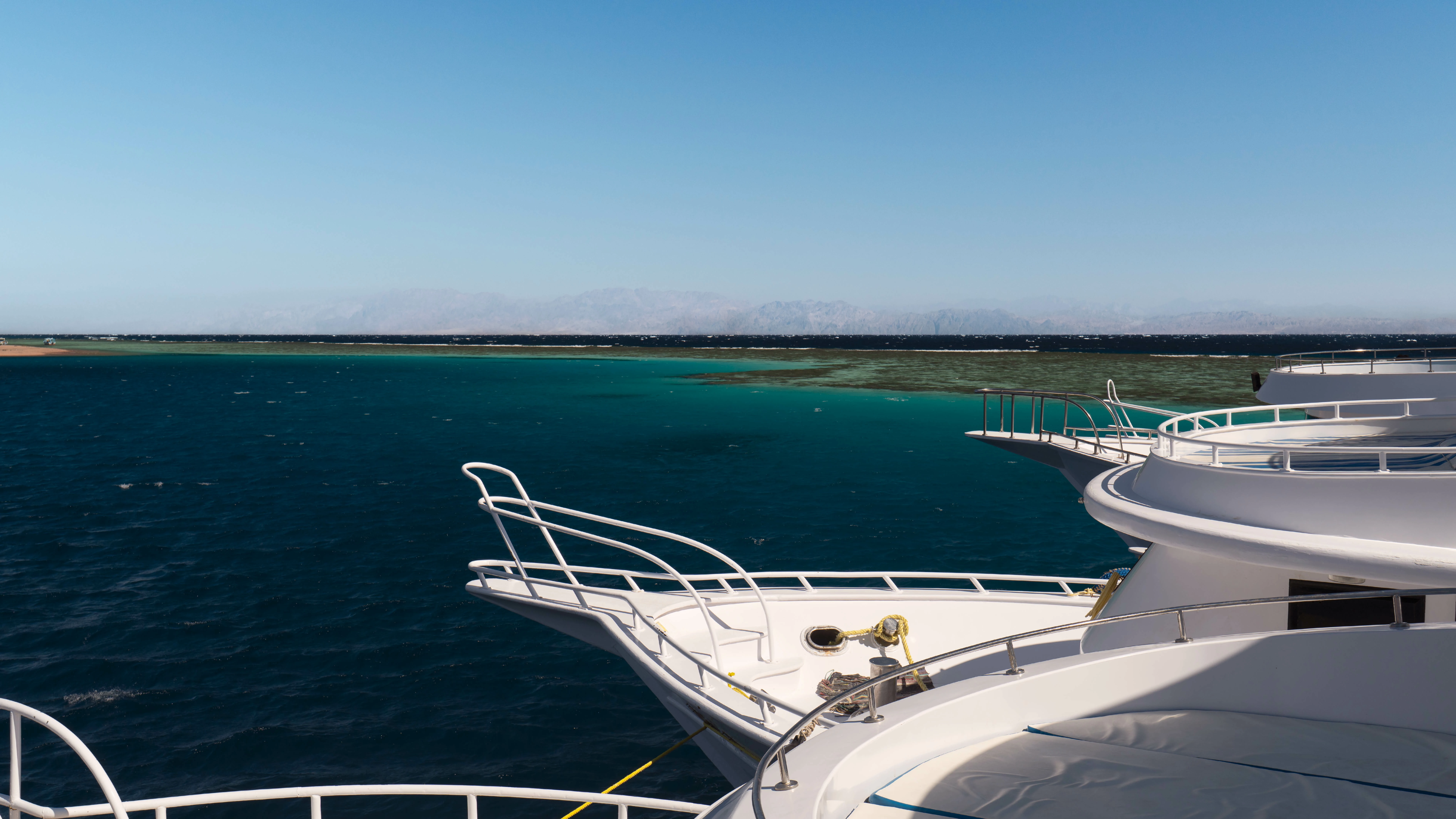
Greetings, dear colleagues. Please help me understand the "quality issues" rejection error. I uploaded some vacation photos. Out of 5, only 1 was accepted. To figure out the cause, I decided to take one photo and experiment: I reduced noise, removed highlights, worked on the shadows, and sharpened it a bit, but it still refused "quality issues." Please help me figure this out.
3 replies

Inspiring
October 10, 2025

I'm not all convinced on how you cropped this photo on the bottom, it's hard to appreciate 

the boat.

Are you using Adobe Photoshop or Lighroom to edit your photos?

You can do so much now, in Photoshop Beta for example I made some two changes that took AI just a few seconds.

Take a look


Francisco ZALEZPHOTO
Known Participant
October 10, 2025

Thanks for your help. I use Adobe Photoshop. I don't use AI when editing photos because I upload the same photos to other stock sites where AI is prohibited. I agree about cropping; that might also be a reason for the rejection.

Inspiring
October 10, 2025
  1. Got it! But that's not the kind of AI I'm talking about.  In the last two years Adobe has been adding some amazing AI features to edit the photos. The time it saves will blow your mind.
  2. See if you can download Photoshop Beta for free, then search in YouTube for new AI features including using included plugins like nano banana...  
  3. did you notice how it clean the mat on the bottom boat, it literally took 5-6 seconds (if you have a fast computer, and the sky I did in Camera Raw in one click.
  4. theres a lot to learn there, and you don't have to worry about your photos being AI context, as you have to label with Firefly or any AI image generator.
  5. have fun with that
Francisco ZALEZPHOTO
daniellei4510
Community Expert
Community Expert
October 10, 2025

Your shadows could be opened up. Compositionally speaking, it seems a bit busy to me personally.


Adobe Community Expert | If you can't fix it, hide it; if you can't hide it, delete it.
Known Participant
October 10, 2025

Thanks for your help! I like the slightly contrasty photos, but I'll take your comment into account and try submitting it again for review.

Jill_C
Community Expert
Community Expert
October 10, 2025

If you want advice on your rejected assets, you'll have to upload a few here for consideration.

Jill C., Forum Volunteer
Known Participant
October 10, 2025

Okay, here are 3 more photos from this series.

daniellei4510
Community Expert
Community Expert
October 10, 2025

Not enough detail in the scuba diver. When I first viewed the smaller thumbnail sample, I mistook it for a fish. Maybe opening up the shadows bring out some additional details.

Adobe Community Expert | If you can't fix it, hide it; if you can't hide it, delete it.