Known Participant
January 29, 2025
Answered

Rejection of image due quality issues

  • January 29, 2025
  • 2 replies
  • 1050 views

Hi.


I am now very upset about Adobe. I see so many AI photos on Adobe when I search and the review takes way too long.


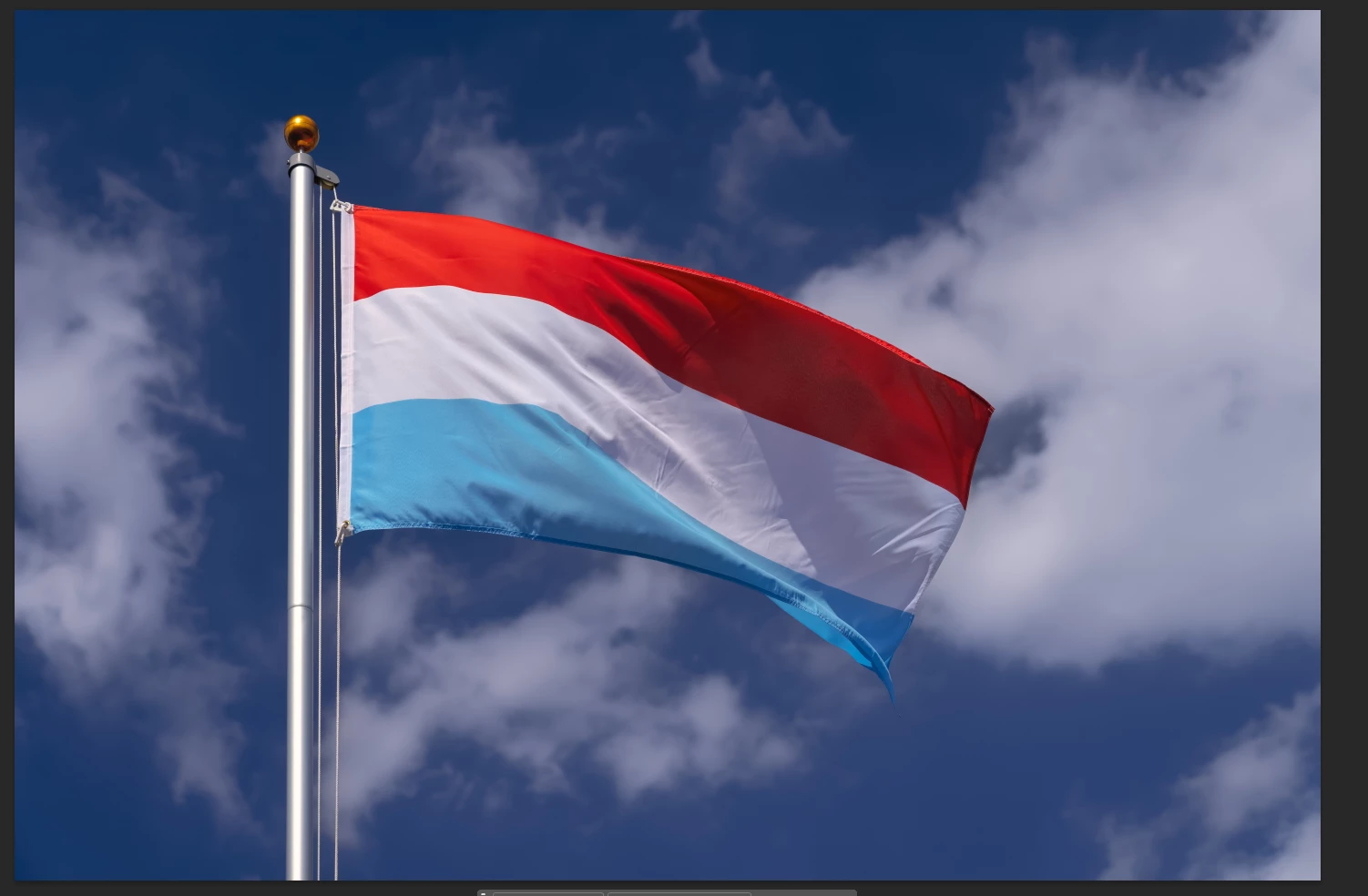
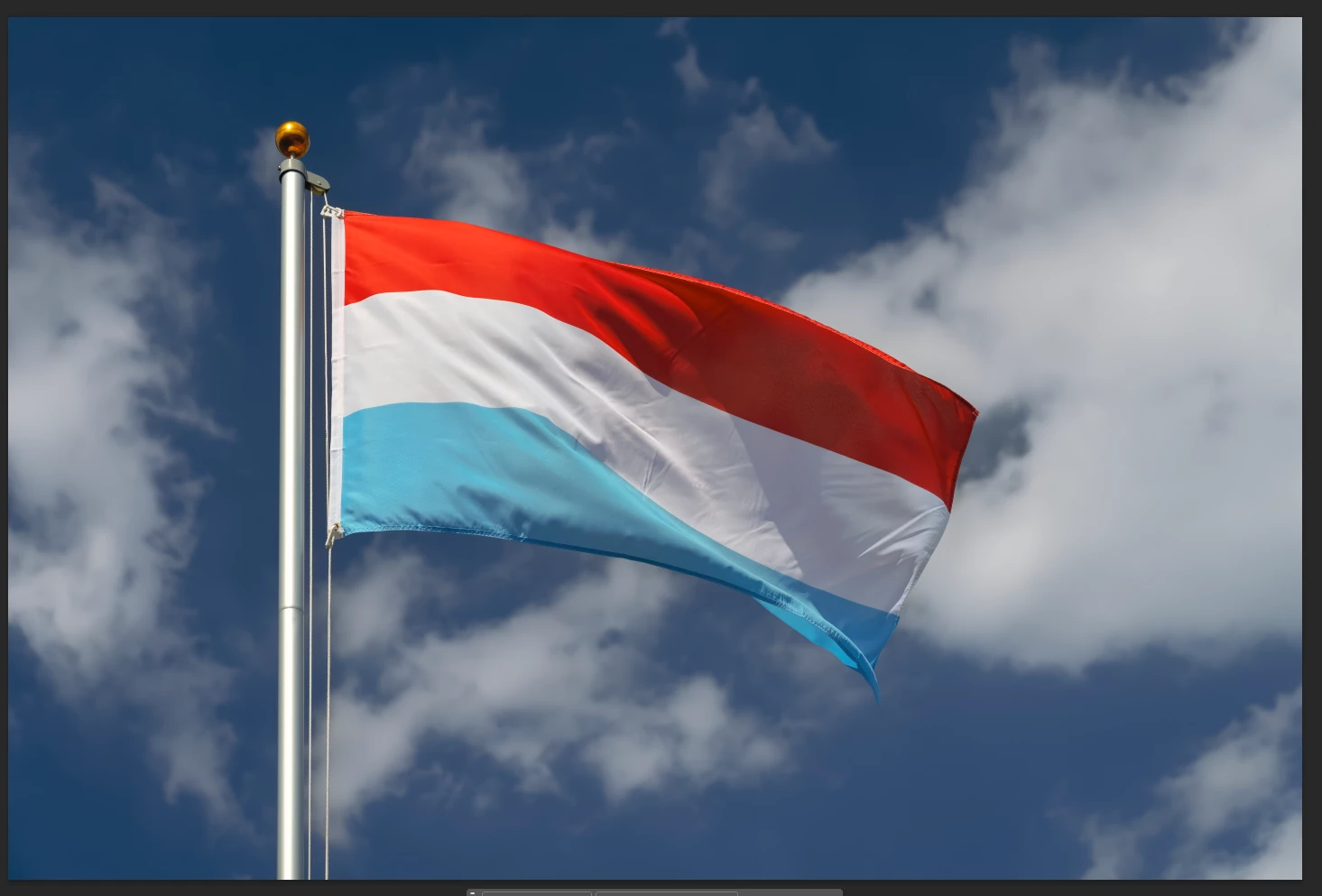
My photo was rejected due Quality issues. I now use Topaz AI to sharpen my photos. Unfortunately it doesn't work with that either. What do you think? Is the photo too dark and the sky not blue enough? Is the white of the flag too dark? Is it about the artifacts on the blue fabric? The fabric is shiny, so this won't work any better.


Thanks Chris

Correct answer Ricky336

Hello,

White balance!

You have a slight magenta cast.

vs


The white needs to be white.


White balance:
https://www.adobe.com/creativecloud/photography/discover/white-balance.html


2 replies

jacquelingphoto2017
Community Expert
Community Expert
January 29, 2025

Hi @maxflags-chris ,

It's underexposed and has a white balance issue. It is too blue. I'm not sure, but a section of the flag seem to display graininess.

Best wishes

Jacquelin


Known Participant
January 29, 2025

Thanks!

graininess: Yes, that is the shiny polyester fabric.

jacquelingphoto2017
Community Expert
Community Expert
January 29, 2025

You're welcome @maxflags-chris .

Best wishes

Jacquelin

Ricky336
Community Expert
Ricky336Community ExpertCorrect answer
Community Expert
January 29, 2025

Hello,

White balance!

You have a slight magenta cast.

vs


The white needs to be white.


White balance:
https://www.adobe.com/creativecloud/photography/discover/white-balance.html


Participant
January 29, 2025

@Ricky336 Please give feedback for this image upload, I had the same problem, it was rejected due to image quality

Jill_C
Community Expert
Community Expert
January 29, 2025

The thumbnail is too small to properly evaluate but I can see that the man on the left has too many fingers.

Jill C., Forum Volunteer