



Known Participant
January 9, 2025
Answered

Seeking Expert Advice to improve my Image quality

  • January 9, 2025
  • 4 replies
  • 2297 views

Please correct me on how I can improve and what is wrong with my image. I will be very happy if any expert review all of my image

Correct answer Jill_C

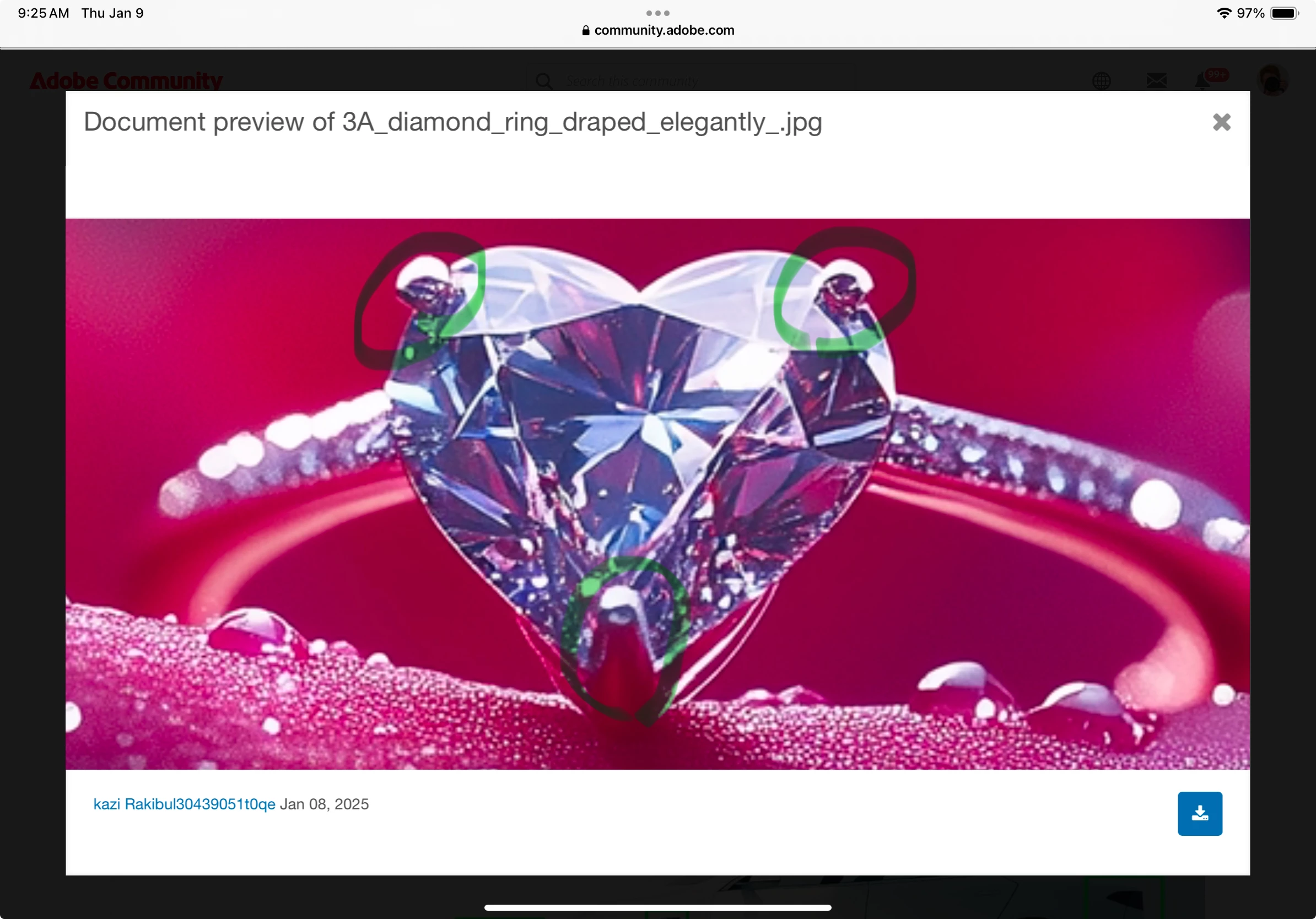
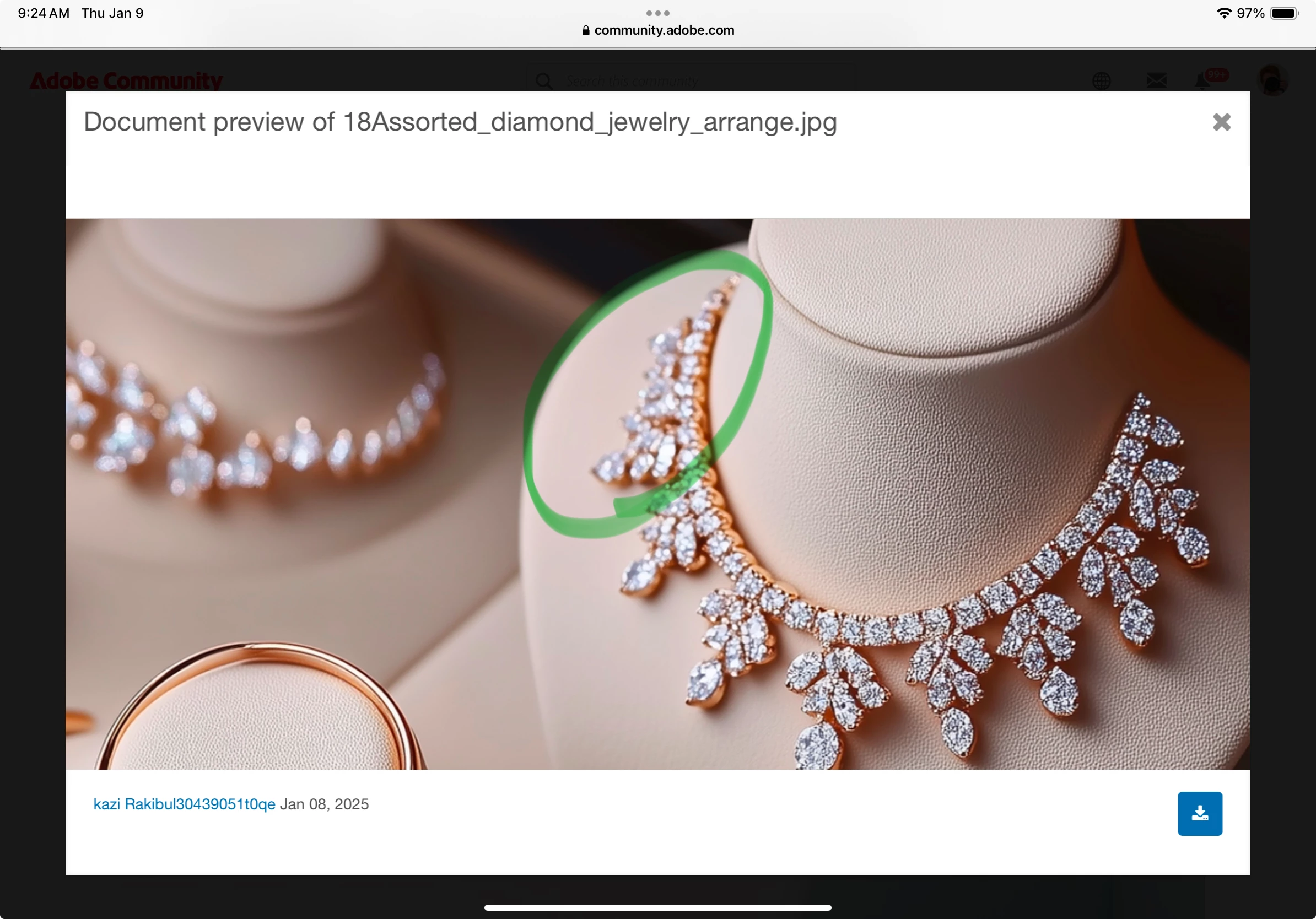
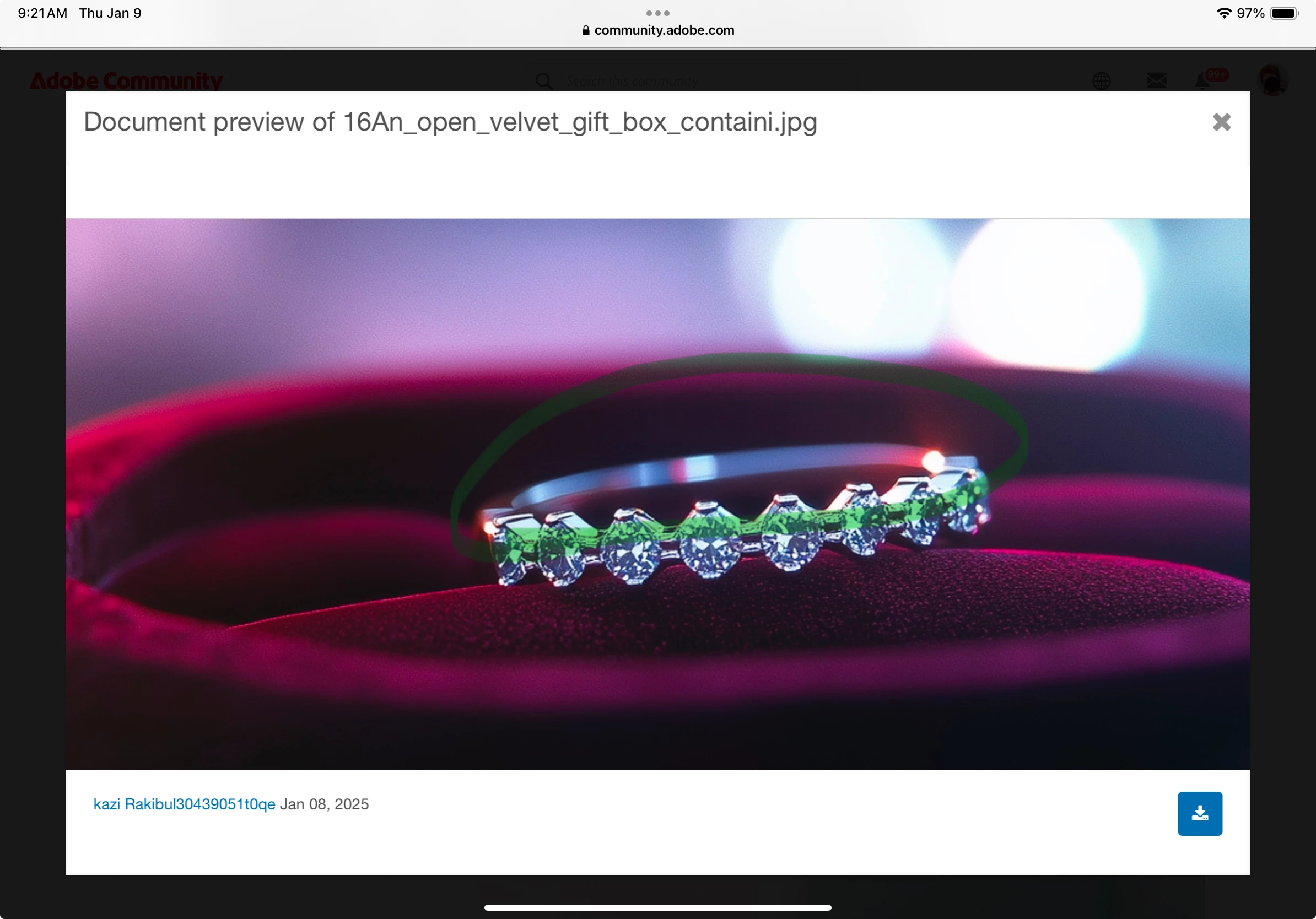
In many of these the shallow DOF seems designed to camouflage the drawing errors. Any images of jewelry would be expected to be sharp throughout. I've highlighted some drawing errors.
4 replies

jacquelingphoto2017
Community Expert
Community Expert
January 11, 2025

Hi @kazi Rakibul30439051t0qe ,

Too much of 21Dew drops and 31 Closeup are out of focus. You need more depth of field.

The last file is noisy and looking at the edge when zoomed, it seem to be too compressed.

You need to zoom in at between 100 and 200% to examine your files for errors before submitting them.

You can learn more about how to improve your file for submission here and here.

Best wishes

Jacquelin


Abambo
Community Expert
Community Expert
January 9, 2025

Do not expect us to check 9 or more assets. We are doing this in our free time. And it is time consuming to comment assets. You will be better off to post one or two assets and use what you learned to check and correct the other ones. The errors are very often the same, and contributors fail to see them, because they don't check their assets at 100%.


If you are new to stock, you should consider these resources: https://helpx.adobe.com/stock/contributor/tutorials.html
Please read the contributor user manual for more information on Adobe stock contributions: https://helpx.adobe.com/stock/contributor/user-guide.html
See here for rejection reasons: https://helpx.adobe.com/stock/contributor/help/reasons-for-content-rejection.html
and especially quality and technical issues: https://helpx.adobe.com/stock/contributor/help/quality-and-technical-issues.html

ABAMBO | Hard- and Software Engineer | Photographer
Jill_C
Community Expert
Jill_CCommunity ExpertCorrect answer
Community Expert
January 9, 2025

In many of these the shallow DOF seems designed to camouflage the drawing errors. Any images of jewelry would be expected to be sharp throughout. I've highlighted some drawing errors.
Jill C., Forum Volunteer
Known Participant
January 9, 2025

is my other image cause excessive filtering or artifacts/noise issue 

Jill_C
Community Expert
Community Expert
January 9, 2025

I don't see any digital noise in these images. Did you apply filters?

Jill C., Forum Volunteer
daniellei4510
Community Expert
Community Expert
January 9, 2025

These fall apart when viewed at 100%. 

Adobe Community Expert | If you can't fix it, hide it; if you can't hide it, delete it.