
Known Participant
March 29, 2018
Answered

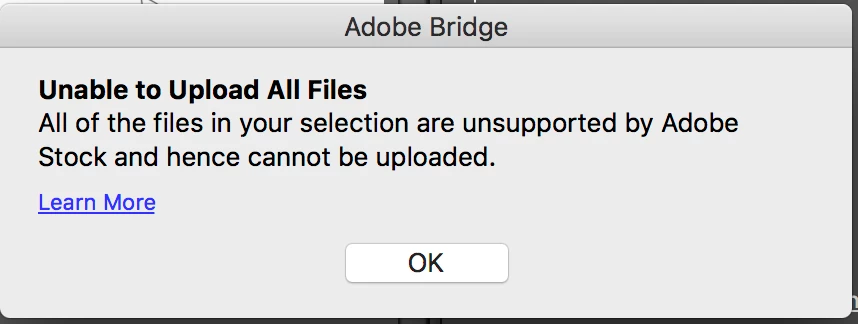
...selection are unsupported by Adobe stock and hence cannot be uploaded

  • March 29, 2018
  • 1 reply
  • 328 views

I get the message "all of the files in your selection are unsupported by Adobe stock and hence cannot be uploaded." when attempting to upload an illustrator file through Bridge. I also get an error when uploading directly to Adobe Stock. The problem, this message doesn't give me enough information to troubleshoot the problem. I have uploaded exactly the same way before, no issues.

Click on the Learn More link doesn't help.

Does anyone have a master list of items to check for? Maybe I can start there.
This topic has been closed for replies.
Correct answer MatHayward

Please review our upload specifications here: https://helpx.adobe.com/stock/contributor/user-guide.html?topic=/stock/contributor/morehelp/requirements.ug.js

tagproducts_SG_STOCK-CONTRIBUTOR_i18nKeyHelppagetitle

If you determine your files are compliant with our requirements, please submit a ticket to Adobe Stock Contributor Service by clicking the contact us link at the bottom of the portal with detailed information.

regards,

Mat Hayward

1 reply

MatHayward
Community Manager
MatHaywardCommunity ManagerCorrect answer
Community Manager
April 2, 2018

Please review our upload specifications here: https://helpx.adobe.com/stock/contributor/user-guide.html?topic=/stock/contributor/morehelp/requirements.ug.js

tagproducts_SG_STOCK-CONTRIBUTOR_i18nKeyHelppagetitle

If you determine your files are compliant with our requirements, please submit a ticket to Adobe Stock Contributor Service by clicking the contact us link at the bottom of the portal with detailed information.

regards,

Mat Hayward