

timm56684028
Participant
February 20, 2024
Question

Submission help

  • February 20, 2024
  • 4 replies
  • 253 views

Greetings all,

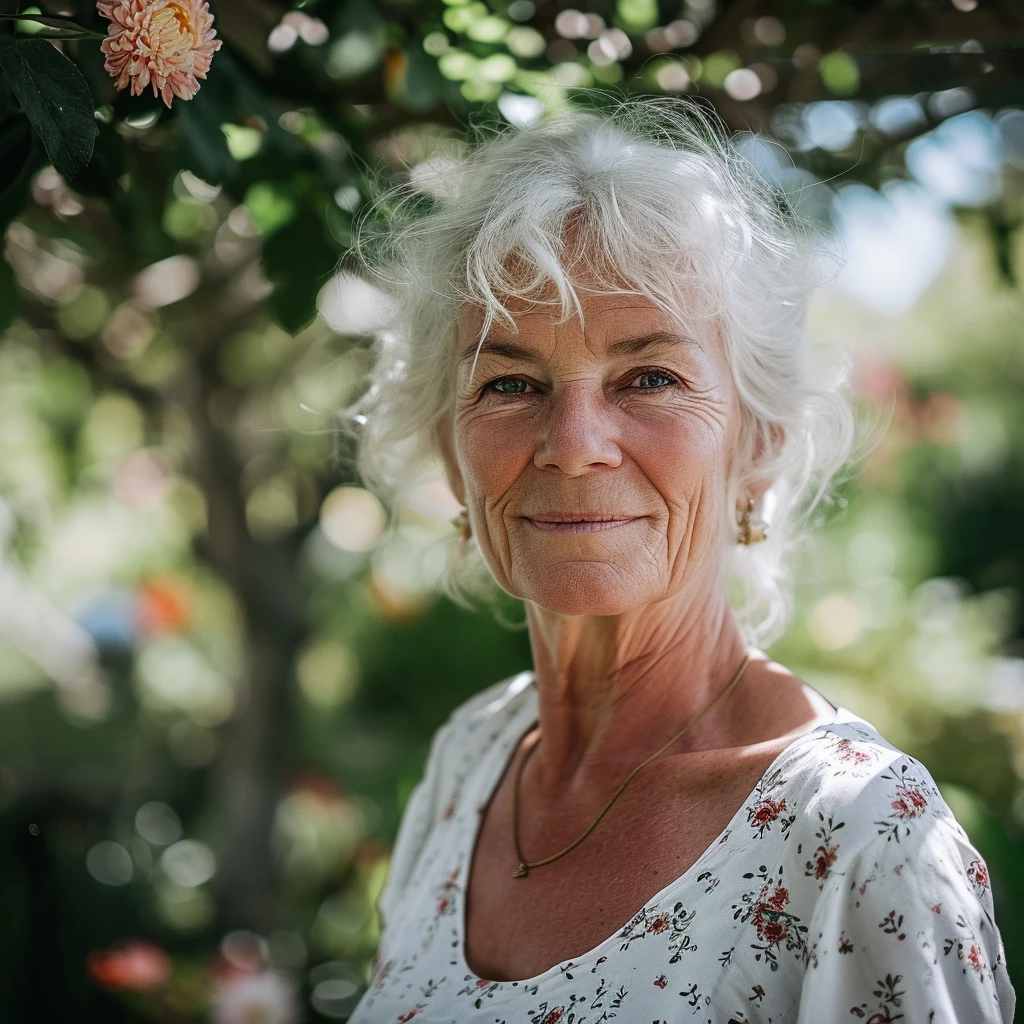
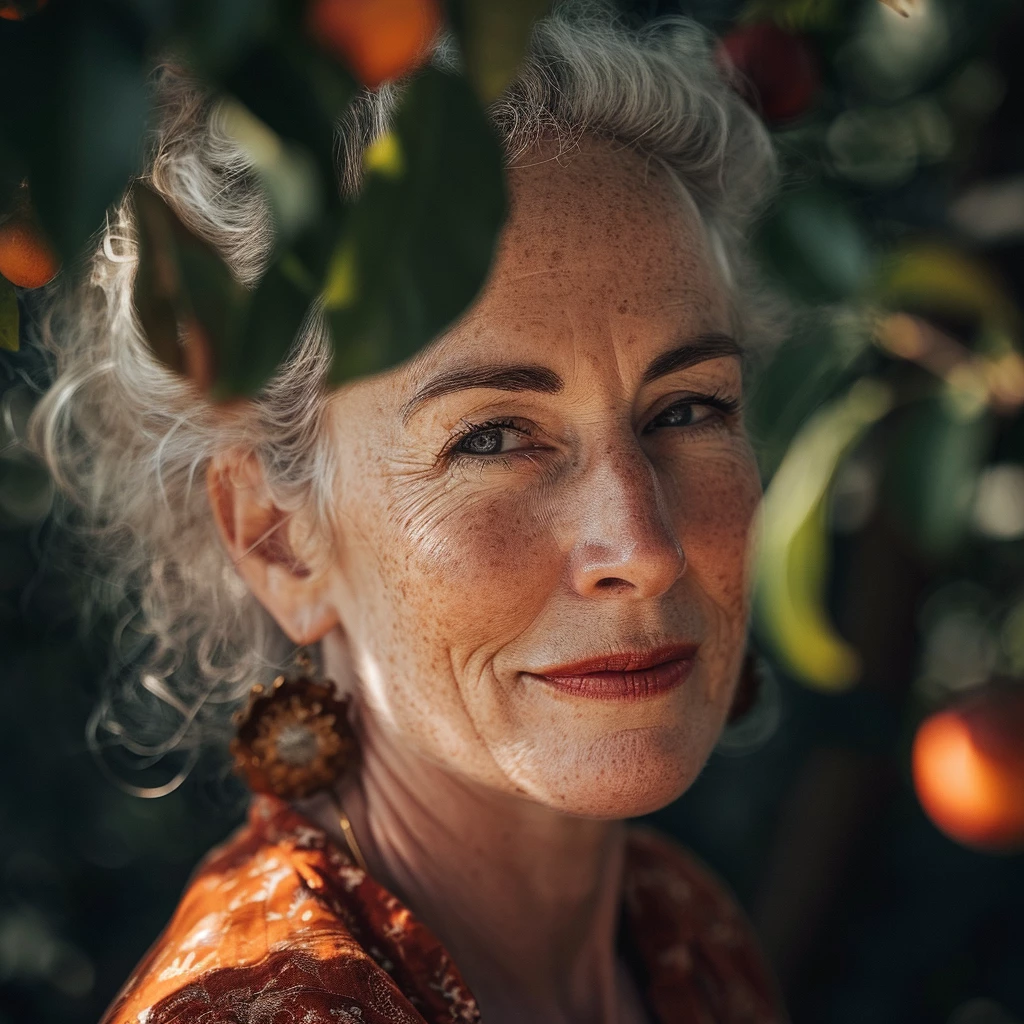
I've been submitting A.I. content for a few months now. To me, everything looks like it meets Adobe standards...  what am I missing?  I've attached a couple of images that failed. Help greatly appreciated.

Tim
 

This topic has been closed for replies.

4 replies

Abambo
Community Expert
Community Expert
February 21, 2024

Wrinkles need to be edited:

In addition, on the right, the cheek looks not correct in the out of focus area.


The right (her left) eye is not correct, the nose has errors and some of the wrinkles are not very plausible:


ABAMBO | Hard- and Software Engineer | Photographer
daniellei4510
Community Expert
Community Expert
February 20, 2024

I pulled out all the tools to give you an idea how I would have handeled the attached image. I would have done even more were it mine, but this will give you an idea on how to improve your acceptance rate when it comes to AI portraits.

I smoothed out the hair (I don't know what your financial situation is, but you might consider investing in PortraitPro if for this purpose alone, though it can help improve a variety of other issues when it comes to AI portraits; it can be done in Photoshop as well, but Portfolio Pro speeds up the work flow).

I used GFPGAN for facial restoration: https://colab.research.google.com/drive/1sVsoBd9AjckIXThgtZhGrHRfFI6UUYOo#scrollTo=zuBCgeH08tdn

I smoothed out the wrinkles. I accomplished this by placing the restored version on top of the original and masking out the wrinkles at 50% so as not to remove them entirely. Note that facial restoration software is far from perfect. It will generally fixes eyes, nostrils and mouths, but will take skin smoothing too far. It was, after all, invented to restore old black and white photographs, not color AI, so use it sparingly.


I eliminated the stray hairs.

Point is, when it comes to my original comments and @Jill_C 's, all the issues mentioned are fixable. 


Adobe Community Expert | If you can't fix it, hide it; if you can't hide it, delete it.
Jill_C
Community Expert
Community Expert
February 20, 2024

Unrealistic Skin texture / wrinkles - looks like her face was sculpted with a sand rake ! Pupils / catch lights are also inconsistent.

Jill C., Forum Volunteer
daniellei4510
Community Expert
Community Expert
February 20, 2024

At iminimum, wirery hair that could use a bit of smoothing. This is an issue almost everywhere in the woman at the top, and just also to the right and left of leave leaf on the woman at the bottom. Also, look at their irises and pupils. They are poorly rendered. Also, fly-away hairs on the woman at the top. The earring on the bottom image doesn't appear to be attached to her earlobe.

Last but not least, these images need context. Adobe has provided an incredible tool (generative expand) to change the aspect ratio of images to help make compositions more interesting and/or provide the buyer with room for copy..

Adobe Community Expert | If you can't fix it, hide it; if you can't hide it, delete it.
daniellei4510
Community Expert
Community Expert
February 20, 2024

I forgot to add: FACIAL RESTORATION SOFTWARE, to correct pupils, nostrils, mouths and sometimes ears as necessary.

Adobe Community Expert | If you can't fix it, hide it; if you can't hide it, delete it.
