



adiwarman
Participant
Apr 11, 2026 2:45 PM UTC
Answered

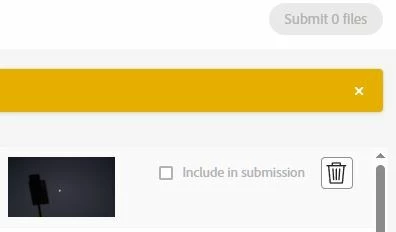
Submit button disabled, cannot submit files

Hi everyone,

I have a problem with Adobe Stock. For the past 3 months, I cannot submit any files. The “Submit files” button is always disabled and shows 0 files, even after uploading images.

Before this, some of my files were rejected. Since then, I can’t submit anything.

Has anyone experienced this?
Is this an account issue or something I need to fix?

Thank you!
 

    Nancy OShea
    Nancy OSheaCorrect answer
    Community Expert
    Apr 12, 2026 7:41 PM UTC

    If your region is being blocked, there’s nothing you can do while the block is in effect. Sorry.


    Note: The situation with Adobe Stock in Indonesia is dynamic, with reports of both ongoing vetting restrictions and issues surrounding high-volume, fraudulent account activity & money laundering concerns. Many Contributor accounts around the world have been impacted by it.


    Nancy O'Shea— Product User & Community Expert

    6 replies

    Nancy OShea
    Community Expert
    Community Expert
    Apr 11, 2026 10:34 PM UTC

    In which country do you reside?

    It might be a geographic block because you’re in a restricted region. 


    Translate
    Nancy O'Shea— Product User & Community Expert
    adiwarman
    adiwarmanAuthor
    Participant
    Apr 12, 2026 6:28 AM UTC

    I’m from Indonesia. So, if I’m restricted, what am I supposed to do just sit idly by and wait?

    Translate
    Nancy OShea
    Community Expert
    Nancy OSheaCommunity ExpertCorrect answer
    Community Expert
    Apr 12, 2026 7:41 PM UTC

    If your region is being blocked, there’s nothing you can do while the block is in effect. Sorry.


    Note: The situation with Adobe Stock in Indonesia is dynamic, with reports of both ongoing vetting restrictions and issues surrounding high-volume, fraudulent account activity & money laundering concerns. Many Contributor accounts around the world have been impacted by it.


    Translate
    Nancy O'Shea— Product User & Community Expert
