Participating Frequently
March 14, 2026
Question

System Inconsistency: Same Artwork, Different Rejection Reasons (Case 00482954)

  • March 14, 2026
  • 5 replies
  • 173 views

Hi,

I’m posting here because Adobe Support failed to provide a clear explanation and instead brushed me off to this forum.

My 100% hand-drawn digital illustrations are being rejected with conflicting reasons that make no sense.

The Evidence of System Failure:

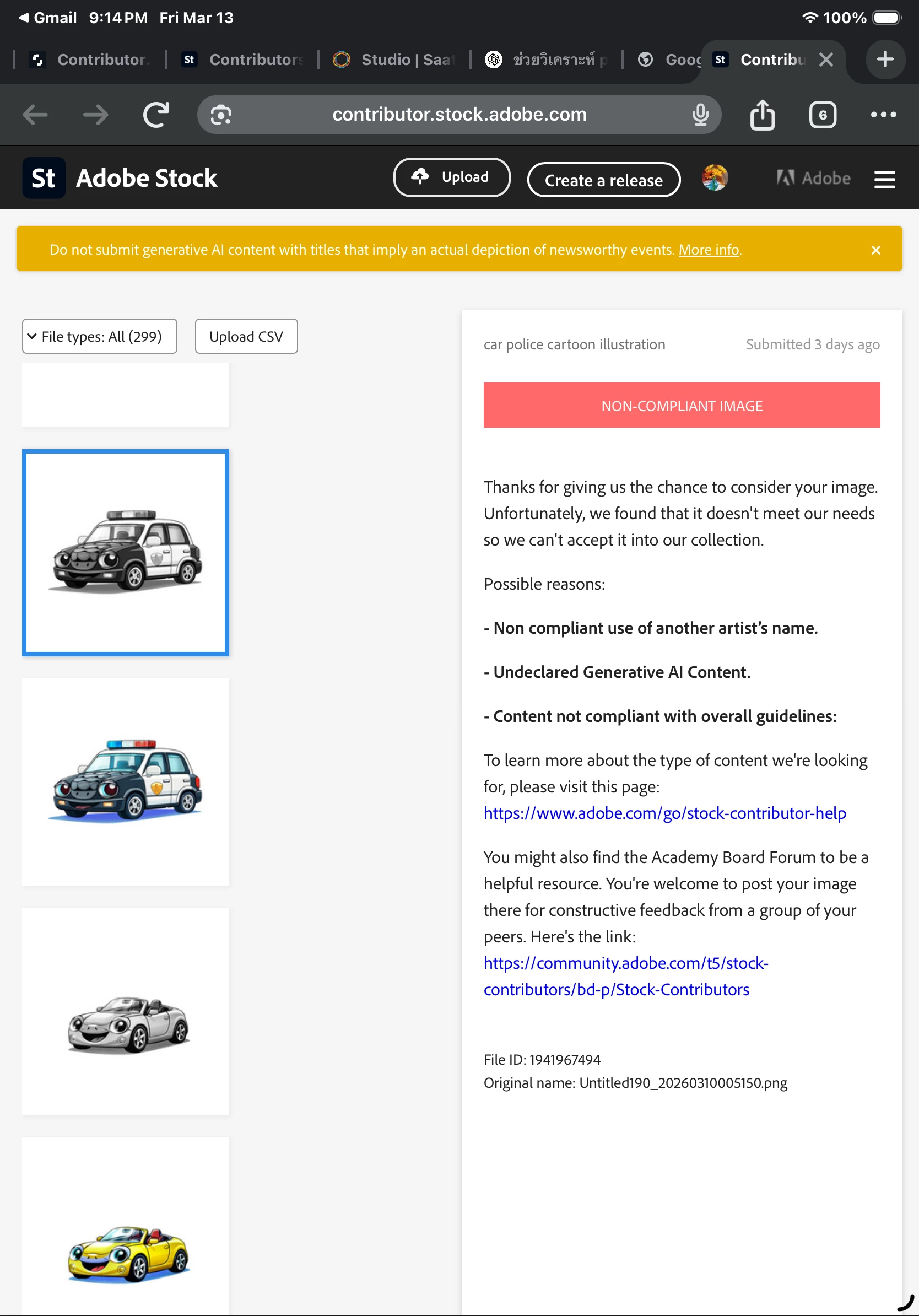
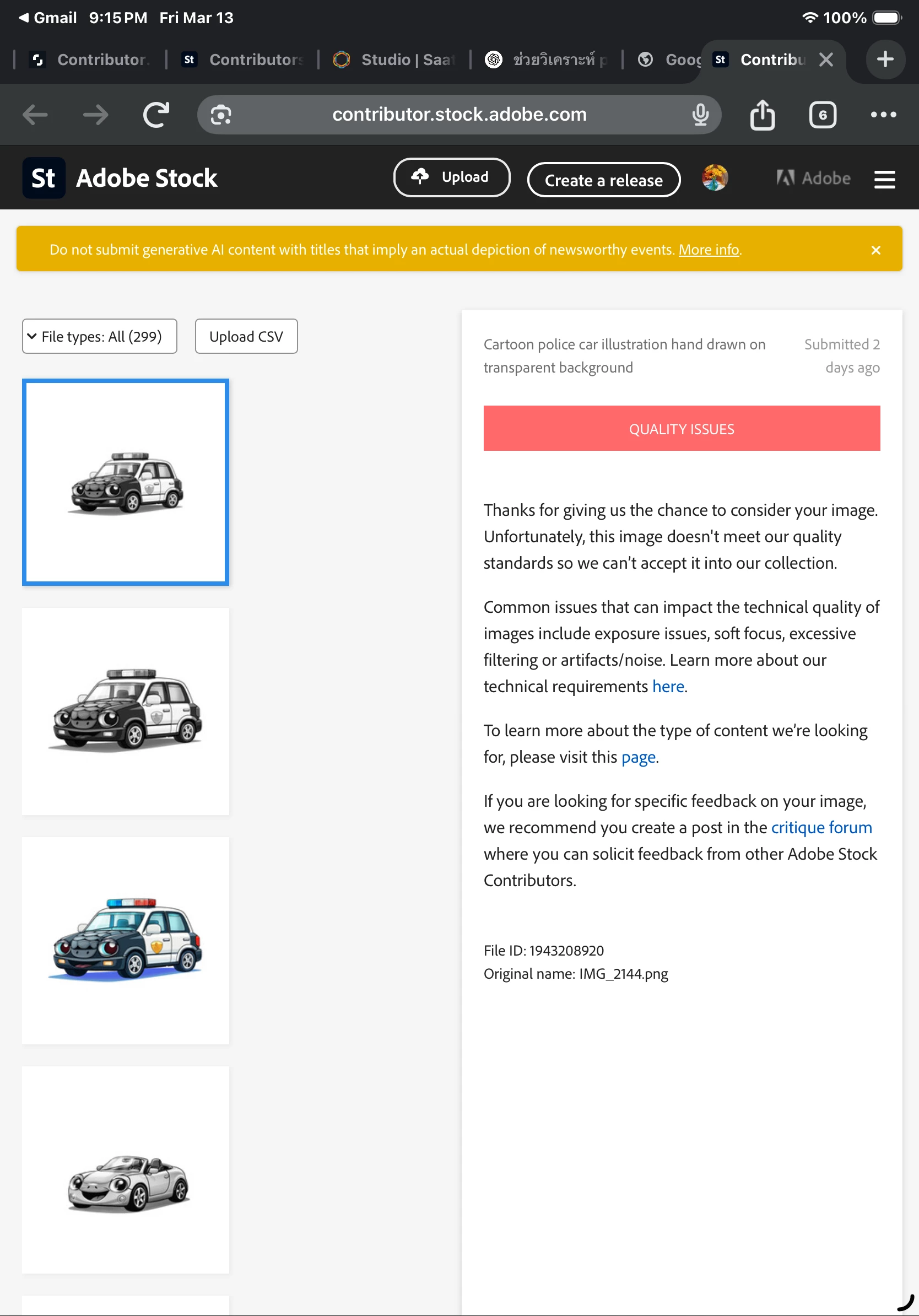
  1. Initial Rejection: Flagged for "Undeclared Generative AI" and "Non-compliant use of another artist’s name."
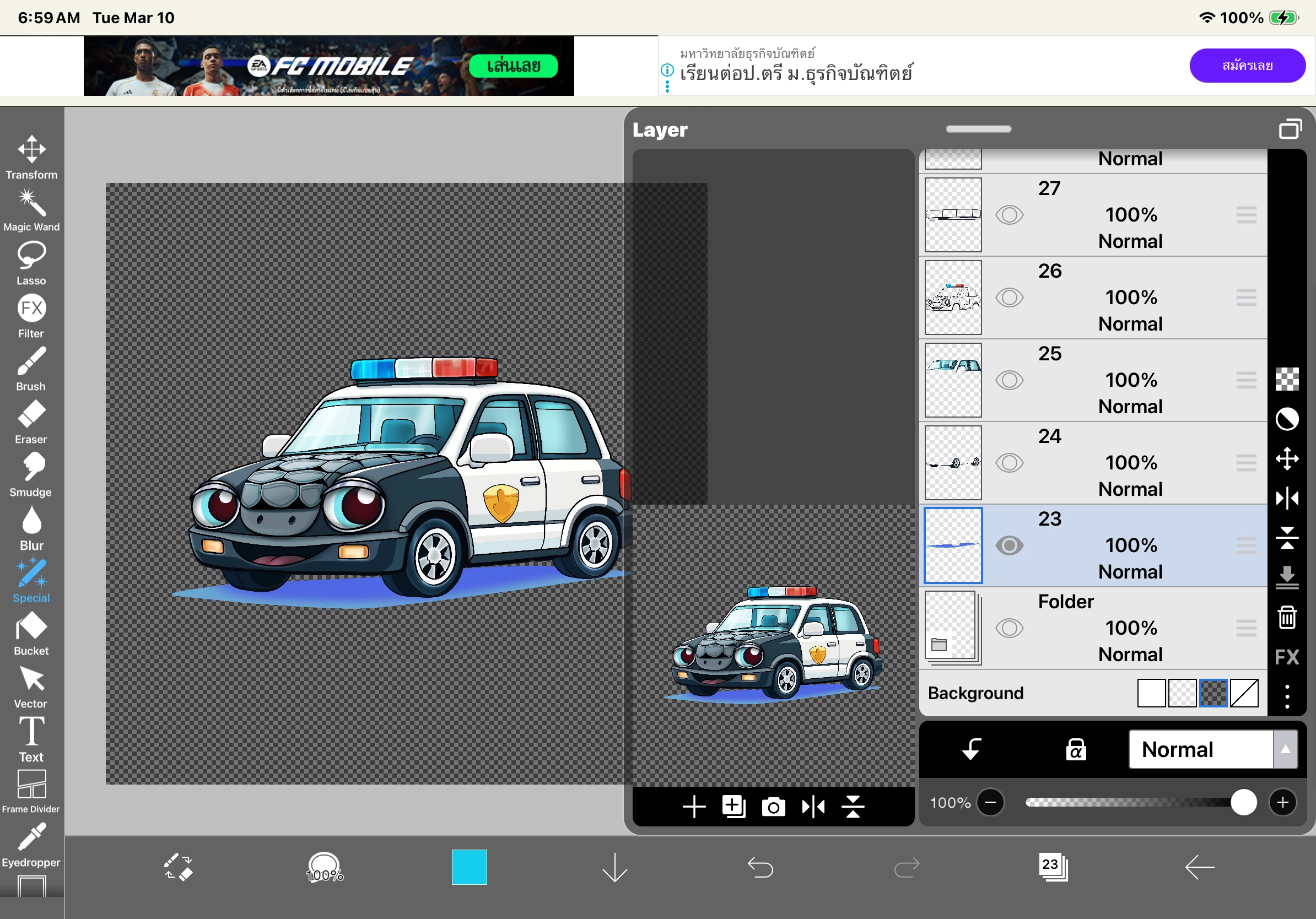
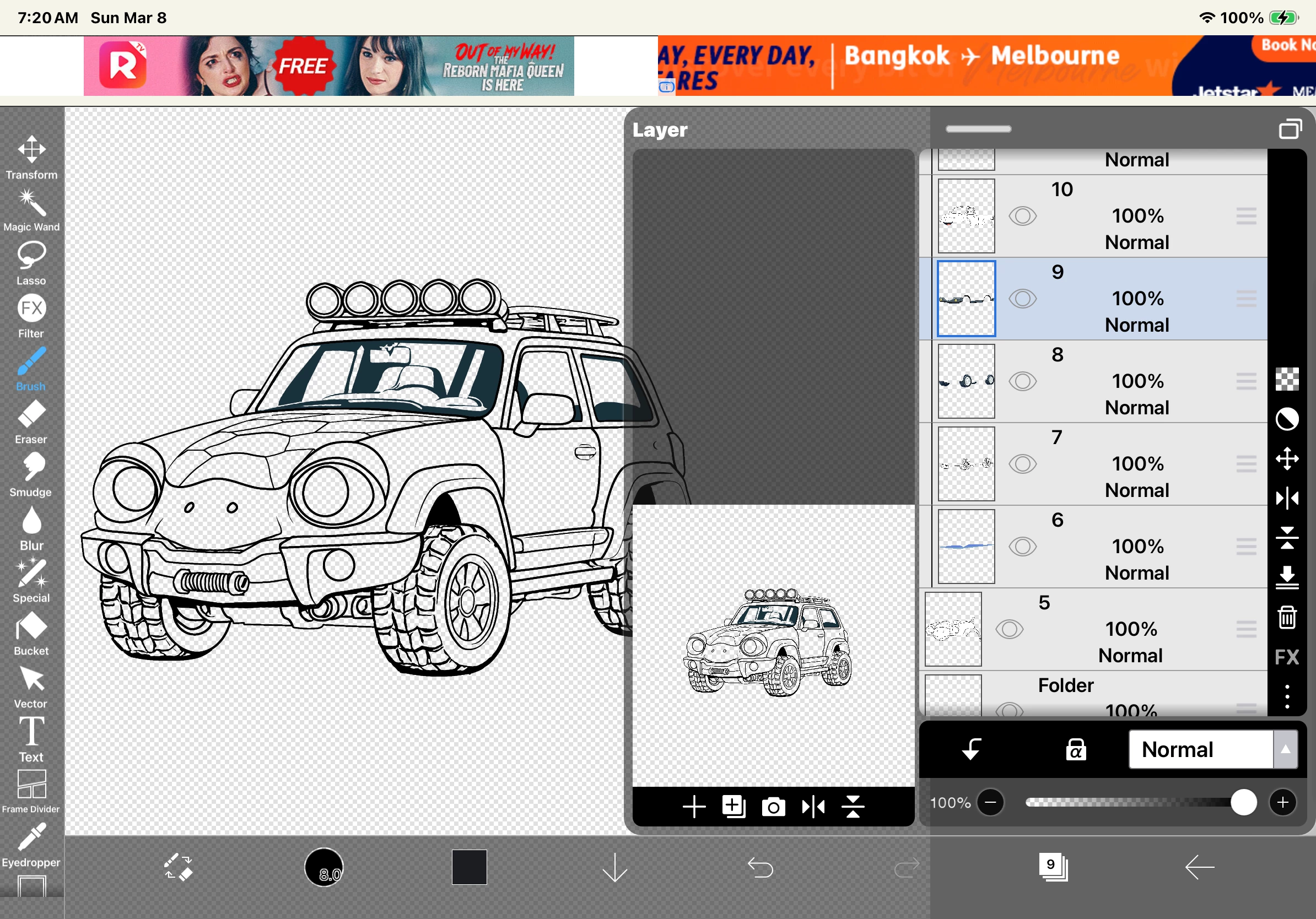
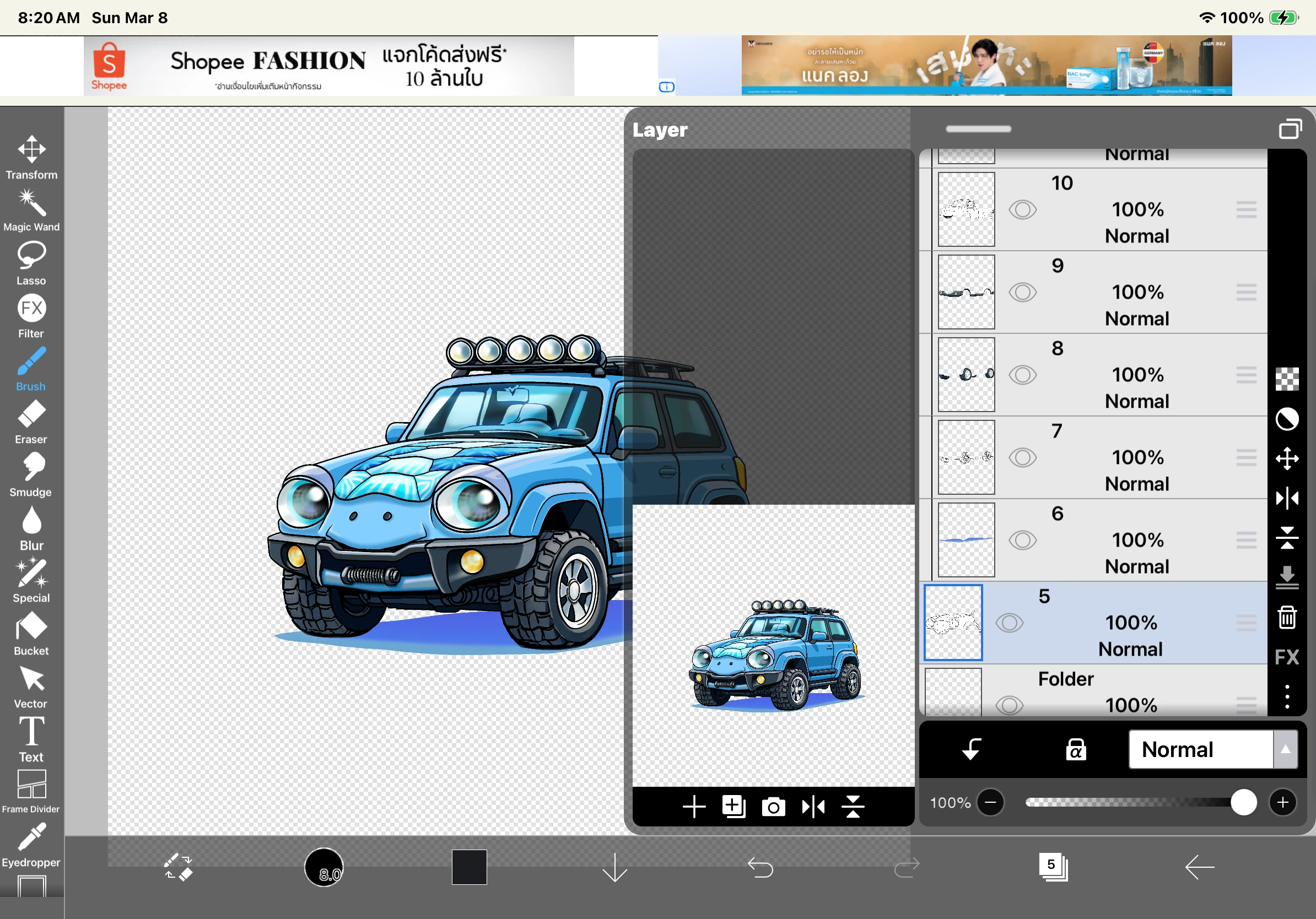
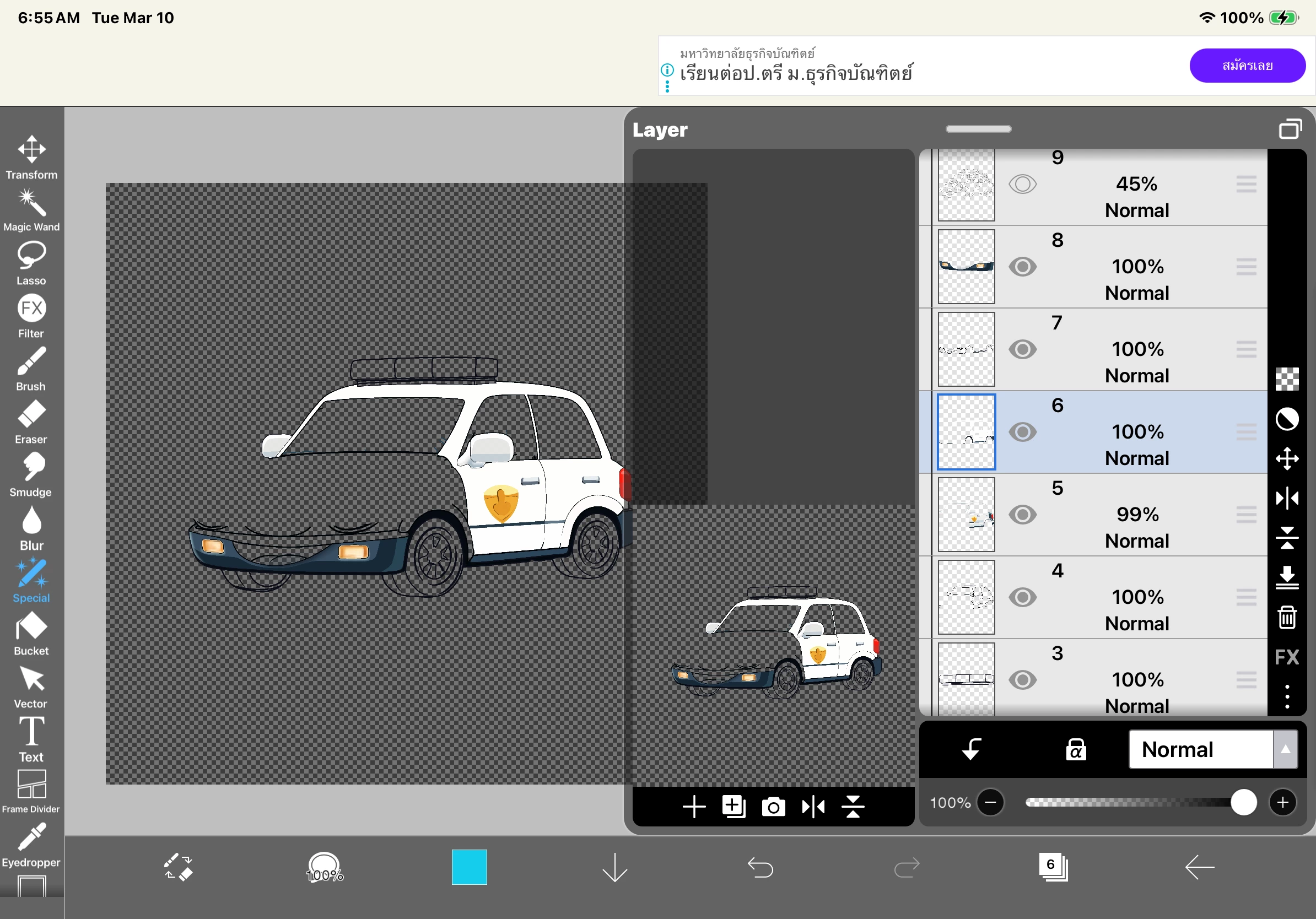
  2. My Proof: I provided workspace screenshots (layers/sketches) from ibisPaint X proving this is manual work.
  3. The Pivot: After I resubmitted with adjusted file sizes and metadata, the "AI" and "IP" reasons vanished. Now, the system claims "Technical Quality Issues."

How can the same artwork be an "IP Violation" one day and "Low Quality" the next? This proves your automated flags are arbitrary.

I demand a HUMAN MODERATOR to actually review my layer proofs and clear these false flags. I’ve attached the evidence below.

Regards,
 

    5 replies

    Jill_C
    Community Expert
    Community Expert
    March 18, 2026

    Assets can have multiple rejection reasons, but only one category might be listed, such as quality issues; however, if you fix the quality issues but the image still has IP issues, it will get rejected again. You cannot DEMAND reconsideration of your assets. If you can’t figure out what is wrong abd correct it, just move on,

    Jill C., Forum Volunteer
    Abambo
    Community Expert
    Community Expert
    March 16, 2026

    Assets get refused on the first issue the human moderator sees. As many assets are created using generative AI, anything that may look like it would have been created with the help of AI will get flagged. The recommended remedy to this is to submit with your asset a property release stating that the asset is your work and has been created with no generative AI tools. 

    However, accepting your asset as being your own work does not mean that it is error free. So there may be quality issues with the asset, there may be generative AI issues with the asset and there may be IP violations with the asset, and all of that at the same time, but your assets visibility will get only one refusal reason, as that was the first issue seen.

    Also, as moderation is done by humans, one moderator will accept an asset, that a different moderator will mark with errors. It may be that the first moderator is more inexperienced than the second one, it may also be that the second one is applying a more strict standard. 

    Formerly, people were submitting assets until they found a moderator that did accept the asset. We have always advised against this, as it can be regarded as spamming. It seems, therefore, that Adobe is now using a tool that detects these multiple submissions and issues a warning.

    ABAMBO | Hard- and Software Engineer | Photographer
    Participating Frequently
    March 16, 2026

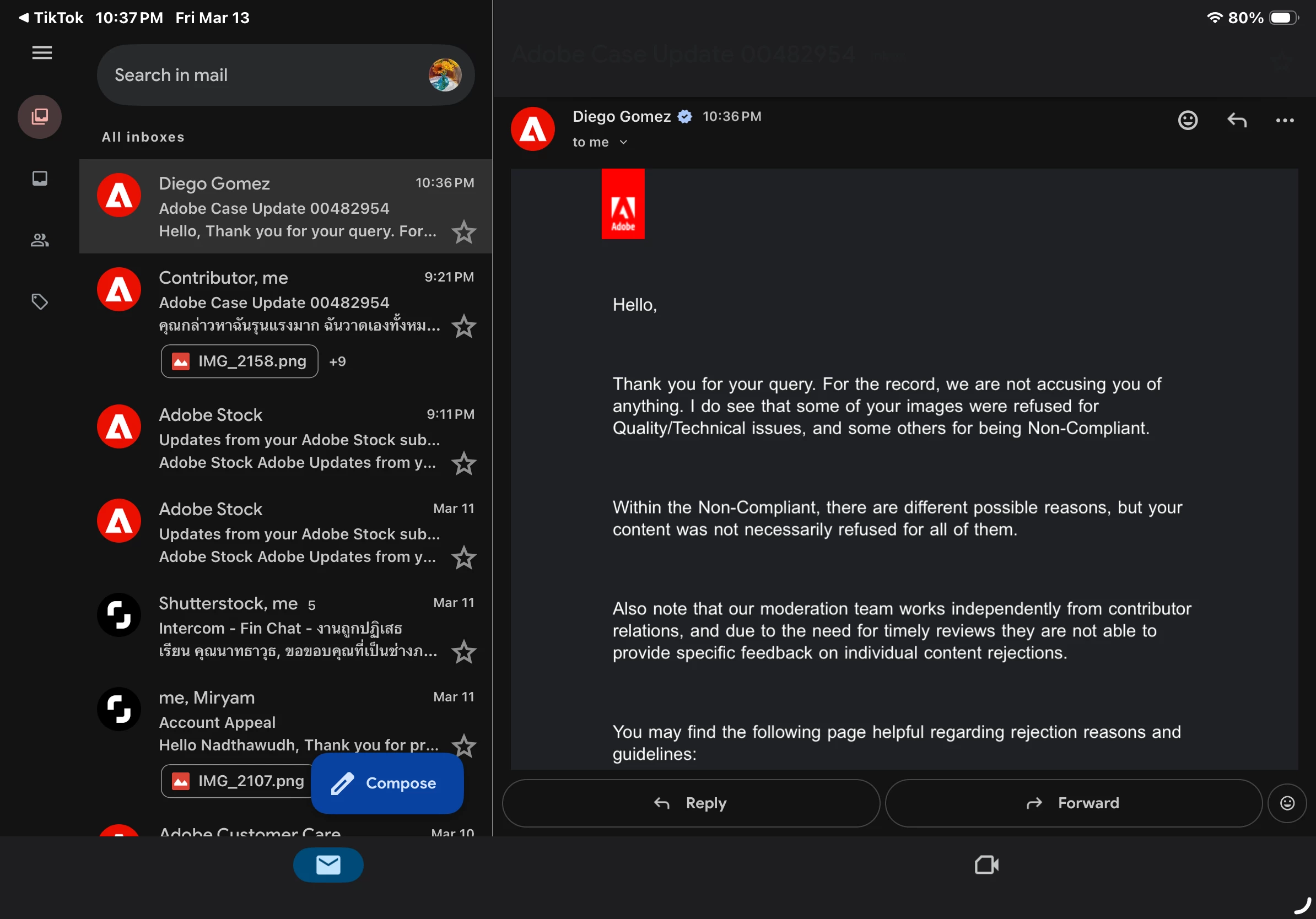
    I am only here because Adobe Support (Case 00482954) told me to post here. They refused to look at my layer proofs and said I should get feedback from this forum instead. I have attached the email as proof.

    It is frustrating to hear that I am "shouting into the void" when Adobe's own staff sent me here.

    Also, a property release does not prove that an image wasn't made by AI. My workspace screenshots and layer structures from ibisPaint X are the only real proof of manual work, but nobody seems willing to look at them. I am just asking for a human to review the evidence instead of letting a broken algorithm flag my work with different reasons every time I upload it.


    Nancy OShea
    Community Expert
    Community Expert
    March 15, 2026

    You’re shouting into the void here. This user-to-user community is NOT seen by Adobe Stock employees. 


    The Reviewer’s job is to examine thousands of assets per week; NOT respond to individual Contributor questions.  A refusal reason is offered merely as a courtesy. Although there may be multiple reasons for refusal, only one reason is given per submission. 


    These days, it’s often impossible to tell which is real and which is Ai generated content. When that issue comes up, the fastest solution it is to re-submit with a signed property release by you as the artist who created it. 

    https://helpx.adobe.com/stock/contributor/help/property-release.html

    Release Form https://contributor.stock.adobe.com/static/releases/property/Releases-en.pdf


    Quality & Technical Issues are one of the top reasons for refusal. Read your Contributor User Guide for more details.

    Vector Requirements:


    Hope that helps.


    Nancy O'Shea— Product User & Community Expert
    Participating Frequently
    March 16, 2026

    I am not 'shouting into the void.' I am here because Adobe Support (Diego Gomez, Case 00482954) explicitly told me to post here for feedback after refusing to review my layer-by-layer evidence.

    Suggesting a property release doesn't fix a broken algorithm that flags manual work as 'Undeclared AI' one day and 'Quality Issues' the next for the exact same file. If Adobe Stock employees aren't here to witness their system failing real creators, then where are they? I am still waiting for an official response to my provided workspace proofs.

    Abambo
    Community Expert
    Community Expert
    March 16, 2026

    Contributor support just told you, that the moderation team is working independently from the contributor support team. A property release will fix the missing generative AI flag. As the moderation team refuses on the first issue the see, they didn’t even look into the quality aspects for the first refusal. This is simply a matter of efficiency. There is no need to look further, if an issue has been detected. 

    Adobe stock is not failing real creators, it works like this for the ten years that I contribute.

    ABAMBO | Hard- and Software Engineer | Photographer
    Participating Frequently
    March 15, 2026

    So, I’m here.


    daniellei4510
    Community Expert
    Community Expert
    March 14, 2026

    Your frustration is noted but, as contributors like yourself, we cannot be of assistance and your “demands” will not be taken into consideration on this forum. Many of us here have, at one time or another, experienced similar situations when it comes to seemingly arbitrary and illogical rejections for a variety of reasons.

    Adobe Community Expert | If you can't fix it, hide it; if you can't hide it, delete it.
    Participating Frequently
    March 14, 2026

    I am not looking for sympathy from peers. I am reporting a documented system failure where evidence is being ignored by support. I am waiting for an actual Adobe Employee to address why manual layer proofs are insufficient to clear a false AI flag. If this forum is for 'feedback' as support claimed, then Adobe needs to see how their system is failing real creators.

    March 14, 2026

    Hey ​@Tanz Tawan Studio 

    We don’t have that access. Plain and simple.
    You need to go through the procedure that you are doing.
     

    Cheers
    Nate