TeriEka
Participating Frequently
April 20, 2018
Answered

Technical reject for illustrations

  • April 20, 2018
  • 1 reply
  • 584 views

Hello,

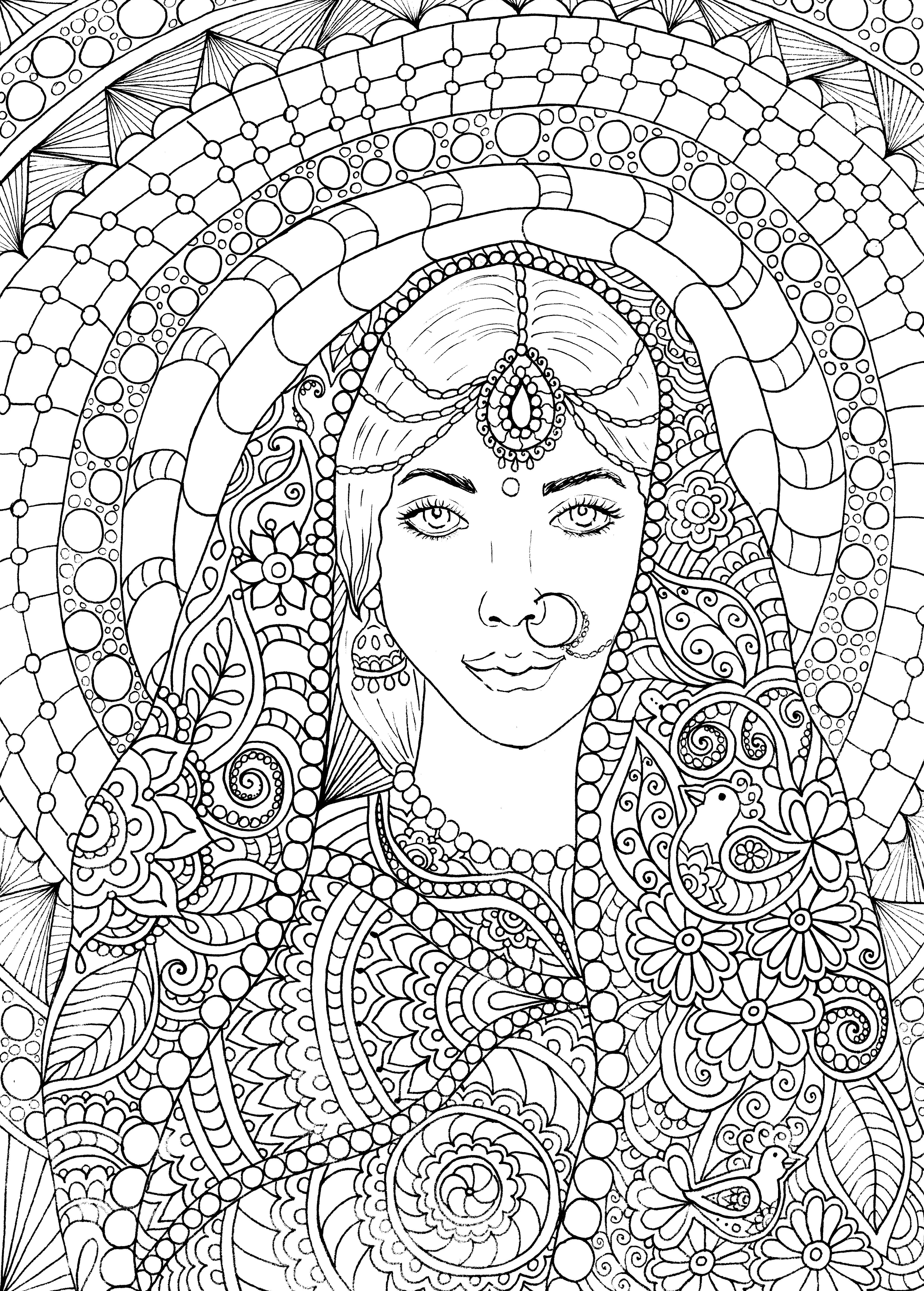
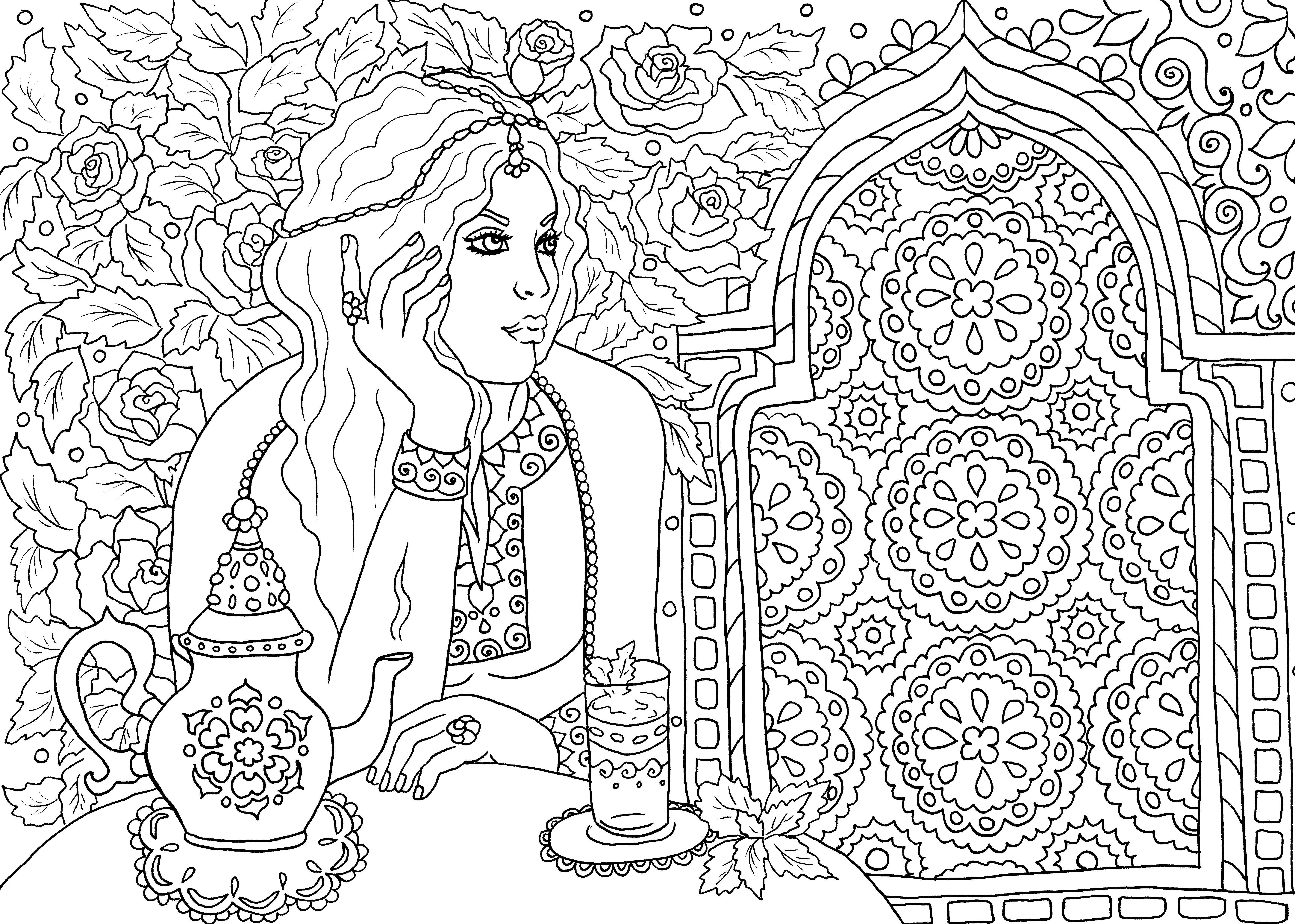
I had several times technical rejections for my outline illustrations. Normally I edit them in the same way - scanning and make little sharper in Photoshop.

Some of them are accepted, some not. I would like to understand what I do wrong with them, or what should I do to improve the quality.
Thank you so much!

This topic has been closed for replies.
Correct answer joanH

Interesting drawings. Have you looked at each one at 100% magnification? Some of the lines are fainter than others. You need strong clean lines on the entire drawing. If I purchased the drawing for my own use, I would want to be able to drop in color in different areas without the color spreading into other parts of the picture. This would be done in Photoshop and not on a printed copy as in a coloring book. If you have Photoshop, try coloring areas with Paintbucket. If lines are open, the paint spreads so fine detail coloring in Photoshop would have to be with a paintbrush.  This is one concern. Read the guidelines and see if there are more for your line drawings. Best regards, JH

1 reply

joanH
joanHCorrect answer
Inspiring
April 21, 2018

Interesting drawings. Have you looked at each one at 100% magnification? Some of the lines are fainter than others. You need strong clean lines on the entire drawing. If I purchased the drawing for my own use, I would want to be able to drop in color in different areas without the color spreading into other parts of the picture. This would be done in Photoshop and not on a printed copy as in a coloring book. If you have Photoshop, try coloring areas with Paintbucket. If lines are open, the paint spreads so fine detail coloring in Photoshop would have to be with a paintbrush.  This is one concern. Read the guidelines and see if there are more for your line drawings. Best regards, JH

TeriEka
TeriEkaAuthor
Participating Frequently
April 21, 2018

Thank you so much Joanh for your suggestions! I did not think about using them in photoshop as well for coloring.

joanH
Inspiring
April 21, 2018

Another hint, something I use for repeated patterns, is to select with lasso tool an item to be repeated, copy it and then paste it. This is easy in Photoshop and makes each pasted pattern easy to move around too. No need to redraw and correct. I do this with eyes all the time to get a perfect match, of course, I have to use the free transform to make eyes fit left or right. Don't forget to flatten the finished image.  Have fun! JH