Björn777
Participant
April 12, 2019
Answered

This Image has been rejected. Why?
  • April 12, 2019
  • 7 replies
  • 1109 views

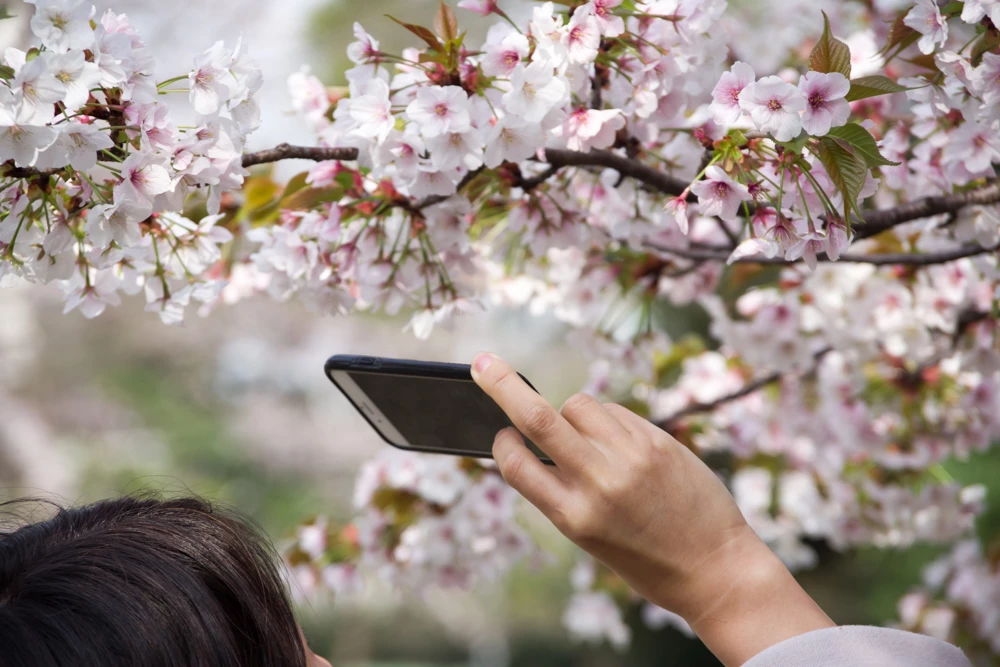
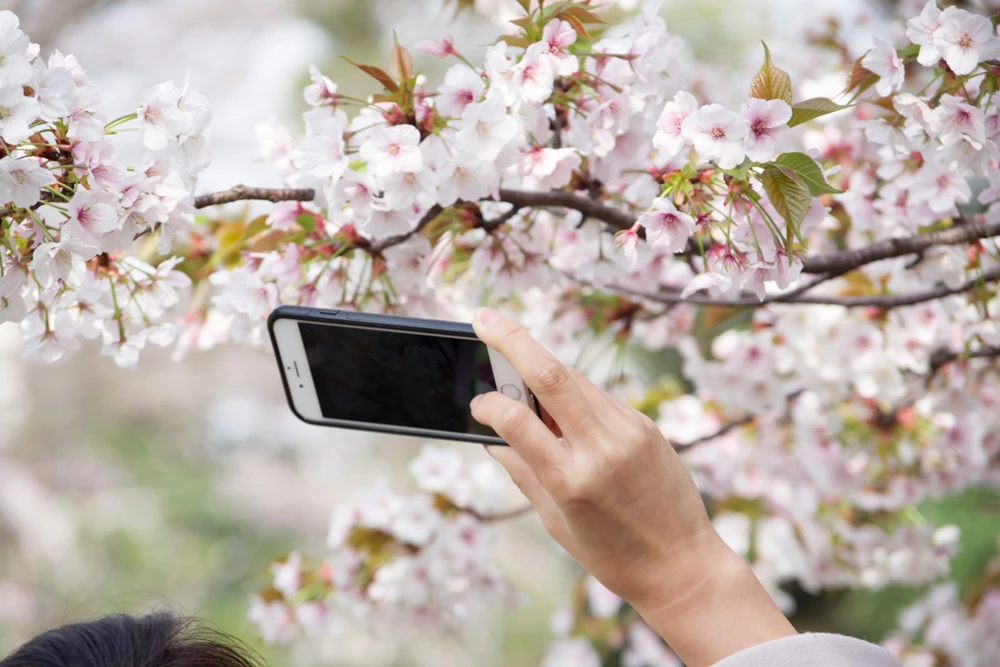
This Image has been rejected, while, the next image has been approved. Why? The reason is "intellectual property".

This topic has been closed for replies.
Correct answer Ricky336

Because of this:

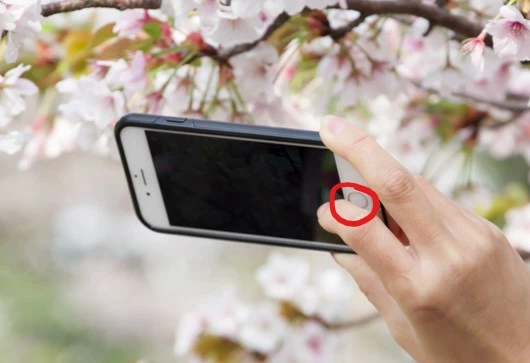
Ist image iPhone button:
2nd picture - probably because of this:

You have to clone out such details.

In the other image, only part of the sign is seen and with the smartphone, the button is hidden by the finger.

7 replies

Björn777
Björn777Author
Participant
April 14, 2019

but the sign in the picture is just a direction to the station entrance. how can it be considered intellectual property?

Abambo
Community Expert
Community Expert
April 14, 2019

axel7114084  wrote

but the sign in the picture is just a direction to the station entrance. how can it be considered intellectual property?

Mistake by the moderator.

ABAMBO | Hard- and Software Engineer | Photographer
Abambo
Community Expert
Community Expert
April 12, 2019

ricky336​ is correct with the iconic round iPhone button. As this is a distinct feature of an iPhone, you will suffer of ip refusals on such pictures. On iPhone pictures I even edit out the upper area.

The second one is less obvious. I assume, however, that the original picture is in better resolution and that you can clearly read what is written.

FYI: IP refusals can also be in relation of the title or keywords. So if you write "Person taking a picture with an iPhone" you will get 100% refusal on ip even if no iPhone is visible.

ABAMBO | Hard- and Software Engineer | Photographer
Björn777
Björn777Author
Participant
April 13, 2019

Thank you very much for your help. Really appreciated.

Björn777
Björn777Author
Participant
April 12, 2019

also the next: the first image rejected and second approved. Reason: Intellectual property. Why?

Ricky336
Community Expert
Ricky336Community ExpertCorrect answer
Community Expert
April 12, 2019

Because of this:

Ist image iPhone button:

2nd picture - probably because of this:

You have to clone out such details.

In the other image, only part of the sign is seen and with the smartphone, the button is hidden by the finger.

Björn777
Björn777Author
Participant
April 13, 2019

Thank you very much for your help. Really appreciated.