
Participant
Nov 11, 2026 6:02 AM UTC
Question

Unable to Save Metadata or Submit Assets – Contributor Support Form Also Fails

Hello Adobe Stock Community,

I am an Adobe Stock Contributor with approximately 610 assets in my portfolio. I have been successfully uploading and selling content, but recently I started experiencing persistent technical issues.

Problems:

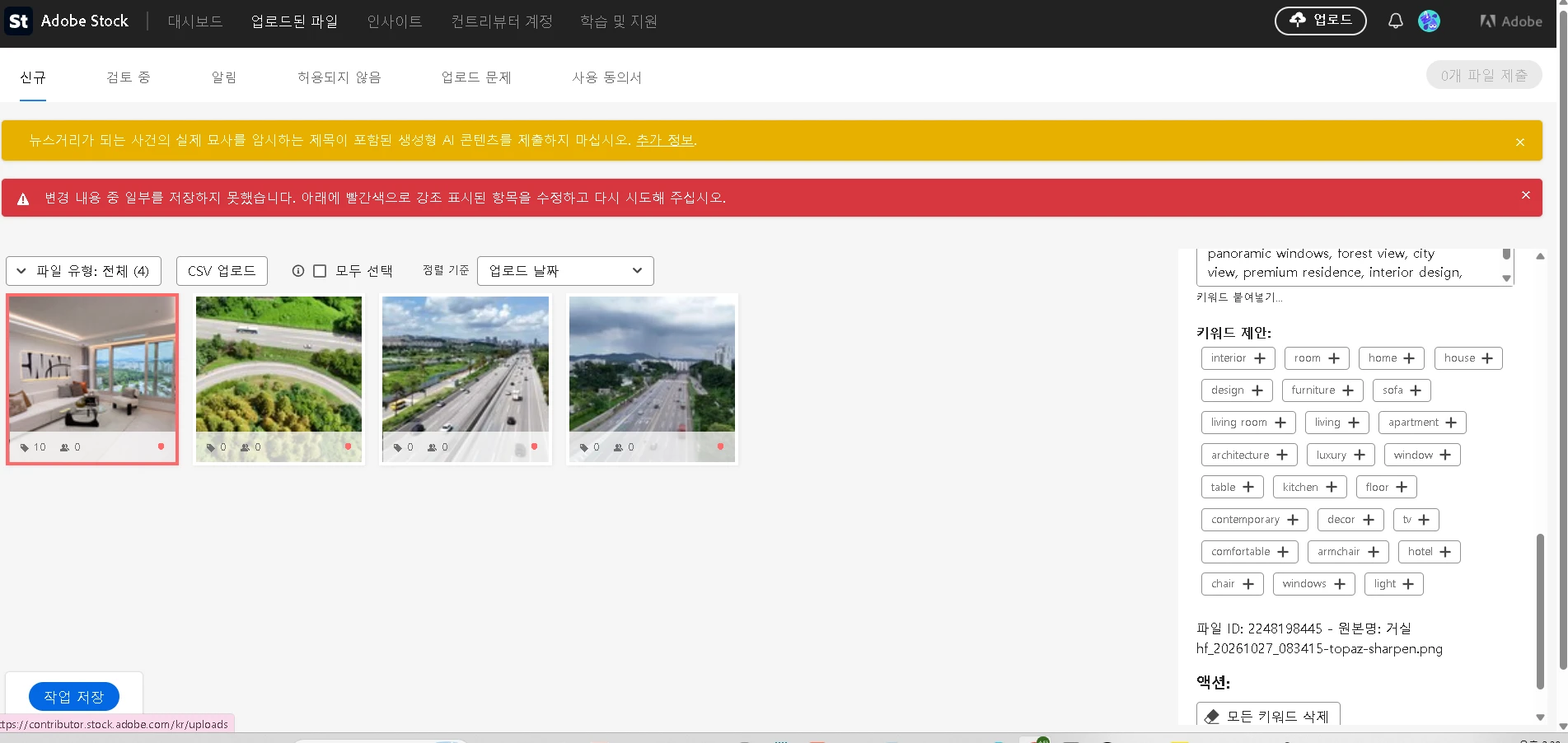
  1. Images and videos upload successfully, but I cannot save their metadata, including titles, categories, and keywords.

  2. The following error appears: "Some of your changes could not be saved. Please correct the items highlighted in red."

  3. As a result, I cannot submit new assets for review.

  4. I have also encountered HTTP ERROR 431.

  5. I tried contacting Adobe Stock Contributor Support through the official contact form, but it returned an error stating that the case could not be submitted.

  6. My Creative Cloud subscription recently expired, although I understand that a paid subscription is not required to contribute to Adobe Stock.

Could an Adobe staff member or community expert investigate this issue and advise how to restore normal uploading, metadata saving, and submission functionality?

I would also appreciate an alternative way to contact Contributor Support since the official support form is not working.

Thank you for your assistance.
 

    2 replies

    Nancy OShea
    Community Expert
    Community Expert
    Nov 11, 2026 8:55 PM UTC

    AFAIK, South Korean users are not being geo-blocked. Try using another web device/browser that doesn’t have script/ad blockers. 


    Disable VPNs and Use Incognito Mode. Turn off any active VPNs, proxies, or browser extensions. Open a private browsing window and sign-in directly through the Adobe Stock Contributor Portal using Sign-In rather than the "Join Now" button.


    North Korea vs. South Korea Confusion. Users who accidentally select "Korea, Democratic People's Republic of" (North Korea) instead of "Republic of Korea" (South Korea) during sign-up face immediate, permanent blocks due to U.S. export sanctions.

    Check your main Adobe Account to ensure the correct country is selected in your profile.

    https://account.adobe.com/profile


    Good luck. Post back if you still need help.

    Translate
    Nancy O'Shea— Product User & Community Expert
    daniellei4510
    Community Expert
    Community Expert
    Nov 11, 2026 6:06 AM UTC

    Items highlighted in red usually mean that your description or keywords have exceeded the number of characters or keywords allowed.

    Translate
    Adobe Community Expert | I have miles to go before I sleep, but I'm all done on this end.