

antithesisw
Known Participant
June 1, 2023
Question

Vertical videos FHD and 4K

  • June 1, 2023
  • 2 replies
  • 2022 views

Hello.
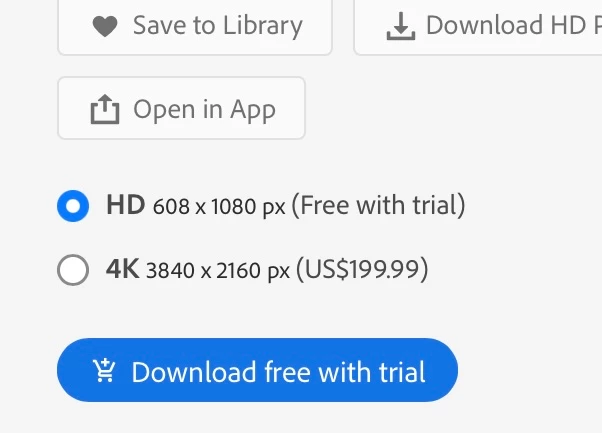
I'm trying to upload a vertical video and this is what I see in the end.. 608x1080 not 1920x1080 but 4k seems ok. But I found a video from another creator and it's vertical and 1920x1080.. how does it work? how do i fix this?

my vertical video -

 
And another vertical video -



and my 4k -
 

This topic has been closed for replies.

2 replies

antithesisw
Known Participant
June 10, 2023

Support is silent, the forum is silent, how to solve this problem? lol

Jill_C
Community Expert
Community Expert
June 10, 2023

We don't seem to get many video contributors here in the Forum, so perhaps no knowledgeable person has seen your request. Did you try searching for "vertical video" in the "Search this community" box at the top of this page?

Jill C., Forum Volunteer
antithesisw
Known Participant
June 11, 2023

Unfortunately, there is no solution to the problem, I'm waiting for support to answer. Thank you. 

antithesisw
Known Participant
June 1, 2023

Oh ok, I think I should flip the video 😕😕

antithesisw
Known Participant
June 1, 2023

Vertical Resolution

  • Upload source content at one of the following resolutions:

   1. 2304x4096

   2. 2160x4096

   3. 2160x3840   

   4. 1080x1920

  • Shoot vertical video natively and upload video in the clip’s 9:16 aspect ratio.  Do not convert the video to 16:9 aspect ratio and upload horizontally. 
  • For vertical video, we recommend a duration of 10 to 30 seconds for each clip, although the minimum length is 5 seconds and maximum length is 60 seconds. 
  • Please include the keywords “vertical” and “video” in your titles and keywords. 

    I did everything just like it is written here. Even old videos with a resolution of 608x1080 🤔 🤔