
Inspiring
March 13, 2026
Question

What does “Suspicious Activity” mean for Adobe Stock contributor accounts?

  • March 13, 2026
  • 1 reply
  • 68 views

Hello Adobe Stock Community,

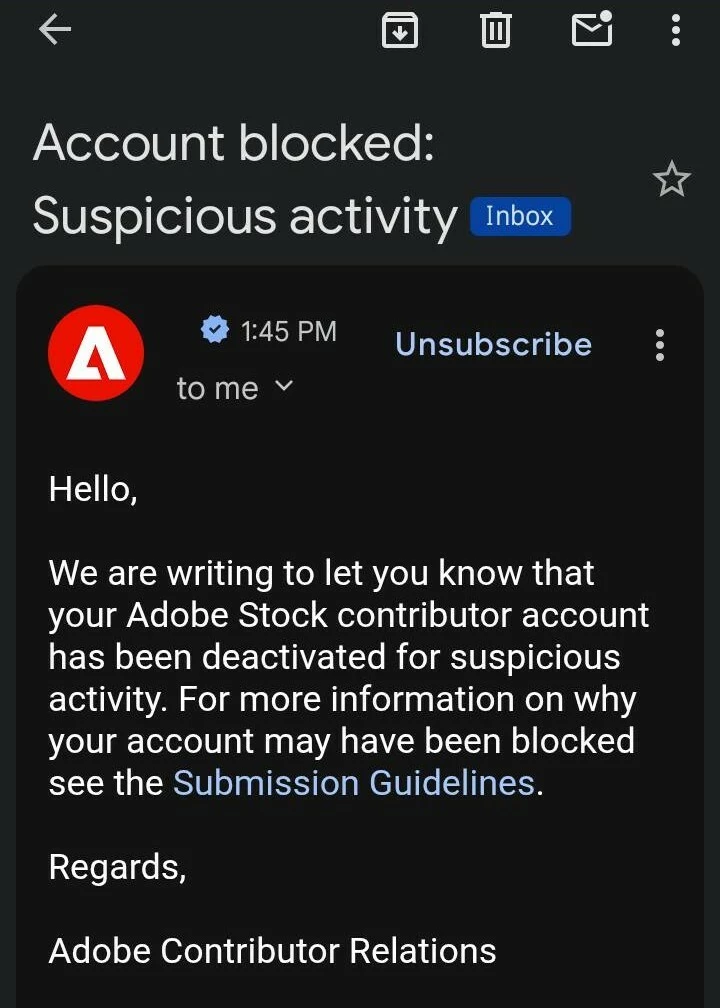
I have recently noticed that many contributor accounts are being blocked with the message “Account blocked: Suspicious activity.”

Could someone please clarify what “suspicious activity” means in the context of Adobe Stock contributor accounts? What types of actions or situations typically trigger this warning or lead to account deactivation?

Thank you.
 

    1 reply

    RALPH_L
    Community Expert
    Community Expert
    March 13, 2026

    When Adobe Stock flags an account for "suspicious activity," it is usually an automated or manual trigger designed to protect the integrity of the marketplace. For contributors, this is often a broad term that covers several specific technical and behavioral red flags.

    Here is a breakdown of what typically constitutes "suspicious activity" in this context:

    1. Verification and Identity Issues

    • Mismatched Details: Discrepancies between the name on the Adobe ID, the tax form (W-8BEN/W-9), and the payout account (PayPal/Payoneer).

    • Multiple Accounts: Creating more than one contributor account without prior written authorization from Adobe.

    • IP Inconsistencies: Frequent logins from vastly different geographic locations in a short timeframe, which may suggest account sharing or a compromised account.

    2. Intellectual Property & Quality Control

    • Spamming/Flooding: Uploading massive quantities of nearly identical content (often referred to as "similars"). While variations are allowed, hundreds of shots of the same subject with micro-adjustments can trigger a block.

    • Generative AI Mislabeling: Failing to tag AI-generated content as "Illustrations" or "Generative AI," or submitting AI content that depicts real people/trademarked property without releases.

    • Title/Tag Stuffing: Using irrelevant or "trending" keywords that don't match the actual image to manipulate search results.

    3. Financial and Payout Irregularities

    • Self-Buying: Purchasing your own assets to inflate download stats or trigger a payout.

    • Artificial Download Inflation: Using bots or "download circles" (groups of people who agree to download each other's work) to manipulate the algorithm.

    • Inconsistent Sales Spikes: A sudden, massive surge in downloads from a single source or a new account can trigger an automatic fraud review.

    4. Legal Documentation

    • Invalid Releases: Submitting forged or improperly filled out Model or Property Releases. If Adobe’s legal team doubts the authenticity of a signature, they will often block the account immediately to prevent legal liability.

    Inspiring
    March 13, 2026

    If someone, out of hostility, uses my Adobe Stock contributor account link to intentionally create fake downloads in order to damage or sabotage my account, what can I do?

    RALPH_L
    Community Expert
    Community Expert
    March 13, 2026

    You cannot do anything. Adobe does. They verify that if the downloads are legitimate or if there is criminal activity taking place. Sales are being generated with each download. If there is a sudden spike, the activity is flagged.
