


Participating Frequently
October 12, 2024
Answered

What is wrong with my picture?

  • October 12, 2024
  • 3 replies
  • 1120 views

Hello,
I am a contributor with AI photos, and today my picture is rejected, with reason "quality issue" 

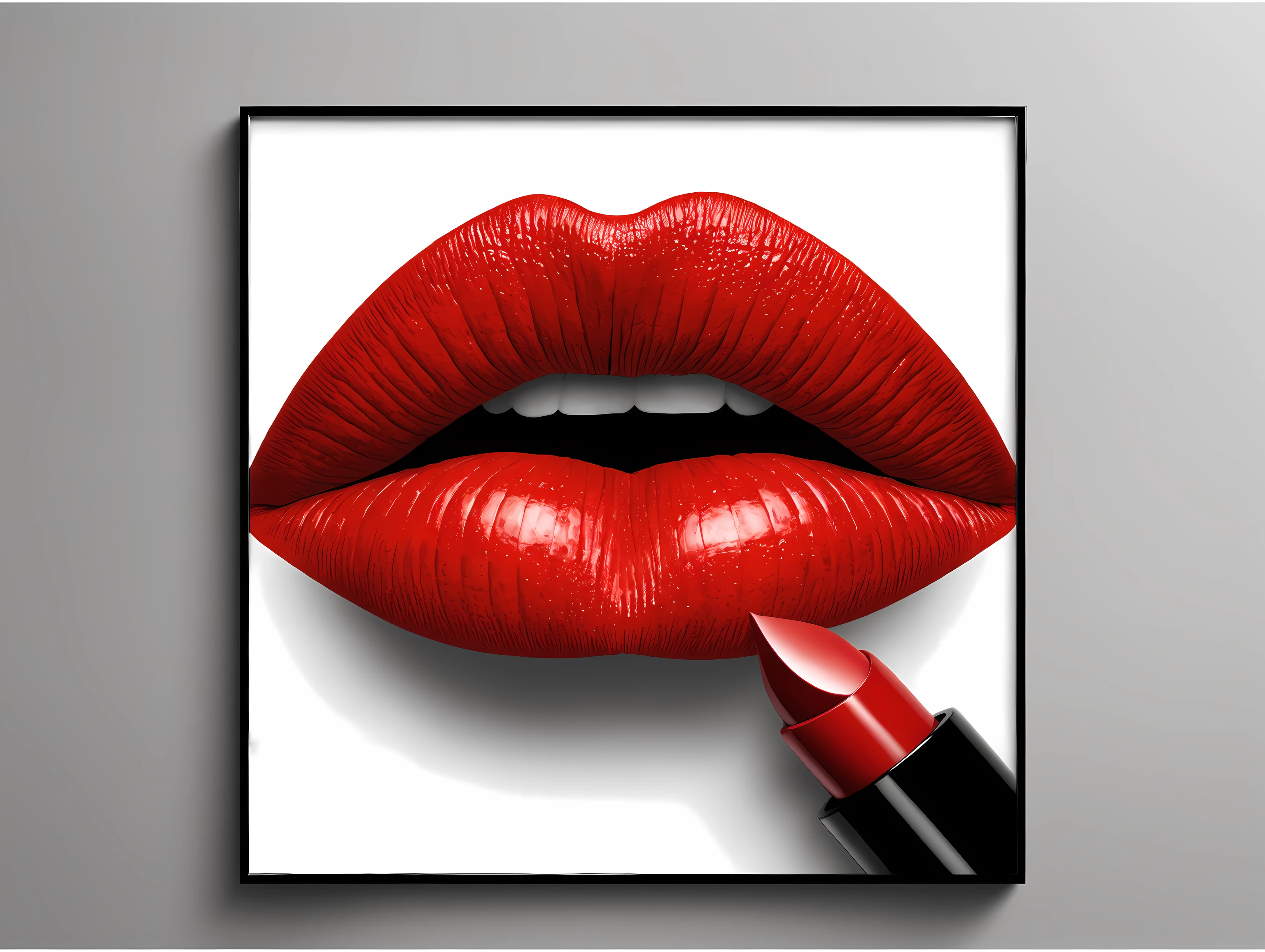
This is picture which is rejected 

Compared to this, this is example of cleary bad quality picture with terrible outlines and lot of noise, but that picture is accepted and exist on Adobe Stock
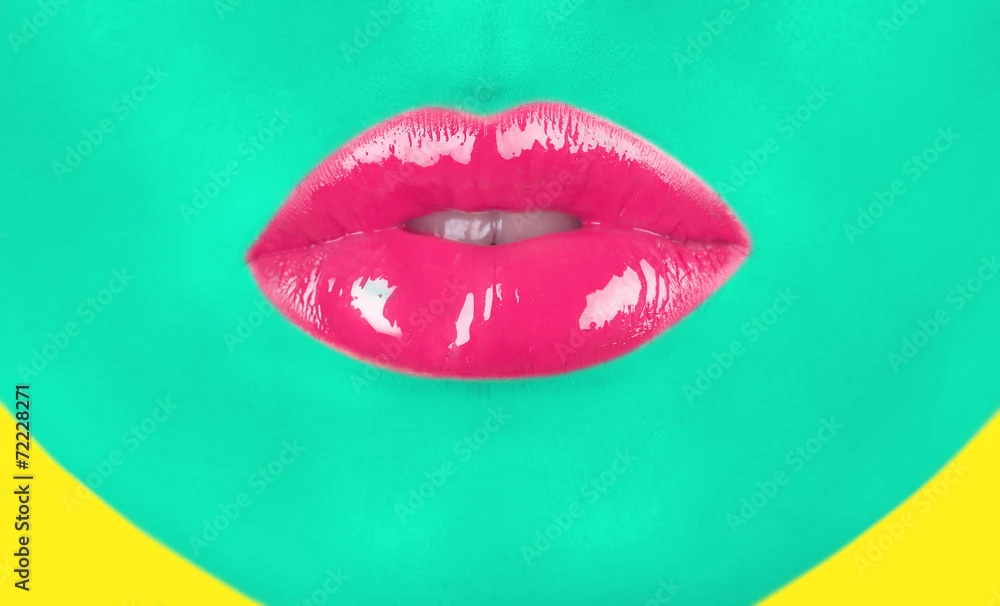
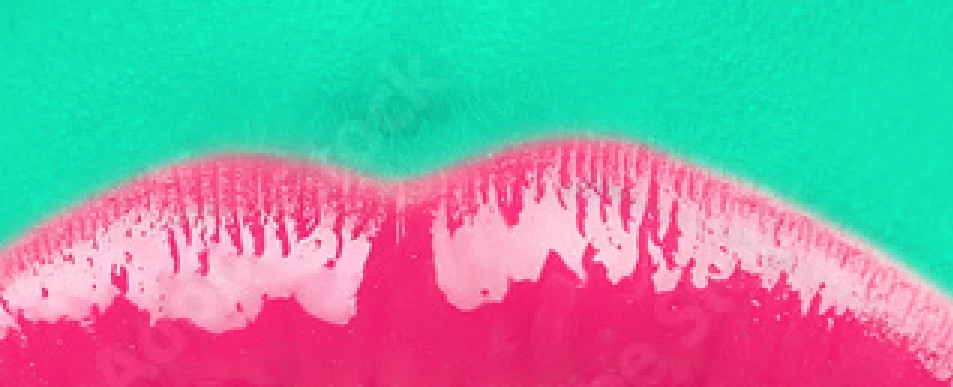
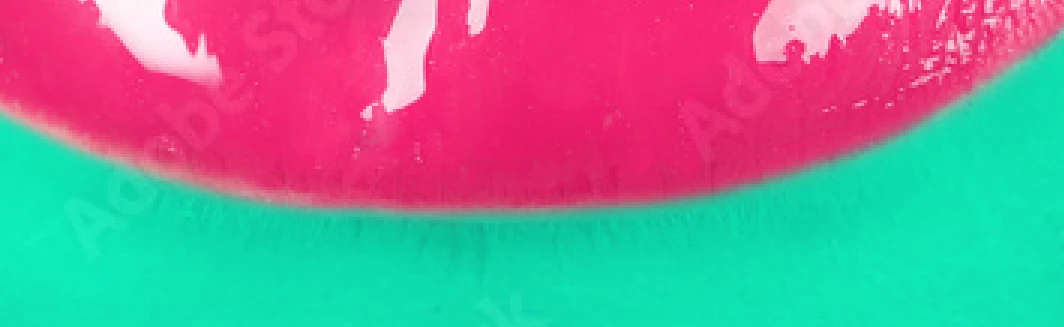


Don't understand me wrong....I am not professional, I am hobbyst and still need to learn a lot, also I don't want to judge this picture, I just put an example and want that someone explain to me, how is possible that my picture don't pass quality standard, and this one picture pass it? Also, I want that someone who is professional explain me what I should to change on my picture, because I want to improve myself and be better in future.

Thanks in advance, Ivan

This topic has been closed for replies.
Correct answer Jill_C

Frames are not desirable. You've cut off the edges of the lips. The shadow doesn't make sense.


Don't waste your time searching the database for images which you deem to be of worse quality than yours. You'll always be able to find some, and the fact that they exist in the database doesn't mean that Adobe should continue to accept sub-par quality. 

3 replies

Nancy OShea
Community Expert
Community Expert
October 12, 2024
VIZ PrintAuthor
Participating Frequently
October 13, 2024

I already get that answer. Also when I start, I was read user guide, and I must read that frames are not allowed, but I forgot it. After this experience, I will not repear same mistake again.

daniellei4510
Community Expert
Community Expert
October 12, 2024

Ditto what @Jill_C said about the frame and making comparisons to other assets in the database. But even if the frame wasn't a problem in and of itself, the lips are cut off on the corners. As for the lipstick, if it was freshly applied, I don't think it would come to a sharp point. There's also a drawing error in the tube that surrounds the lipstick. And the lipstick itself looks more like a slice of watermelon. I know, maybe I'm being picky. But so are the moderators.

Adobe Community Expert | If you can't fix it, hide it; if you can't hide it, delete it.
VIZ PrintAuthor
Participating Frequently
October 12, 2024

I will not comment part of your post which is same what @Jill_C wrote allready....because I already commented that in reply above. About tube, I don't think that is bad, maybe white segment on top can be corrected, and some other small corrections. And lipstick which look like a slice of watermellon maybe can have dull instead of sharp top. And it is ok to be picky, I am enthusiast and self-critic person, and I respect honestly critics rather than fake praises.

Jill_C
Community Expert
Jill_CCommunity ExpertCorrect answer
Community Expert
October 12, 2024

Frames are not desirable. You've cut off the edges of the lips. The shadow doesn't make sense.


Don't waste your time searching the database for images which you deem to be of worse quality than yours. You'll always be able to find some, and the fact that they exist in the database doesn't mean that Adobe should continue to accept sub-par quality. 

Jill C., Forum Volunteer
VIZ PrintAuthor
Participating Frequently
October 12, 2024

I don't compare because of judgement, I compare to make a better version of myself, in other words, I trying to correct my own mistakes from other examples of same subject. If I understand your replicate...that picture from my example can be much older on site, when database was smaller, so as database grow, there will be stronger policies in quality? Is that point correct?

I don't know fact about frames....so that is good advice to avoid them in future. And also I realy don't know that is important that object don't be out of frame...of course I don't think that cut half of lips is good, but I don't know there are problem if little piece on edge is cutted. 

I just have one more question...I am pretty new to contributing on Adobe Stock, so even if my picture is declined is allowed to correct mistakes, and reupload same picture? For example, if I erase frame and maybe lipstick too, am I alowed to re-submit picture of lips? (with adding/draw missing edges)?

Jill_C
Community Expert
Community Expert
October 12, 2024

You must always keep in mind how a Buyer might want to use an image. A picture of luscious red lips can be used as a stand-alone component in a design, but if you put a frame around it, the usefulness is drastically reduced, or the designer would have to take the time to edit out the frame.


Poor quality images, particularly if they're AI, could be from the early days after Adobe started accepting AI images, because the Moderators just weren't as well-trained and experienced at spotting errors as they are now. Unfortunately, even now, with that additional training and experience, some poor quality images still somehow escape the close scrutiny of the Moderators and end up in the database. Buyers complain bitterly about having to sift through such poor quality junk to find what they're looking for.

Yes, you can definitely re-edit and resubmit rejected images.


Good luck!

Jill C., Forum Volunteer