Hi Manuel
I believe the page you are looking at looks like this with "Downloads" at the left top of the right column.
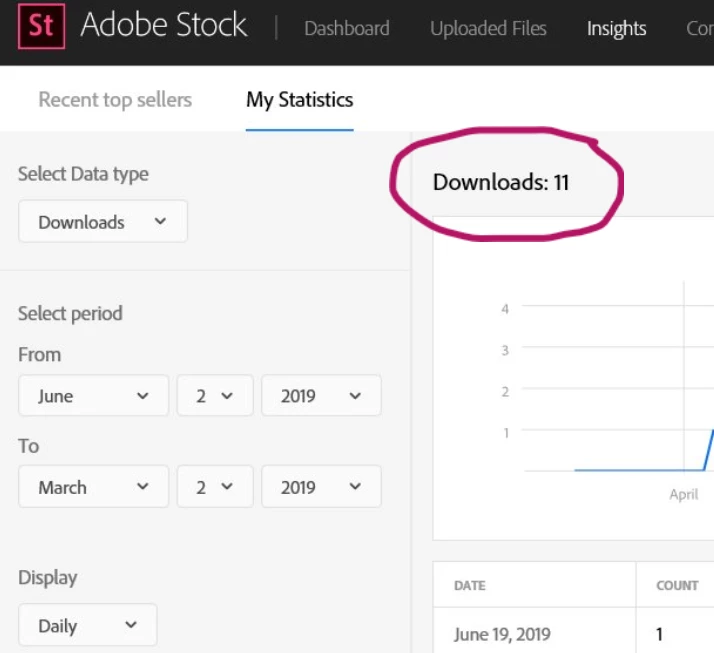
If this is the case it is because you choose "Select Data Type" to be "Downloads".
Click on the little arrow head as included in the circle with "Select Data type" and choose "Top Sellers" as in the image below. Click on the blue "Display Statistics" button.. "Top sellers" will be at the left top of the right hand column as indicated on the image below. Otherwise choose "Activity". Make sure you click on the blue "Display Statistics" button as is at the left bottom of the image below to display the information you want..
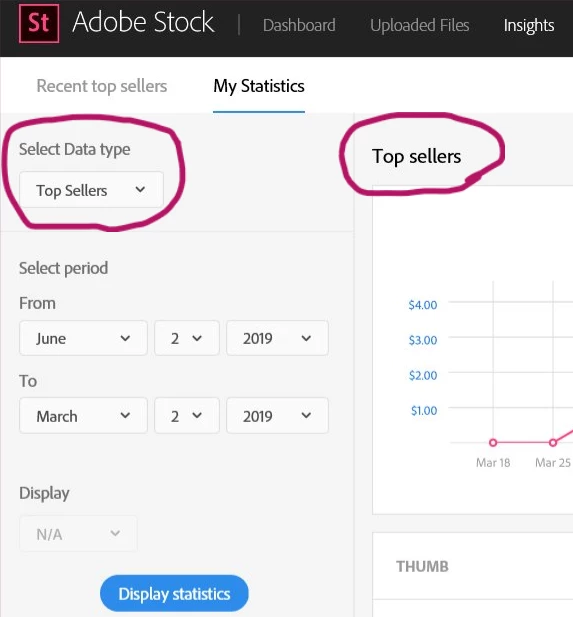
If you still cannot see your required information, then attach a copy of the screenprint of the page for us to see where you are at.
Since the introduction of the web statistics, Adobe has limited sending out notification e-mails. Immediately after its introduction mails were sent on the following day with a summary of the previous day's sales. It seem that mails are currently sent with top sales, or sales over a certain amount only.
Hope you found this helpful
Best wishes
JG

 AdChoices