Davinia_sp
Participant
March 11, 2024
Answered

Which quality issues exactly?

  • March 11, 2024
  • 5 replies
  • 989 views

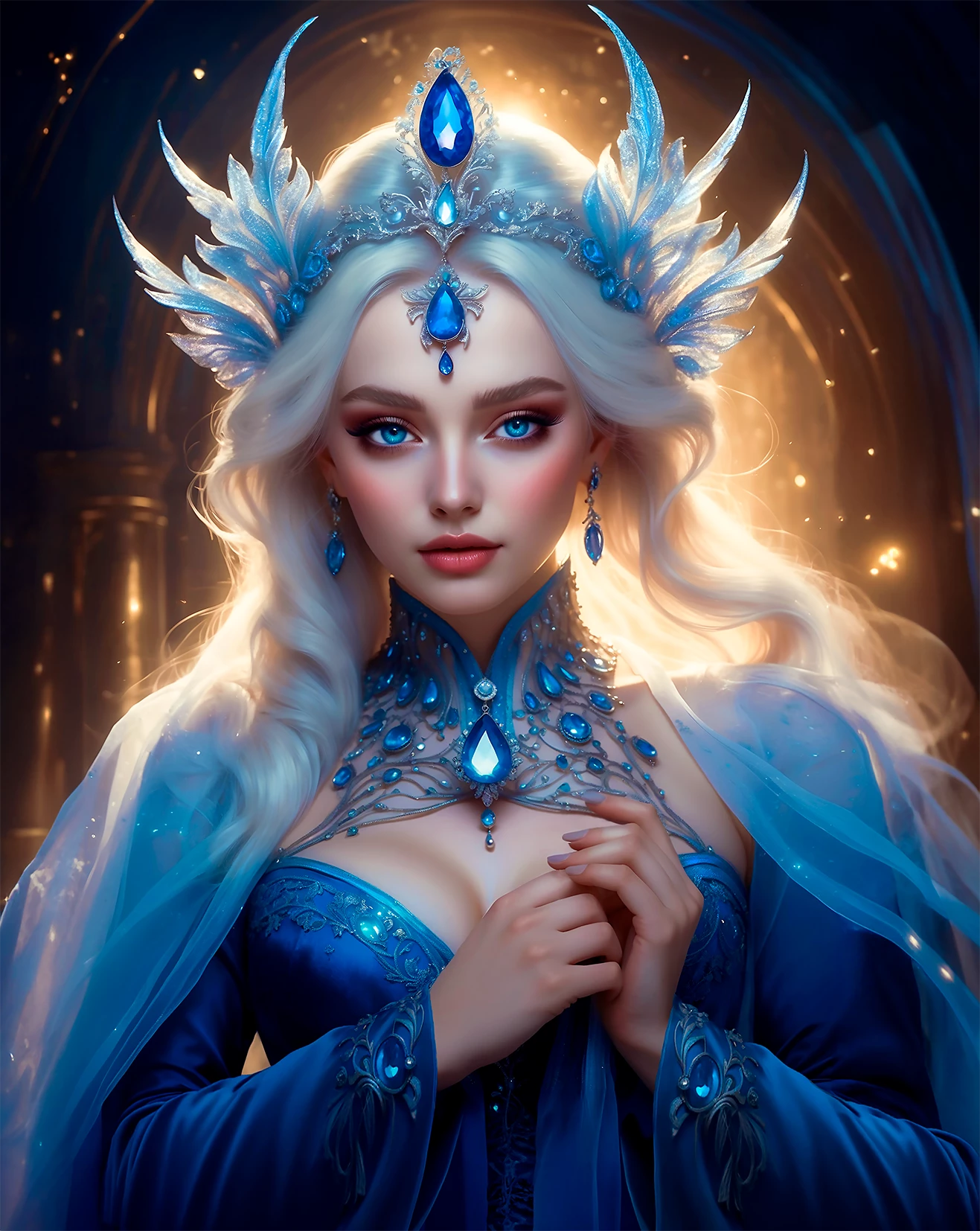
Lately I have had many rejections. Some of them I can see the “quality issues” reason, but with other illustrations not at all. What I overlooked? . I need to know it before I send more works.

There are all AI based (and edited in Photoshop, obviously).

Thank you for your help.

This topic has been closed for replies.
Correct answer Abambo

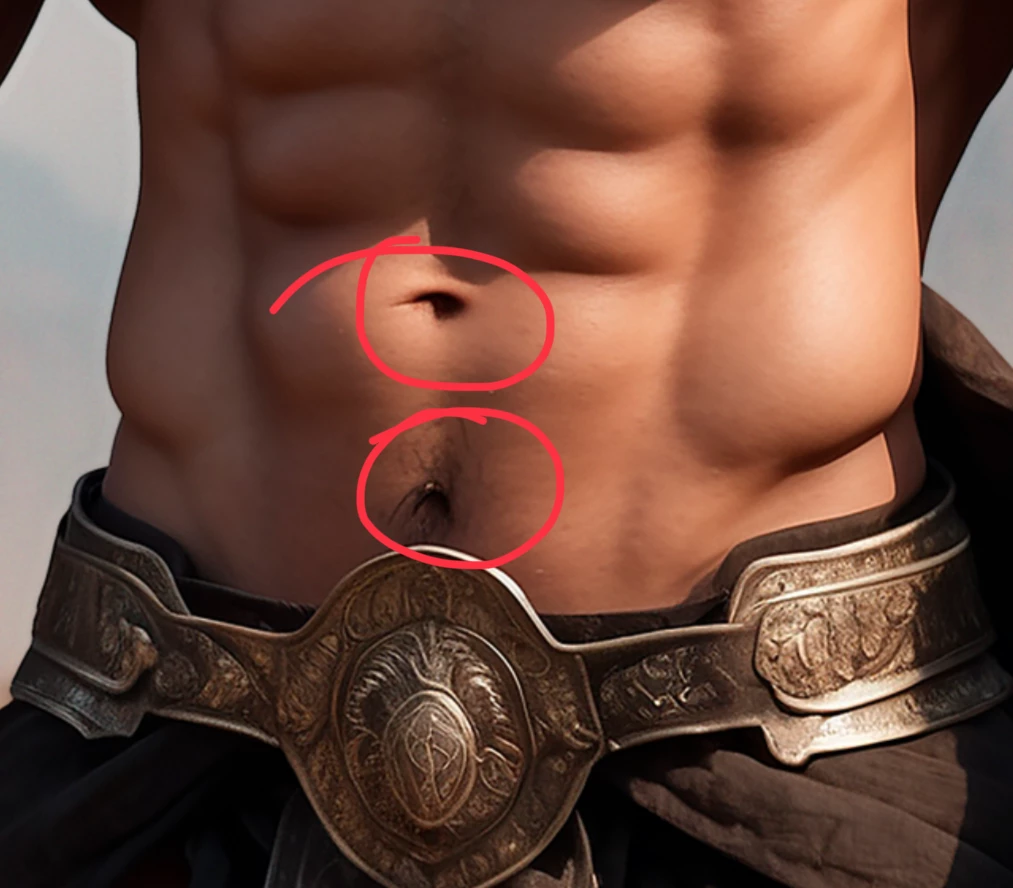
Generative AI is bad in counting: 

Count the navels…

5 replies

daniellei4510
Community Expert
Community Expert
March 13, 2024

As you've seen, a number of issues were pointed out in these examples. But moderators only need to find ONE issue to justify a rejection. Close enough used to apply a few months back, but no longer. But keep at it. If you've had at lease acceptances, you're on the right track.

Adobe Community Expert | If you can't fix it, hide it; if you can't hide it, delete it.
Abambo
Community Expert
Community Expert
March 15, 2024
quote

But moderators only need to find ONE issue to justify a rejection.


By @daniellei4510

Indeed, they reject on the first issue they encounter. Fast for the moderation. If they are refusing anyway, they do not need to look further. And the refusal indication is only a hint, the text published with that refusal is stock text. Moderators don't worry about writing in 50 different languages. 😉

ABAMBO | Hard- and Software Engineer | Photographer
Abambo
Community Expert
AbamboCommunity ExpertCorrect answer
Community Expert
March 12, 2024

Generative AI is bad in counting: 

Count the navels…

ABAMBO | Hard- and Software Engineer | Photographer
Davinia_sp
Participant
March 15, 2024

Oooh,  Sometimes I think I am blind, really...  @_@@

And sometimes, I made several corrections in several files and I upload the wrong one.

Thank you very much

Abambo
Community Expert
Community Expert
March 15, 2024

😂

Against “blindness”: it helps to keep the pictures a day or two in the waiting queue before the final control. That generates a new, fresh look on the assets.

For uploading the wrong assets, you can have only an iron discipline by marking the assets correctly.

ABAMBO | Hard- and Software Engineer | Photographer
Jill_C
Community Expert
Community Expert
March 12, 2024

elven soldier.png - the design on the breastplate is not symmetrical 

Jill C., Forum Volunteer
Jill_C
Community Expert
Community Expert
March 12, 2024

macho iberico.png - the necklace changes from a chain to a string on one side. Also, you should not be submitting these in png format unless they have transparent backgrounds.

Jill C., Forum Volunteer
Davinia_sp
Participant
March 12, 2024

only?

I have the habit of send everything in png because I think it keeps the quality better, but I will change it. Thanks

Abambo
Community Expert
Community Expert
March 12, 2024

A JPEG saved with the highest quality setting is not to distinguish from the original, but much smaller in size. Your intermedite files on your system should stay as TIFF or PSD files. Both formats preserve the layers. 

ABAMBO | Hard- and Software Engineer | Photographer
daniellei4510
Community Expert
Community Expert
March 11, 2024

It's the little things. Some burned out highlights and spots as indicated. The design on the knife should be mirrored, as it would appear the same on both sides in real life. Same with the shoulder thingys on the knights armour. AI has a ways to go when it comes to dealing with metal, such as armour, jewlery, etc. I didn't circle ALL the issues, but the bolts on the knights shoulders should also be identical, for example. Some aren't perfectly round.

Adobe Community Expert | If you can't fix it, hide it; if you can't hide it, delete it.
Davinia_sp
Participant
March 12, 2024

I see, thank you very much. Maybe I can correct the sword but with the armour.... I had the feeling the armour was not simetrical however I do not know how it will affect the changes, I will try again. I am not agree with the helmet, for me it looks fine. 

Thanks  a lot!