i on the world
Participant
October 12, 2023
Answered

Which size is correct for jpeg preview submission with illustrator vectors please?

  • October 12, 2023
  • 1 reply
  • 148 views

Hi Contributors. I need help. 
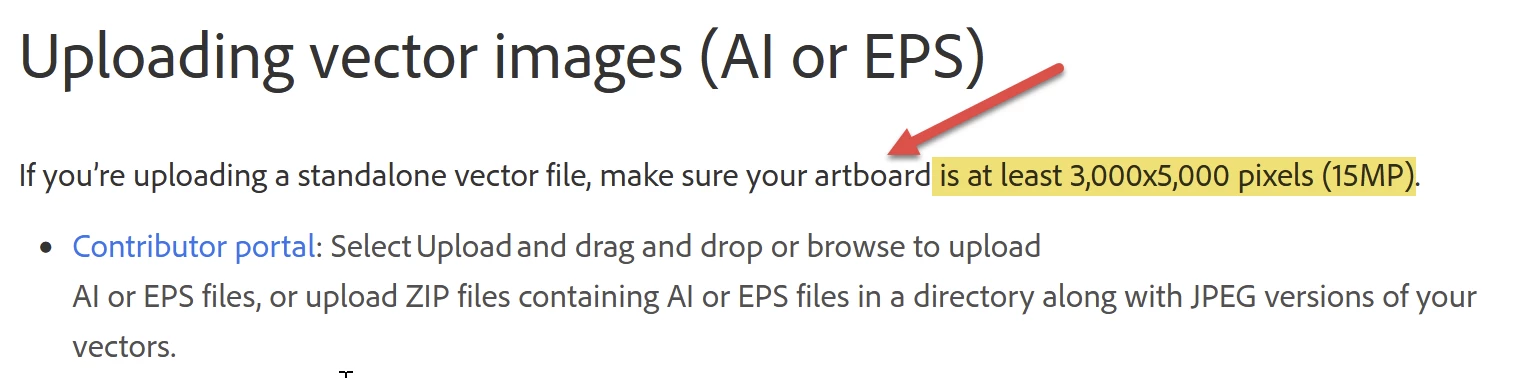
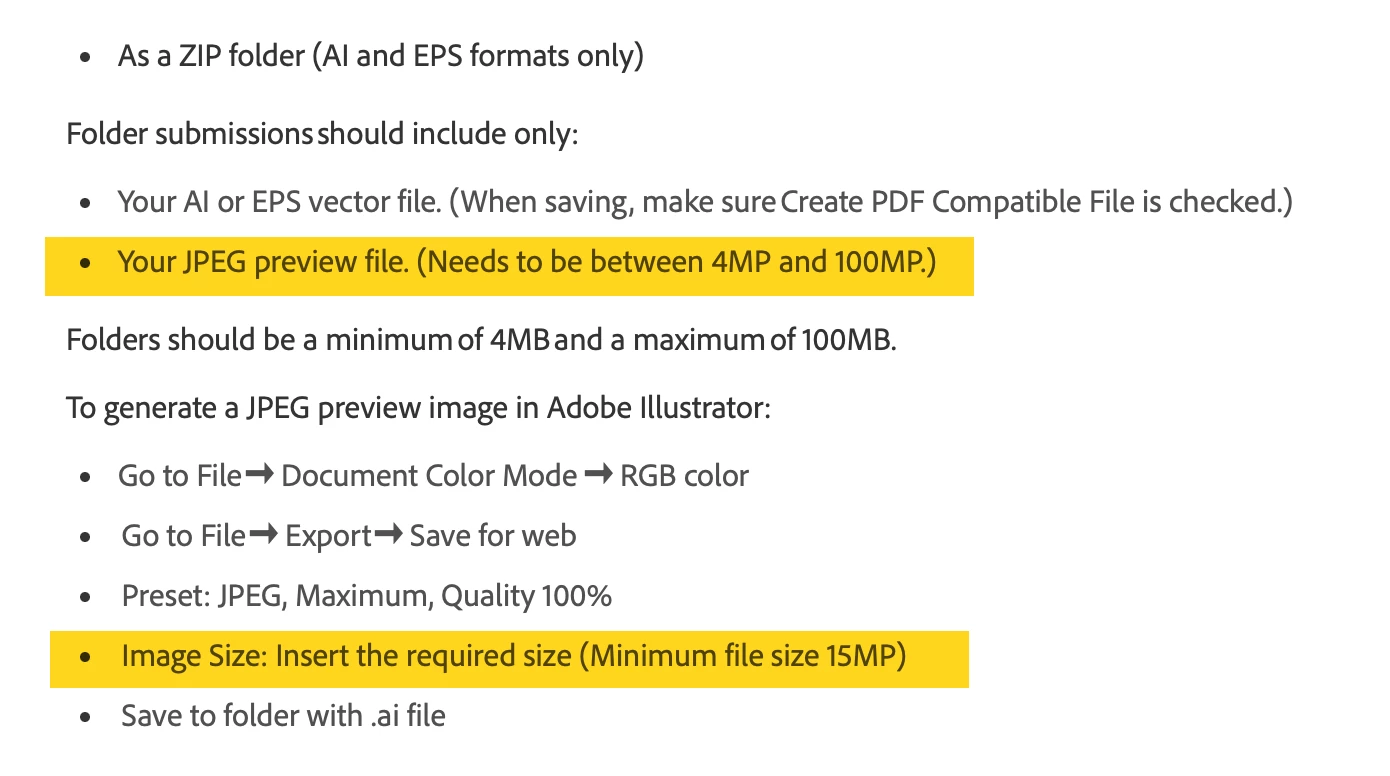
I am trying to upload my .ai vector files and of course as they are in the CMYK space they look worng so  I am doing the Jpeg previews. HOWEVER I am confused as to what size the previews need to be. The  submission guidelines give confliceting advice as far as I can tell. I attach a screengrab. Sow which is it? Between 4MP -100MP or MIMIMUM 1MP? Help greatly appreciated - I can't find anything on this forum to answer this yet? Jacqui

This topic has been closed for replies.
Correct answer Abambo

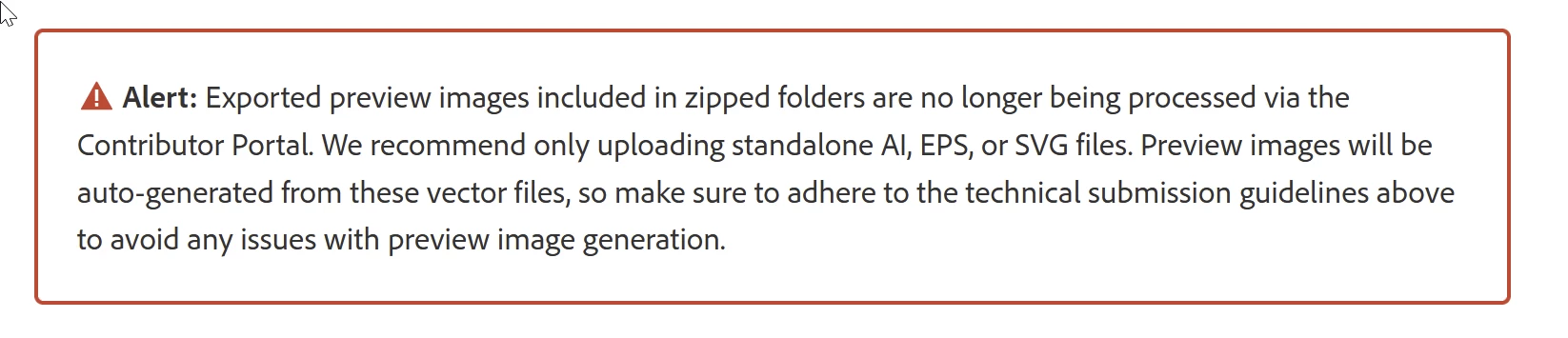
It's unfortunate, but the instructions are obsolete. Adobe is ignoring the JPEG file.

You should check your artboard to be big enough:

If you generate the JPEG, generate it at the artboart size.


But please check also this: https://helpx.adobe.com/stock/contributor/help/vector-requirements.html

Indeed, since the introduction of the PNG file format, Adobe creates their own JPEG and PNG previews. For your AI file, you should embed the correct colour profile. If the preview does not generate correctly, you will need to convert to RGB.


My assets are CMYK.


1 reply

Abambo
Community Expert
AbamboCommunity ExpertCorrect answer
Community Expert
October 12, 2023

It's unfortunate, but the instructions are obsolete. Adobe is ignoring the JPEG file.

You should check your artboard to be big enough:

If you generate the JPEG, generate it at the artboart size.


But please check also this: https://helpx.adobe.com/stock/contributor/help/vector-requirements.html

Indeed, since the introduction of the PNG file format, Adobe creates their own JPEG and PNG previews. For your AI file, you should embed the correct colour profile. If the preview does not generate correctly, you will need to convert to RGB.


My assets are CMYK.


ABAMBO | Hard- and Software Engineer | Photographer
i on the world
Participant
October 13, 2023

That's awesome and very helpful, thank you ABAMBO. That page brings up the old instructions for some reason on my Mac when I go to the link I saved but the correct one when I click yours with this alert. Strange. I'll check my profiles.
Jacqui, i on the world.