
wharfhouse
Participant
November 20, 2017
Answered

Why does Adobe think these two images of different owls are similar?

  • November 20, 2017
  • 3 replies
  • 696 views

I'm new to Adobe Stock and have been adding a few images recently - I have had a few rejected where I had some (deliberate) out of focus areas or had post processed to B&W or applied other artistic effects - that's fine and understand if Adobe Stock doesn't want those (other stock sites are happy to accept them). But the one that I find odd is that I had an image of an owl accepted but then another image of a totally different owl rejected saying it was too similar to the first! I even resubmitted in case it was done in error and it got rejected again.

Here is the one that was accepted:
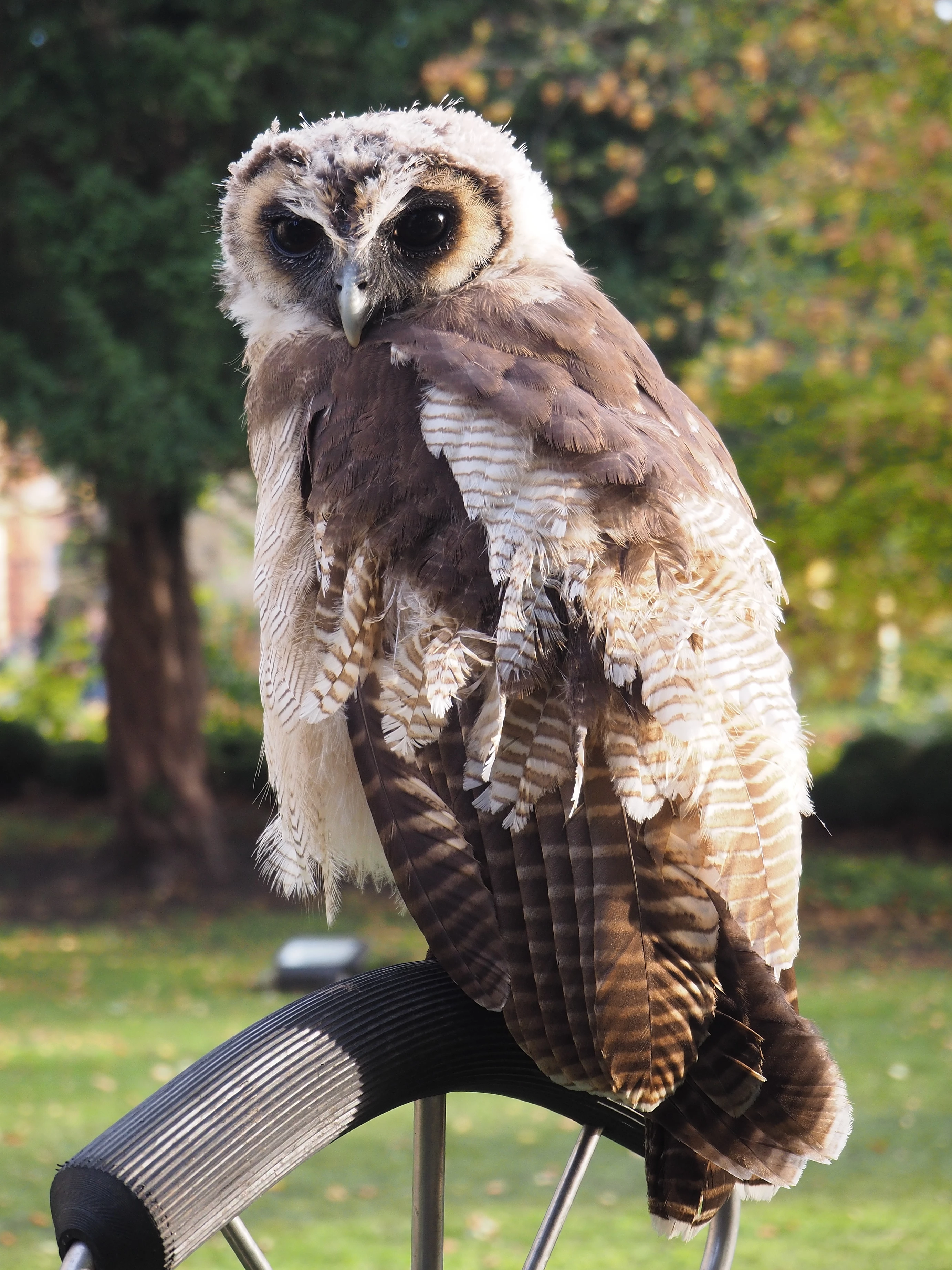
And the one that was rejected as being too similar:
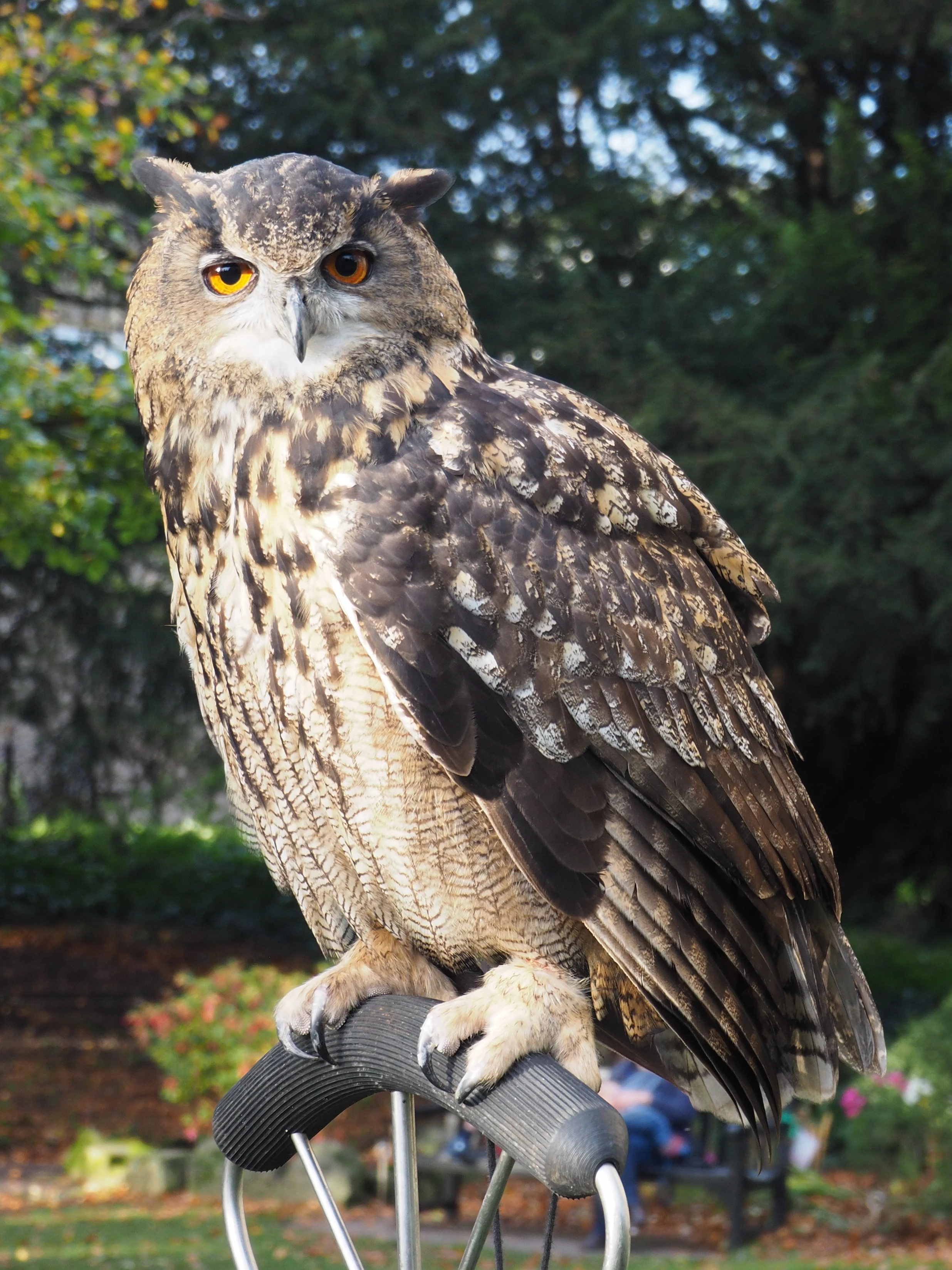
Can anyone offer any explanation other than it is not a human doing the comparison but some sort of machine learning that only takes into account a few simple parameters... It's not a big deal (and again other stock sites were happy with both) but very curious how Adobe handle this.

Thanks

This topic has been closed for replies.
Correct answer Trav Bondurant

1. (Similar Files Already Submitted)


  Here’s what this means:

“Similar Images” include ALL Images in Adobe Stock's ENTIRE Catalog NOT just your catalog).

... quality is better than quantity ... choose images that offer something UNIQUE to the buyer ... .

My opinion is that your second image (the rejected one) is typical (very common pose of owl pics) but your first one that was accepted is unique.

So the curator feels your second pic that was rejected is too similar to images already in the owl collection [which includes ALL contributors] & Adobe just don't want anymore like that. Don't feel hurt by it, use it as inspiration to come up with another great image different from the rejected one that is so common of owl pics.


  SEE LINK TO THE RULE:

https://helpx.adobe.com/stock/contributor/help/reasons-for-content-rejection.html


  2. (Similar Content Versus Spam)


   “Photographs: … Sending images with minimal differences, such as a slight change of angle, should be avoided. … Avoid using the following methods to add variation… . [LIST omitted; to see LIST, click link below].

SEE LINK TO THE RULE:

https://helpx.adobe.com/stock/contributor/help/similar-vs-spamming.html

3 replies

Trav Bondurant
Trav BondurantCorrect answer
Participant
November 22, 2017

1. (Similar Files Already Submitted)


  Here’s what this means:

“Similar Images” include ALL Images in Adobe Stock's ENTIRE Catalog NOT just your catalog).

... quality is better than quantity ... choose images that offer something UNIQUE to the buyer ... .

My opinion is that your second image (the rejected one) is typical (very common pose of owl pics) but your first one that was accepted is unique.

So the curator feels your second pic that was rejected is too similar to images already in the owl collection [which includes ALL contributors] & Adobe just don't want anymore like that. Don't feel hurt by it, use it as inspiration to come up with another great image different from the rejected one that is so common of owl pics.


  SEE LINK TO THE RULE:

https://helpx.adobe.com/stock/contributor/help/reasons-for-content-rejection.html


  2. (Similar Content Versus Spam)


   “Photographs: … Sending images with minimal differences, such as a slight change of angle, should be avoided. … Avoid using the following methods to add variation… . [LIST omitted; to see LIST, click link below].

SEE LINK TO THE RULE:

https://helpx.adobe.com/stock/contributor/help/similar-vs-spamming.html

wharfhouse
Participant
November 22, 2017

Hi

Thanks for your thoughts, and if that was the case then it would make sense. When I looked at the rejection reason though it says:

========================================================================================================

Similar Image(s) Already Submitted

Thanks for giving us the chance to consider your image. Unfortunately, during our review we found that it's similar to another image(s) you've already uploaded, so we can't accept it into our collection.

========================================================================================================

which only refers to images that I have uploaded, not the whole world's catalog - and reading the links about what is a similar image (which I had done) it doesn't say anywhere that I can find “Similar Images” include ALL Images in Adobe Stock's ENTIRE Catalog NOT just yours

The other points about sending images with "minimal differences" may be seen as spam I get completely but different species of owls, regardless of pose, could not be regarded as a "minimal" differences IMHO.

If your assumption that the "Similar Images" flag on a rejection refers to the total catalog then I can see that would make sense as on reflection there are a lot of Eagle Owl photos in there. However by the Adobe wording used, then as far as I can see, this is not what "Similar Images" means but it only relates to my photos and not the world's, unless I am missing something obvious. So really Adobe should change the wording to make that more clear if that is what the reasoning is otherwise we are all shooting in the dark as to what this means.

As I said before, it isn't a big deal to me, and other photos I have submitted have been accepted (with just a few rejections that I can start and see the reasoning) it was just was perplexing as to why the guidelines say one thing yet the assessors have done something else...!

Ricky336
Community Expert
Community Expert
November 22, 2017

You would be better off having the owls in a different position and a different pose so they don't look the same! I think it is irrelevant that it is a different owl as the pose and background are too similar. I have had a shot of the same bird 6 times, but each pose was completely different and therefore accepted.

wharfhouse
Participant
November 22, 2017

Thanks for the inputs - very helpful to know what others have found in similar circumstances and will definitely think about that in the future - in this case the best and sharpest two images were in similar "poses" unfortunately.

Participant
November 20, 2017

That Eagle owl does not look anything like the other owl, maybe they are on about the similar stances of the owls, and the backgrounds being similar? who knows with Adobe.  I have had lots of similar shots rejected, take care not to submit too many similar ones as they see it as being like spam.  Great shots though, lovely detail.

wharfhouse
Participant
November 21, 2017

Thanks for your thoughts and comments on the spam element too - this one has really baffled me but reading through the various forum posts there does seem to be some odd decisions made from time to time!