Participant
December 26, 2017
Question

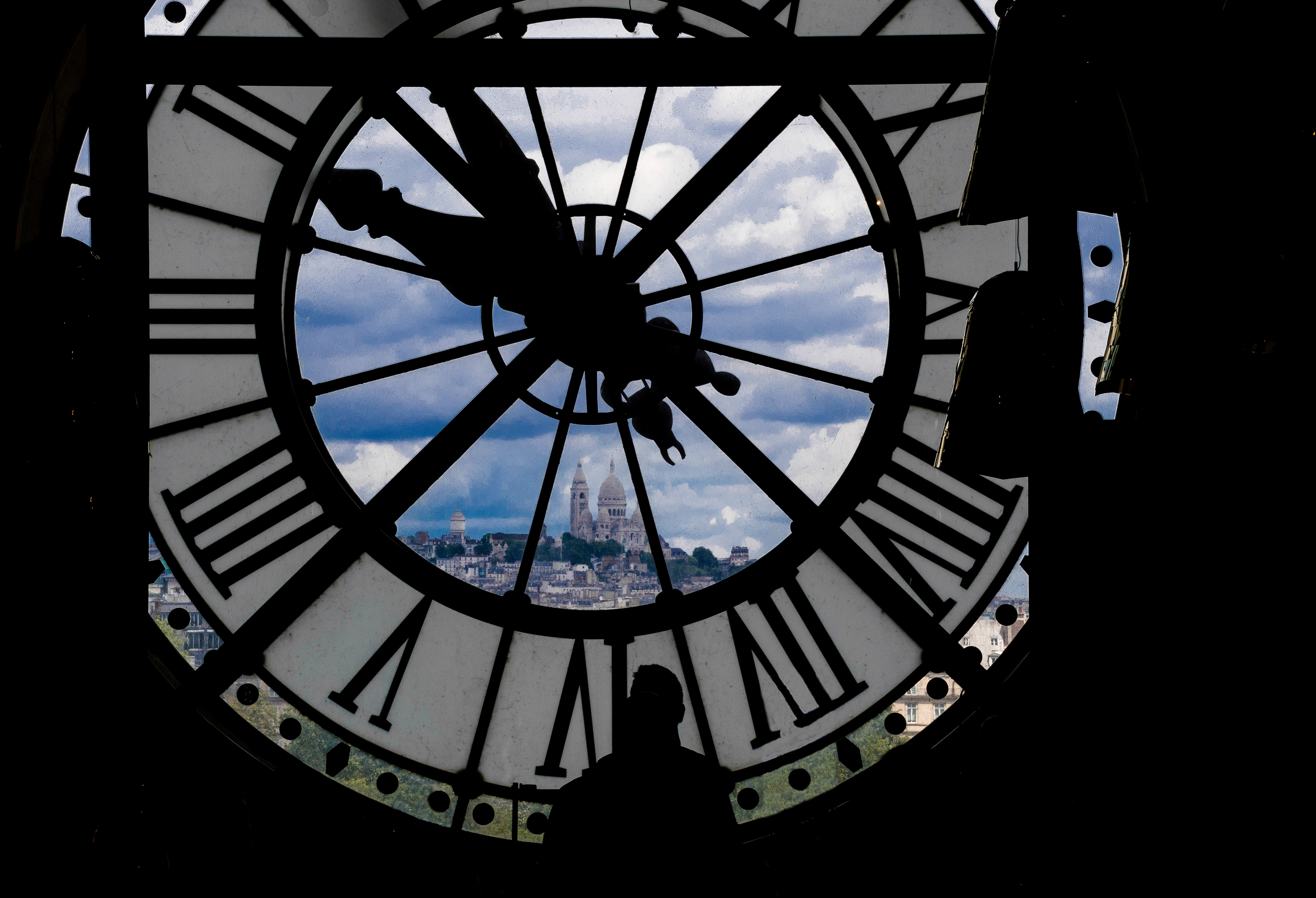
Why does this have an exposure problem? Please help.

  • December 26, 2017
  • 5 replies
  • 468 views

I am new to Adobe Stock, so can someone suggest why this was rejected as an exposure problem? It is basically a black and white photo with a color space.
This topic has been closed for replies.

5 replies

MatHayward
Legend
January 4, 2018

Try cropping it square and getting rid of most of the underexposed black on the edges. Especially on the right.

-Mat

Participant
December 29, 2017

Very nice photo.  Possibly it is a little underexposed.  Maybe try brightening it in PS to see how that looks.  Adjust the contrast accordingly.  I think this might help to draw the eye into the background more, or more precisely give more the impression of light...to give that lift to the mind on seeing the photo...hard to explain... 

Sohn Gottes
Inspiring
December 28, 2017

taking a good photo in this situation is itself a challenge. There are two objects one is too bright and other objects inside the building that are too dark. Our eyes can adjust to all these automatically. When you had focused on clock the camera sensor adjust to that level of exposure but the objects that were in shadow became too dark to camera.

On other side if the camera is focused on dark objects than main object i.e. clock will be out of focus.

I think search for similar photographs and see how professionals shoot in these circumstances.

Inspiring
December 28, 2017

I think your black on the right is too black it draws my eye away from the clock and scenery beyond it. Interesting shot though. Perhaps you can crop it vertical to eliminate the flat textureless wall of black on the right? Make sure to add silhouette to your keywords / title if it isn't there.

federicoc47489365
Participating Frequently
December 26, 2017

Hello i am new to this also, in my monitor the color space seems a bit overexposed i think.