Known Participant
December 19, 2024
Answered

Why my AI PNG files were rejected?

  • December 19, 2024
  • 3 replies
  • 2921 views

Hey guys, could you please help me find out why these PNG files were rejected? Nearly 75 files were rejected, but I'll attach some of them here. They are made with AI and of course, all of them were checked as AI.

Adobe mentions this reason: Common issues that can impact the technical quality of images include exposure issues, soft focus, excessive filtering, or artifacts/noise.

Thank you!

This topic has been closed for replies.
Correct answer Abambo

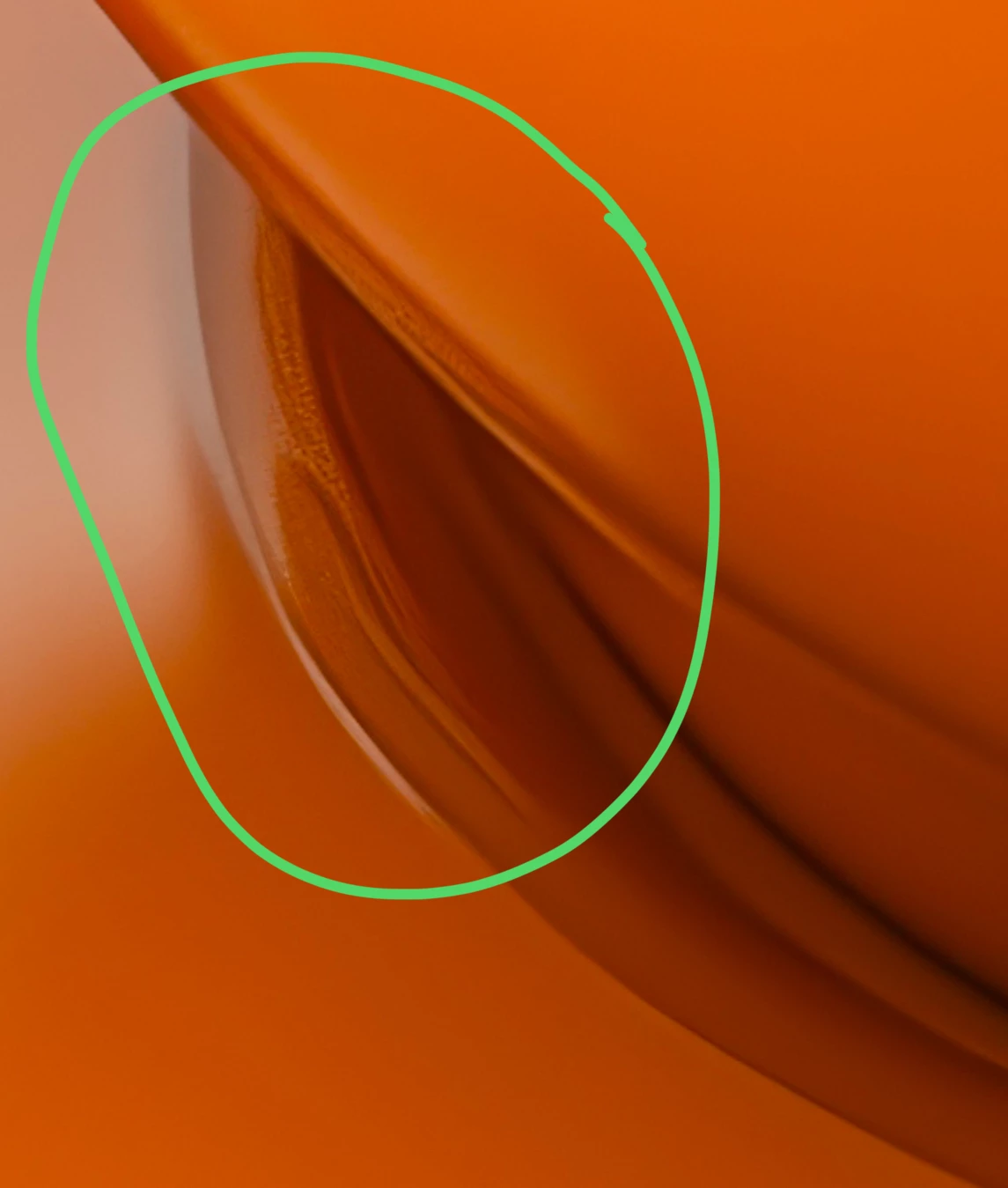
Besides rendering issues, like here this coffee cup: 

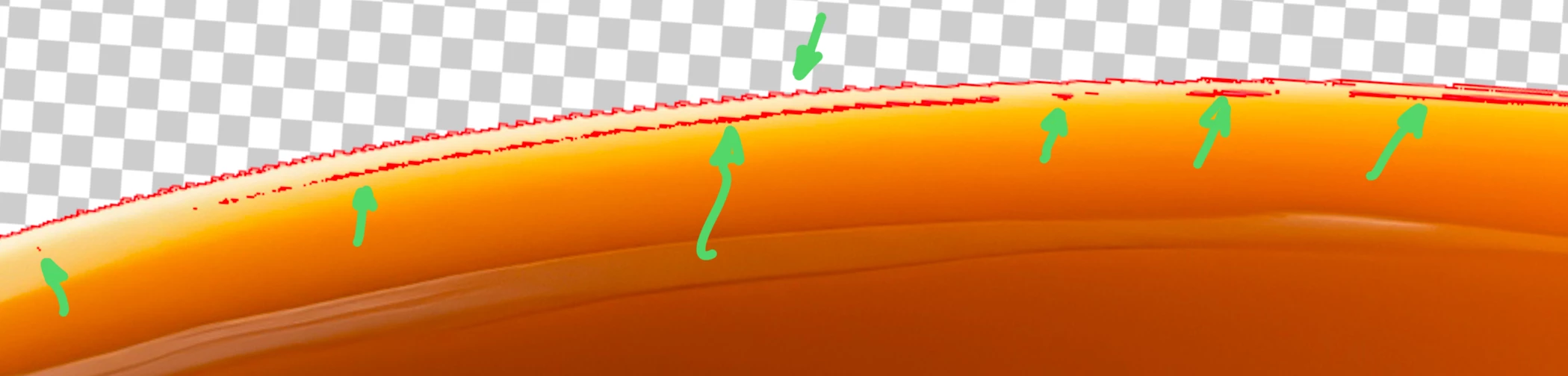
you also have introduced issues with your cut out work which is far from being perfect:

Using Photoshop, I use the line effect to get a line drawn around the object, showing exactly where transparency starts. You see two things here: you have very light transparency where there should be none, and your cutout work is quite irregular and not smooth as you could expect. 

When doing a cutout job, I use those lines to show me the areas, where I need to correct my work.

3 replies

Abambo
Community Expert
AbamboCommunity ExpertCorrect answer
Community Expert
December 22, 2024

Besides rendering issues, like here this coffee cup: 

you also have introduced issues with your cut out work which is far from being perfect:

Using Photoshop, I use the line effect to get a line drawn around the object, showing exactly where transparency starts. You see two things here: you have very light transparency where there should be none, and your cutout work is quite irregular and not smooth as you could expect. 

When doing a cutout job, I use those lines to show me the areas, where I need to correct my work.

ABAMBO | Hard- and Software Engineer | Photographer
Jill_C
Community Expert
Community Expert
December 19, 2024

I suppose the usual reason for rejecting transparent images is edge cutout issues. Some possible errors shown below.

Jill C., Forum Volunteer
Known Participant
December 20, 2024

I hope there is an easier way to cut objects from the background, as it's pretty time-consuming in Photoshop. Thank you for the answer! 

daniellei4510
Community Expert
Community Expert
December 20, 2024

Unfortunately, there is no easier way. 

Adobe Community Expert | If you can't fix it, hide it; if you can't hide it, delete it.
daniellei4510
Community Expert
Community Expert
December 19, 2024

I would suggest you review all your assets at 100% with a black background to look for cut out errors. Also, the zipper and buttons on the dog are poorly drawn.

Adobe Community Expert | If you can't fix it, hide it; if you can't hide it, delete it.
Known Participant
December 20, 2024

So it seems I need to be very precise when cutting an object. It must be very time-consuming though. Anyways, thank you for the answer!