Answered

This topic has been closed for replies.
You know the reason because Adobe told you: I bet it was technical issues!
First picture is out of focus and noisy, second picture could have also better focus and is a bit noisy. Look the side of the face and the background at 100% or 200% and you will see the noise. Furthermore, it may well be that you need a model release for the person, even that I have my doubts on this.
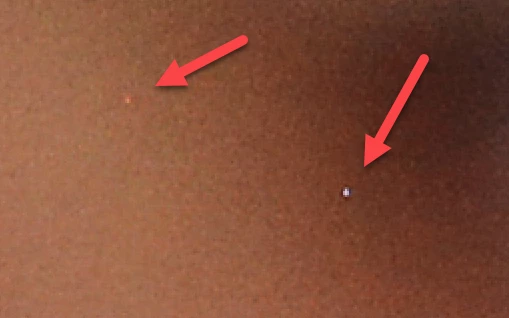
You have also hot pixels that need to be addressed:


Sign up
Already have an account? Login
To post, reply, or follow discussions, please sign in with your Adobe ID.
Sign inSign in to Adobe Community
No account yet? Create an account
To post, reply, or follow discussions, please sign in with your Adobe ID.
Sign inEnter your E-mail address. We'll send you an e-mail with instructions to reset your password.
 AdChoices