Participant
June 17, 2024
Answered

Why my pictures was rejected?

  • June 17, 2024
  • 3 replies
  • 922 views

Hi! Please help me to find a reason why a lot of images has been rejected.

Reason is "Quality Issues".

I attached a fiew of them. Images was generated with AI.

Thank you! 

This topic has been closed for replies.
Correct answer Abambo

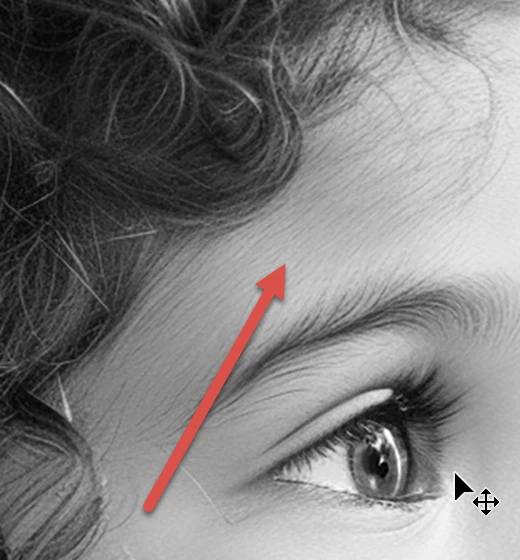
First:

Ghost-hair:

Rendering error:
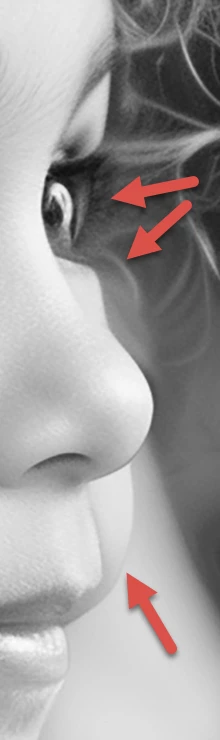
The ear looks a bit too big, rendering error:
Second (Therapist):

Focus error (rendering error):
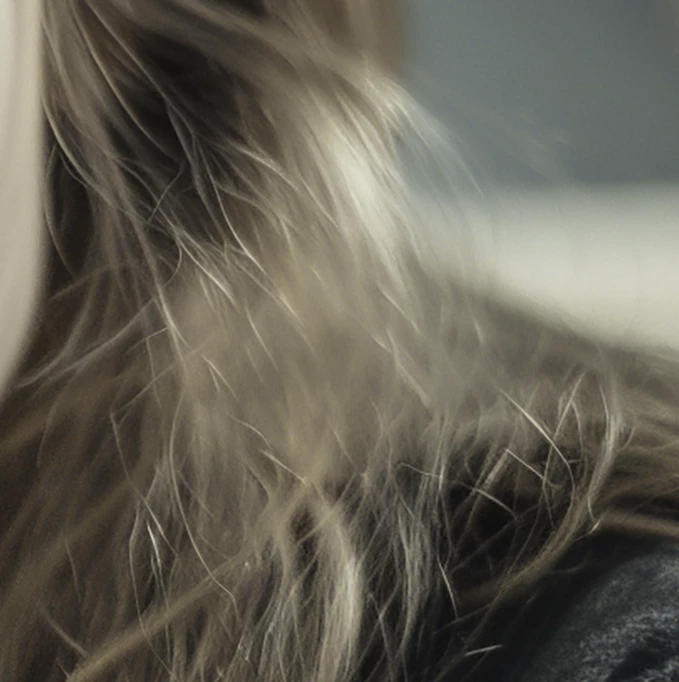
Noise and artefacts:
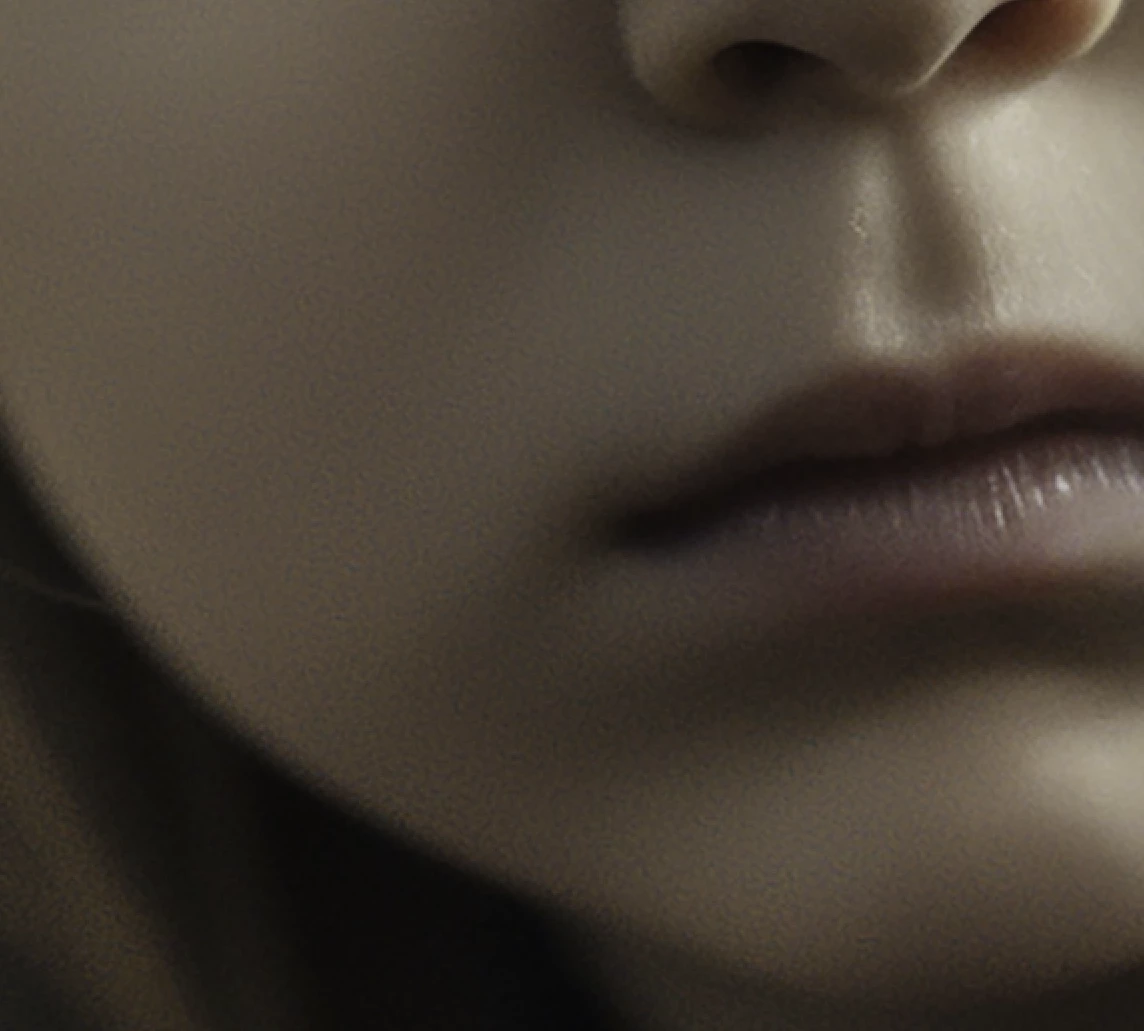
Strange anatomy:
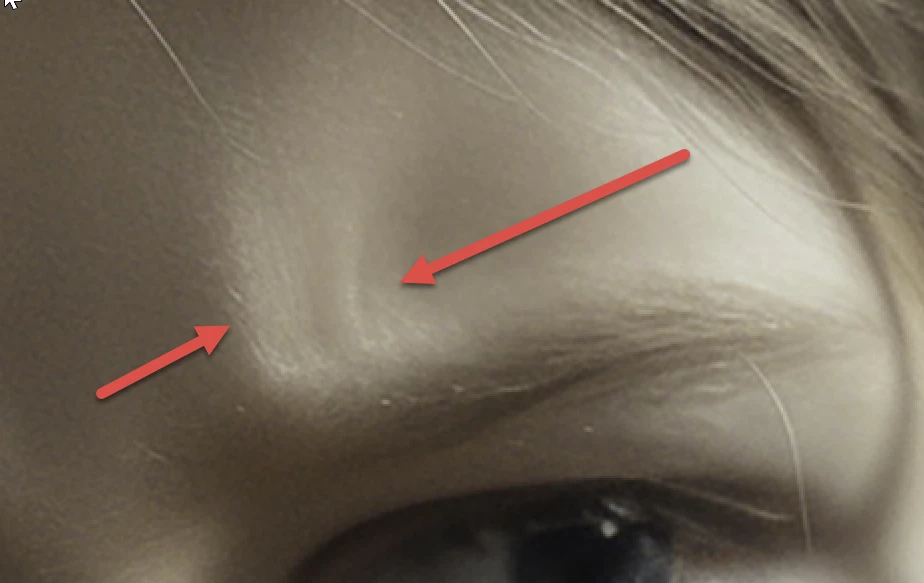
(look also after the “lost” hair in the eye corner)

Aliasing/artefacts in the hair:
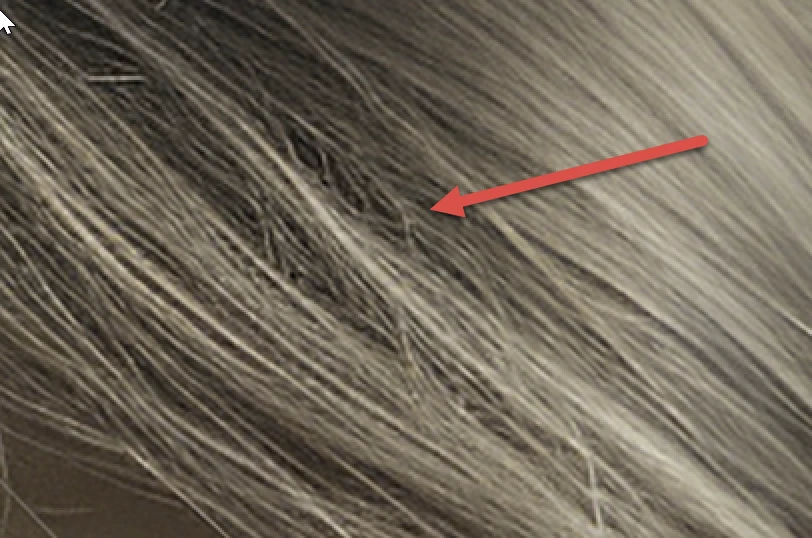
Third (Portrait)

Bad hand:
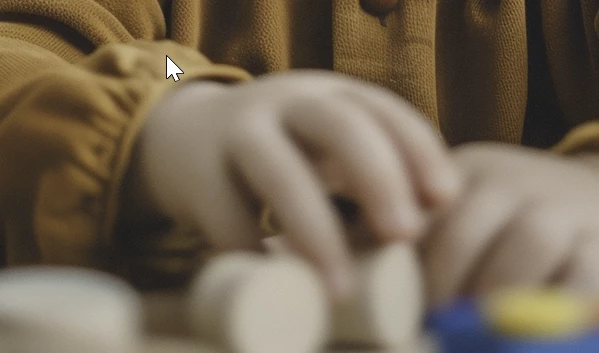
Noise:
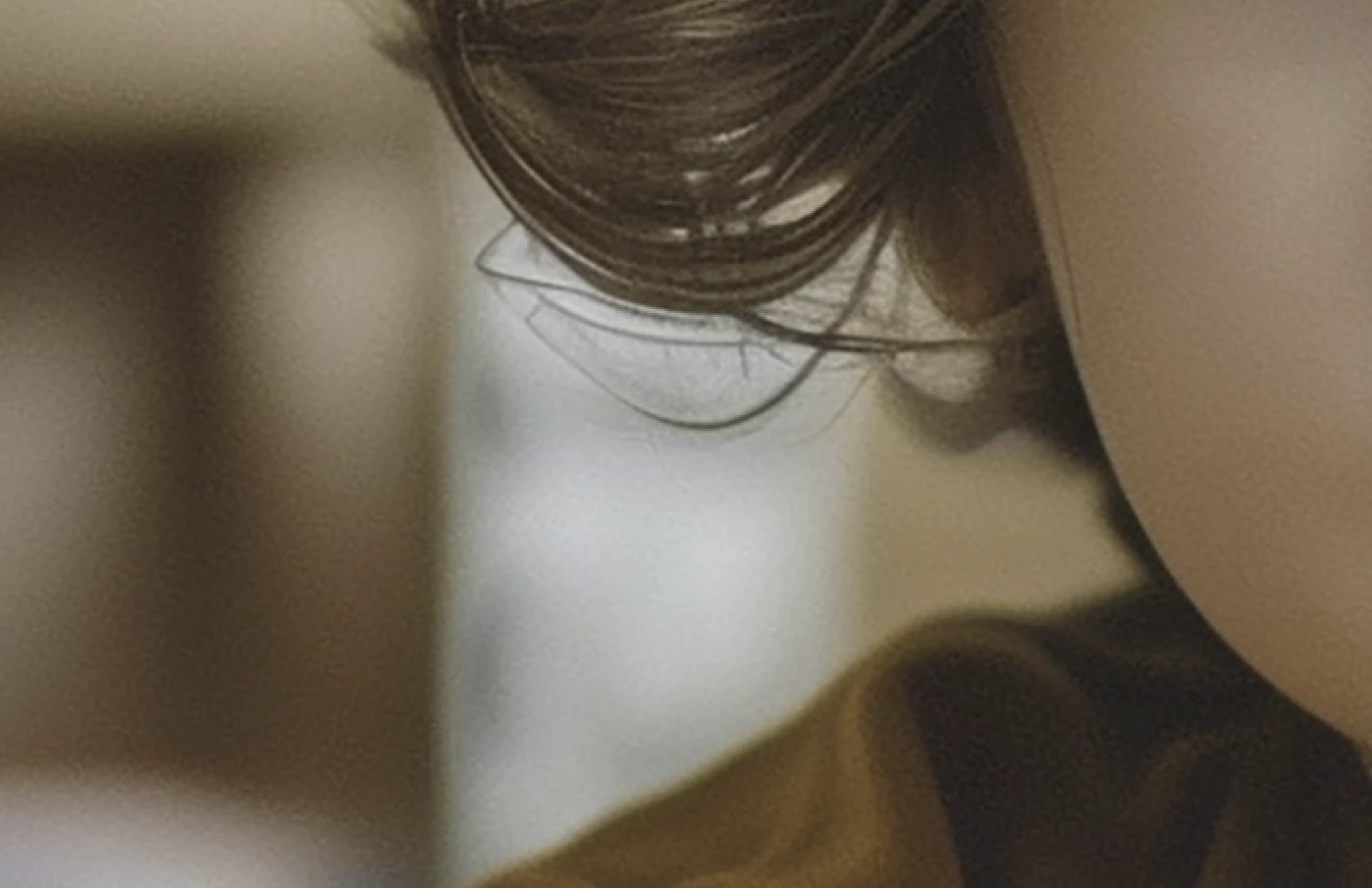
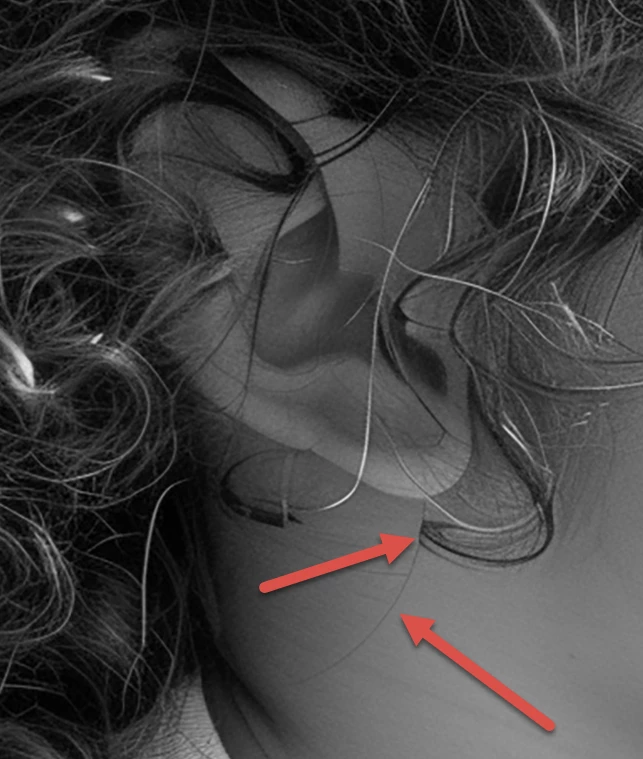
Rendering error with the chin:
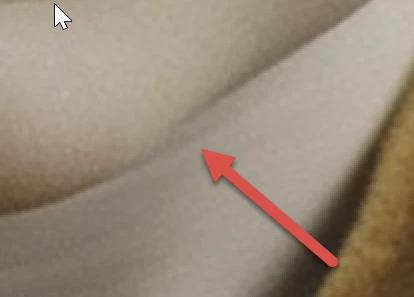
(the same at the ear)
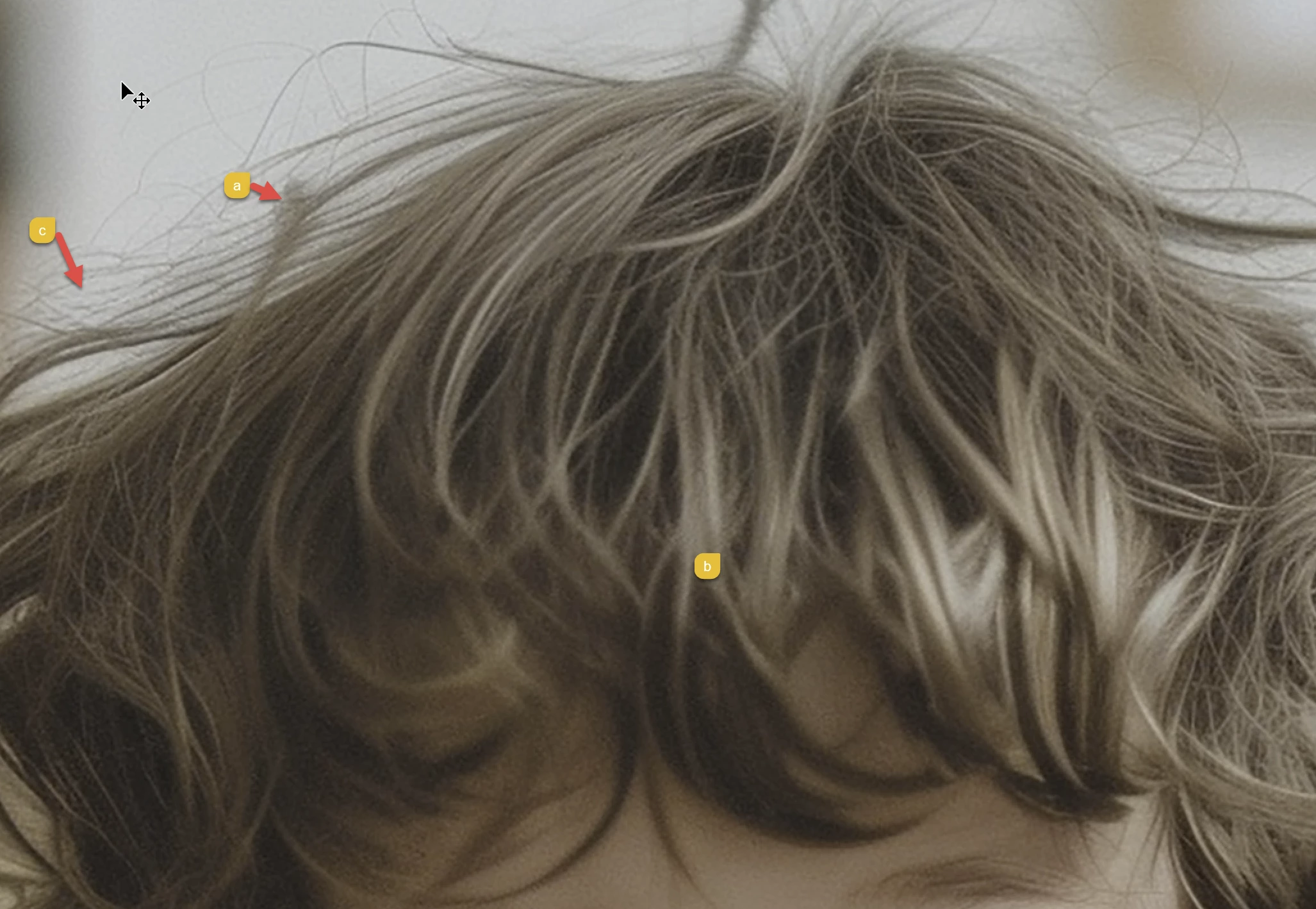
a) rendering error with the hair (you find the same error also at different other places)

b) focus error

c) artefacts in the hair


fourth (exploring):

Focus (eyes need to be sharp!) and white points.


Fifth (child):

Noise, artefacts, focus (hair is sharper than eyes)
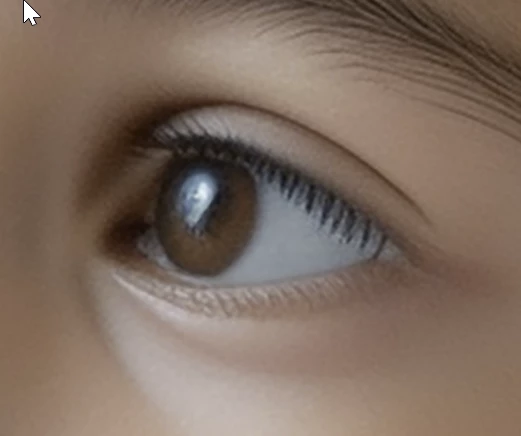
Eyelashes do not look correct.

3 replies

jacquelingphoto2017
Community Expert
Community Expert
June 18, 2024

Hi @ivlianna ,

The first image: There is a problem with the direction the eye is looking. Also too much of the image is not sharp.

The hair gives the impression of being noisy. 


I'm not sure what this coil is. It gives the impression of an isolated hair.

The second file has lost details in dark areas. Too much is not sharp. The eyes are looking in different directions and one eye lacks sharpness.

The third file: The picture is grainy and too much is not sharp. There is a twist of the boy's face that is obvious here.

The eyes are not correctly aligned - one at an angle and the other horizontal.

The fourth file: The view is not correctly aligned. Too much of the image not sharp. There's a halo around the image.

The fifth file:  The image is grainy. Too much not sharp. The eye lid not properly formed. Also there is a halo around this image.

Best wishes

Jacquelin


daniellei4510
Community Expert
Community Expert
June 17, 2024

Adobe Community Expert | If you can't fix it, hide it; if you can't hide it, delete it.
Abambo
Community Expert
Community Expert
June 17, 2024

@daniellei4510 ,

just as an additional remark: the catchlight makes the generative AI assets more real. It is not exacly a quality recuirement. However, without a catchlight, the eyes have a dull appearance. You see that clearly with these files.

ABAMBO | Hard- and Software Engineer | Photographer
Abambo
Community Expert
AbamboCommunity ExpertCorrect answer
Community Expert
June 17, 2024

First:

Ghost-hair:

Rendering error:

The ear looks a bit too big, rendering error:

Second (Therapist):

Focus error (rendering error):

Noise and artefacts:

Strange anatomy:

(look also after the “lost” hair in the eye corner)

Aliasing/artefacts in the hair:

Third (Portrait)

Bad hand:

Noise:

Rendering error with the chin:

(the same at the ear)

a) rendering error with the hair (you find the same error also at different other places)

b) focus error

c) artefacts in the hair


fourth (exploring):

Focus (eyes need to be sharp!) and white points.


Fifth (child):

Noise, artefacts, focus (hair is sharper than eyes)

Eyelashes do not look correct.

ABAMBO | Hard- and Software Engineer | Photographer
ivliannaAuthor
Participant
June 17, 2024

Thank you!

Abambo
Community Expert
Community Expert
June 17, 2024
quote

Thank you!


By @ivlianna

You're welcome.

ABAMBO | Hard- and Software Engineer | Photographer

