

Participant
December 22, 2024
Question

Why this image is rejected
  • December 22, 2024
  • 4 replies
  • 200 views

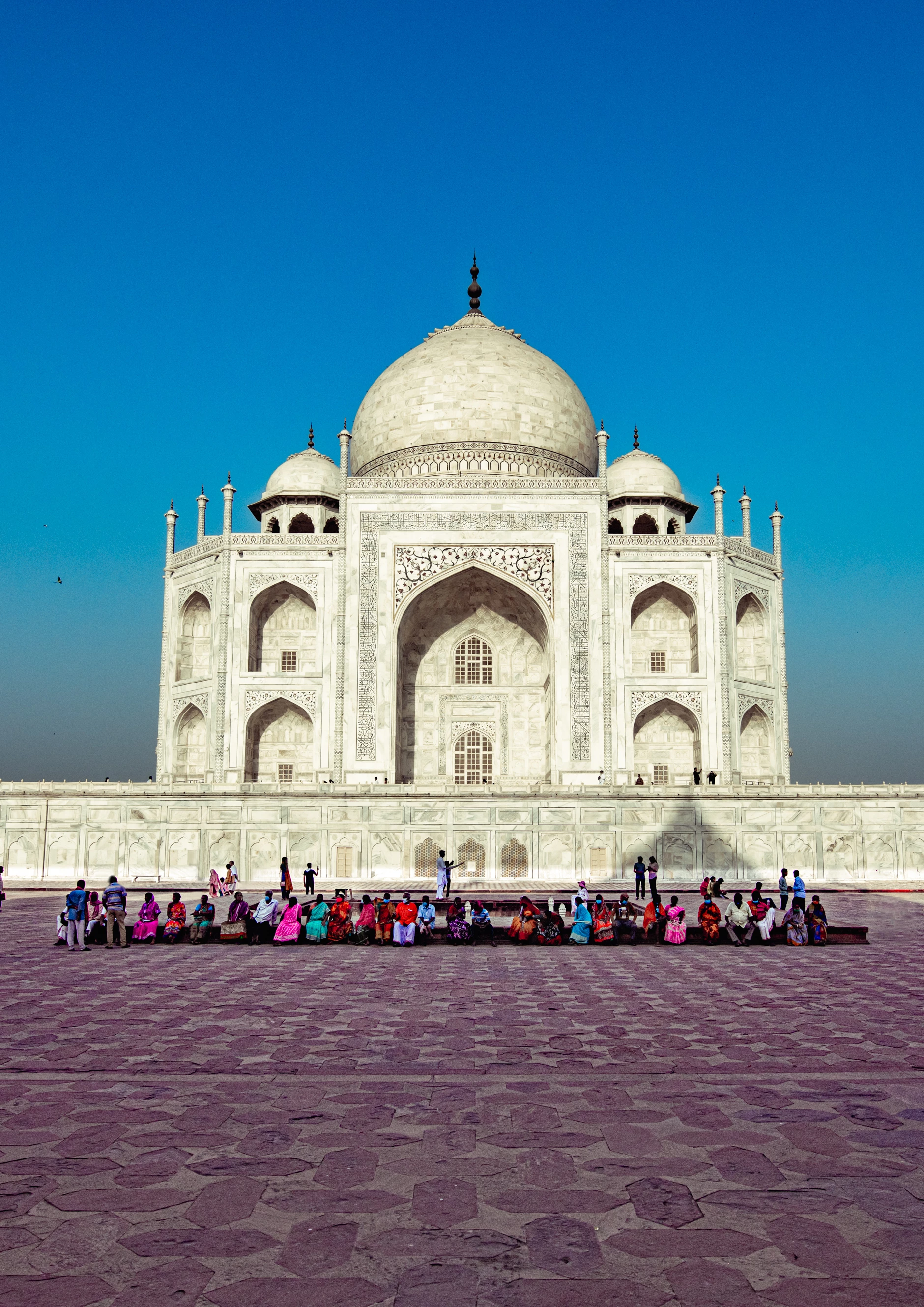
THIS image was rejected citing qwality issues

This topic has been closed for replies.

4 replies

Abambo
Community Expert
Community Expert
December 22, 2024

Besides the chromatic aberration: 

and the noise level, the exposure and contrast issues and the stange blur effect, that looks like a bad Photoshop editing (or some in camera "intelligent" processing), which are all quality issues, you would also need a model releases from most of the people in your picture. 


You could crop out the people and try to fix the other issues, but if you do not have access to the raw file, I doubt that your editing can save the image.

ABAMBO | Hard- and Software Engineer | Photographer
PixooterAuthor
Participant
December 22, 2024

theblur is because of my bad photoshop trying to remove some people, the only option i see is to remove all people

Abambo
Community Expert
Community Expert
December 22, 2024

So I guessed correctly: bad Photoshop work. If you need to edit files, you need to do it in a way that it is not visible. 


The easiest way to remove all the people is to crop them out. That will also be very clean.

ABAMBO | Hard- and Software Engineer | Photographer
RALPH_L
Community Expert
Community Expert
December 22, 2024

In addition, you will also need model releases.

daniellei4510
Community Expert
Community Expert
December 22, 2024

The sides of the temple are leaning inwards. Remove the bird on the left side. A shadow is photobombing the barrier.


Adobe Community Expert | If you can't fix it, hide it; if you can't hide it, delete it.
Jill_C
Community Expert
Community Expert
December 22, 2024

There is very noticeable chromatic aberration around the people.

Jill C., Forum Volunteer