

Filmbildfabrik
Participant
July 12, 2018
Answered

Wrong black and white contrast after upload

  • July 12, 2018
  • 3 replies
  • 471 views

Hello,

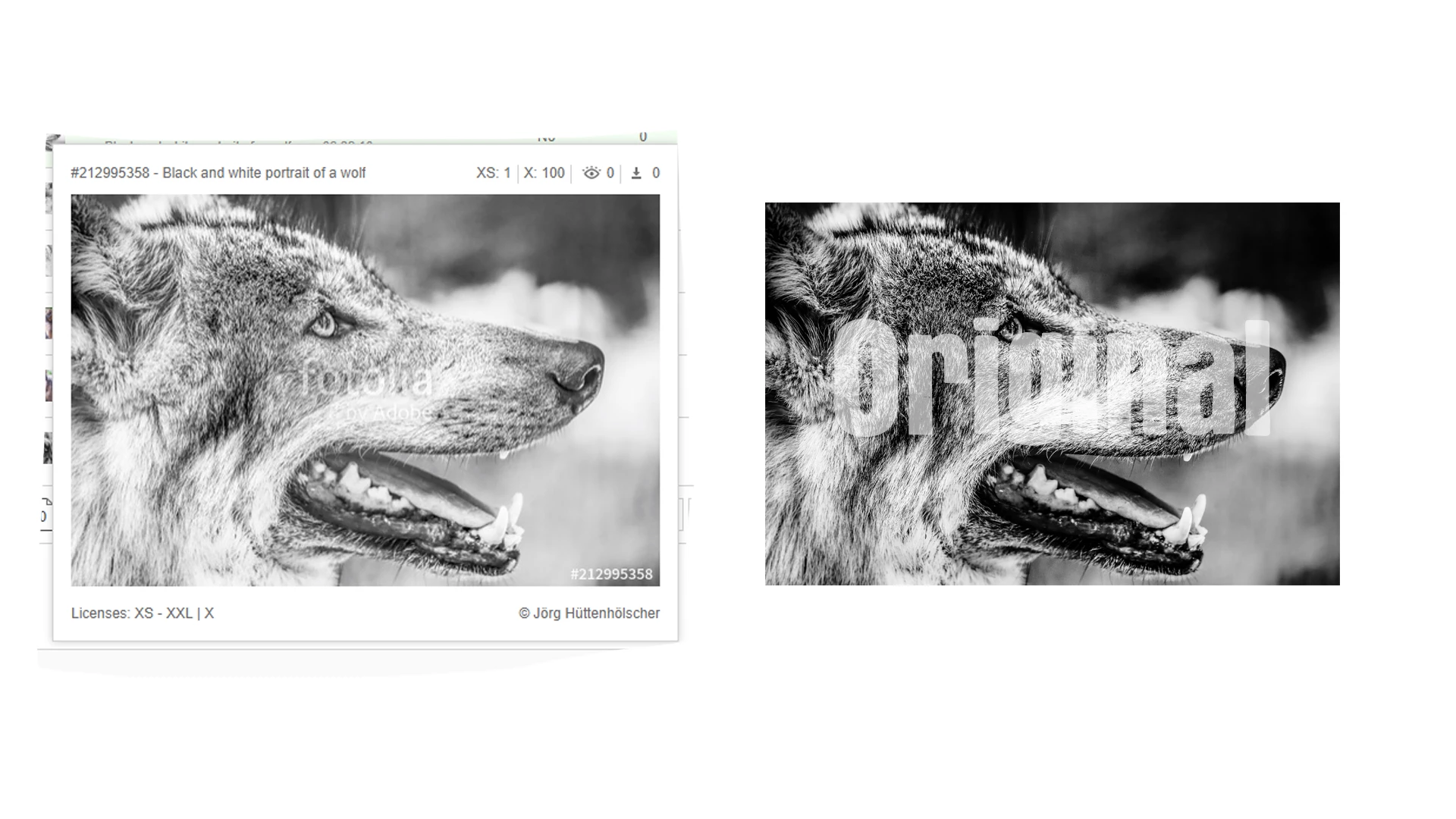
I need help. My black and white pictures uploaded on Fotolia without contrast. Look to the sample.

On all other stock agencies the picture is displayed like the original. Not only on Fotolia! Why is that?
This topic has been closed for replies.
Correct answer joanH

Hi, Something might have happened in the upload process but if it is in a review, why not wait for a reply? Perhaps there is not a problem. If it is not accepted, then prepare another offering of the photo and resubmit it at the contrast you prefer. Black and white stock photos are not often accepted by Adobe.  Best regards, JH

3 replies

Ricky336
Community Expert
Community Expert
July 12, 2018

Be careful in resubmitting though:

see this post and Matt's answer:

If I submit a photo that got rejected, can I go in and adjust sharpness and reduce noise and resubmit the same photo?

I would strongly advise you make re-submitting corrected rejected content the exception to your flow and not a general rule. If there is something very obvious and tangible you can correct such as removing a trademarked logo after an IP rejection that's fine.

Excessive resubmissions can be perceived as spam by the moderation team and may result in your account being blocked.

-Mat

And remember Fotolia is now Adobe - so, they may not accept B&W!

Filmbildfabrik
Participant
July 12, 2018

It's not about me wanting to re-submit the picture. I've been here for a while. So far, my other black and white pictures have been accepted. So I can say that black and white pictures are accepted. My question was why the picture apparently loses its black value. I see this phenomenon after the upload. Why is this happening?

Ricky336
Community Expert
Community Expert
July 12, 2018

Like Joan said the wait for the reply. At the moment, I don't know why you have a contrast difference after uploading.

Inspiring
July 12, 2018

I am still working things out myself but Joan mentioned above that with some photos you need to try submitting a few times until the photo looks the way the reviewer thinks looks right. I think in general that means photos that it should look "natural" which would be full colour with no excessive processing. Their thinking is that those who are buying your photos will edit your photo the way they want (which I doubt many would actually do that) and so artistic edits may reduce the appeal of your photo. This does make things harder for those of us who are new to Adobe Stock especially as the same photo may be rejected here but accepted on many other websites.

The odd thing is if they want natural and neutral photos why don't they just ask for the raw image in the first place and maybe offer the photo for sale with some preset and or automatic edits? I know other platforms you can upload a jpg and the raw file as well and they can be grouped together as different options of the same image.

So my best advice I can give is to keep trying submitting your photo until it gets accepted with minor changes. Maybe try it is colour too if you have it.

joanH
Inspiring
July 12, 2018

Hello, Was this photo accepted as presented on the left? Was it rejected? Exposure and contrast are different. If the photo was accepted, the less contrast is within guidelines. Best. JH

Filmbildfabrik
Participant
July 12, 2018

Hi, the picture is currently under review. I am surprised, but why the contrast is calculated down.

joanH
joanHCorrect answer
Inspiring
July 12, 2018

Hi, Something might have happened in the upload process but if it is in a review, why not wait for a reply? Perhaps there is not a problem. If it is not accepted, then prepare another offering of the photo and resubmit it at the contrast you prefer. Black and white stock photos are not often accepted by Adobe.  Best regards, JH