Participant
August 28, 2025
Question

品質の問題

  • August 28, 2025
  • 6 replies
  • 196 views

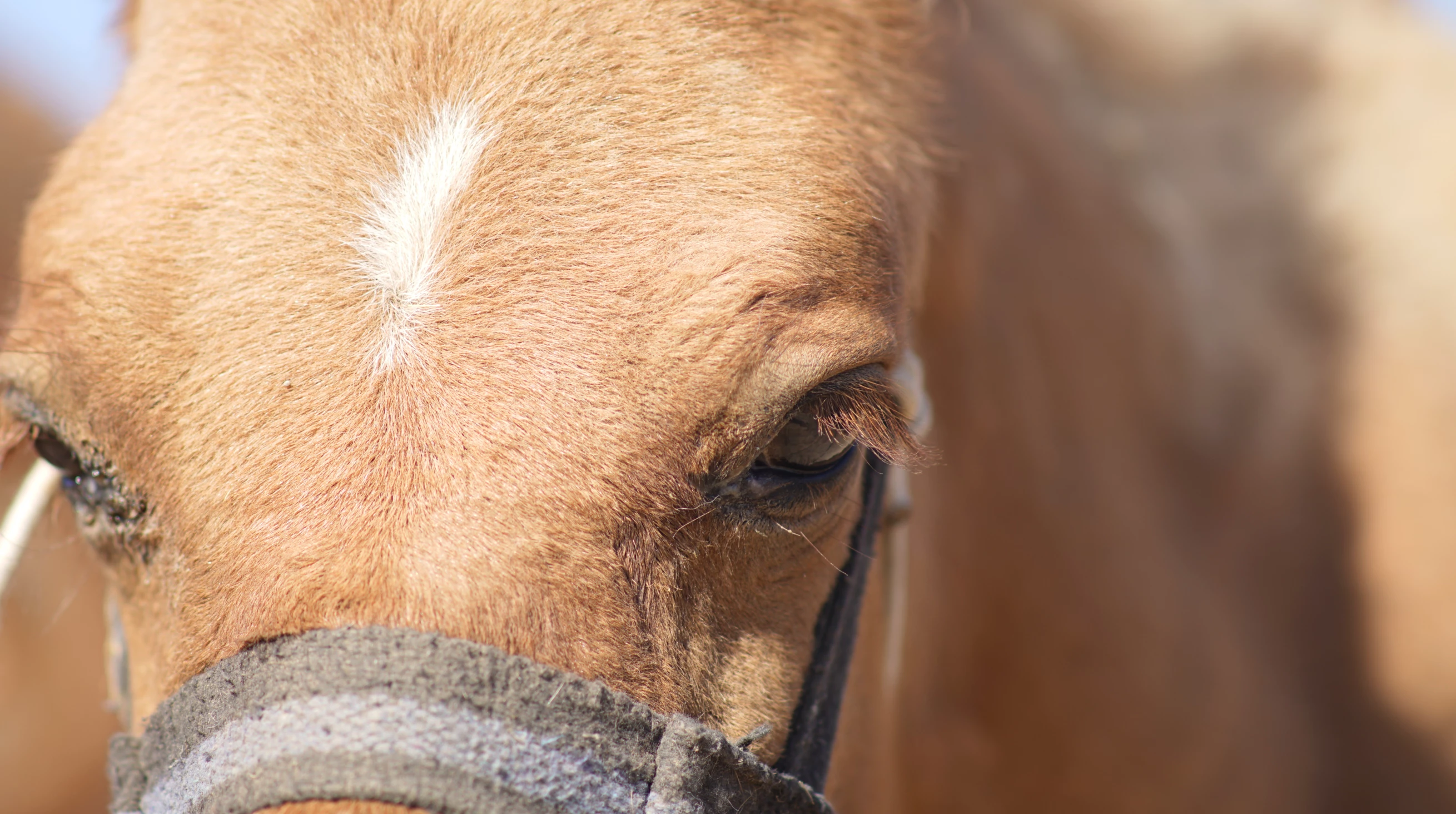
この写真を28MBで審査に出したのですが、品質の問題により却下されました。

他にもドアップの動物の写真を載せていて、それらも却下されました。
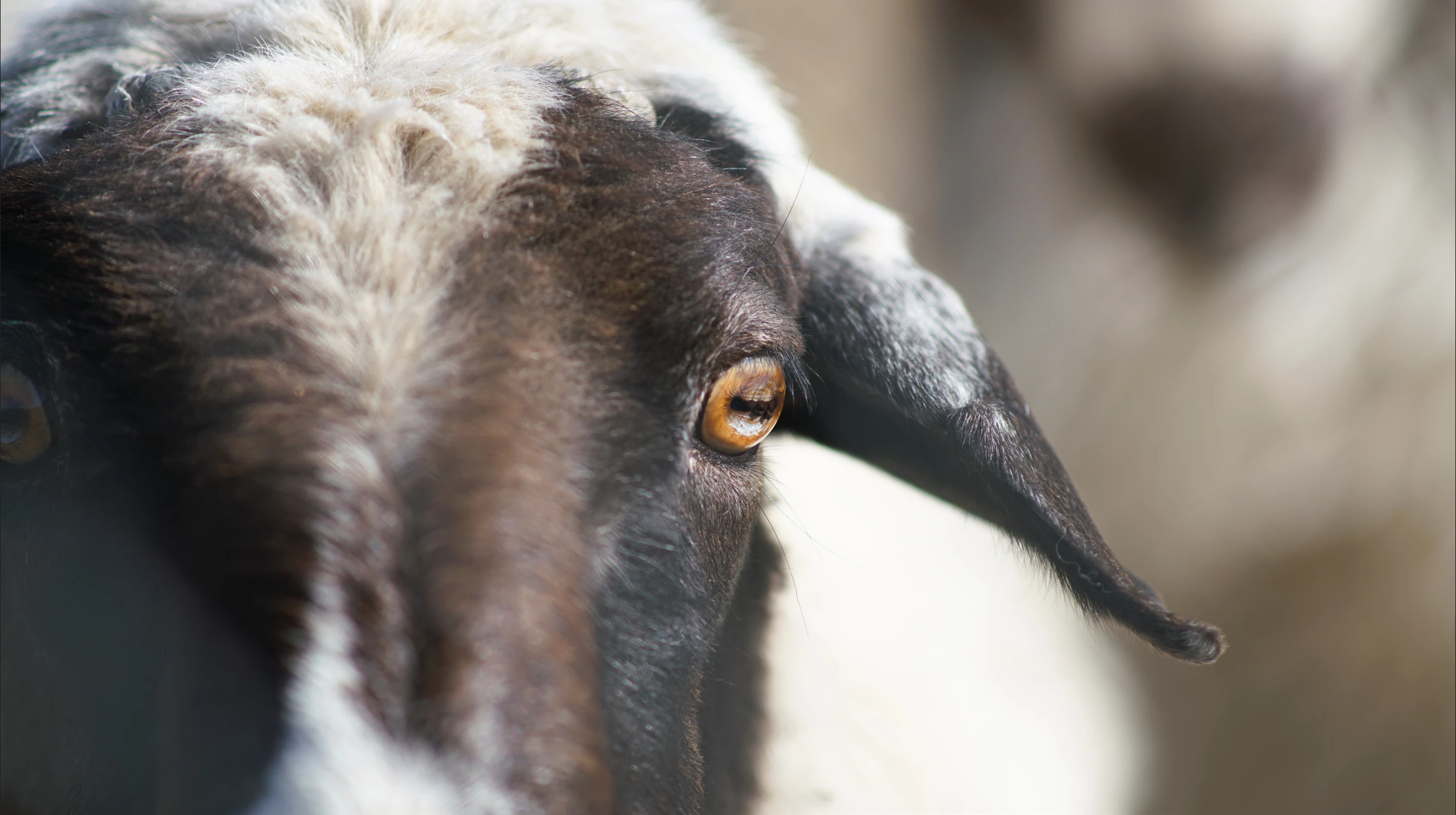
こちらは25MBです。

ピントはまつげと、瞳に合っています。

ドアップはいけないという理由なのでしょうか。

それとも画像の明るさやほかの理由でしょうか。

みなさまのアドバイスをお受けしたいです。

6 replies

hannnariAuthor
Participant
September 21, 2025

https://stock.adobe.com/jp/stock-photo/id/1705096707


瞳を強調して再審査したところ、無事通りました。

みなさんありがとうございました。

Nancy OShea
Community Expert
Community Expert
September 3, 2025

Too much clipping.  As a customer, I would not pay for these images.  However, I would pay for an entire face and head. 


This is your competition.  As a customer, which would you buy, yours or these?

https://stock.adobe.com/search?k=cow+face

https://stock.adobe.com/search?k=goat+face


Hope that helps. 


Nancy O'Shea— Product User & Community Expert
hannnariAuthor
Participant
September 3, 2025

アドバイスありがとうございます。

みなさんの意見を参考にもう一度提出してみて、

またここで報告させていただければと思います。


ありがとうございました。

yamato713108855
Community Expert
Community Expert
August 28, 2025

The image is too small.
It's pointless to post images that you haven't actually submitted to Adobe Stock.


The animal has been taken too close up.
This limits the photo's usefulness, so it would be better if the entire head was visible.


Also, the focus is too shallow.
Adobe Stock would prefer a wider area in focus.

RALPH_L
Community Expert
Community Expert
August 28, 2025

I think the DOF is the problem. There needs to be more in focus and they should be sharper and better cropped. They should also be .jpg and not .png files. Also your goat has some loss of details.
Try something like this and let me know what you think.

daniellei4510
Community Expert
Community Expert
August 28, 2025

The goat especially. The focus is too soft on the left. Depth of field is too shallow. And perhaps both assets are too close up. The first one is so close I can't tell for sure what kind of animal it is. I suspect a cow? A horse? As a buyer, I would need more information.

Adobe Community Expert | If you can't fix it, hide it; if you can't hide it, delete it.