
teatr_7333
Participant
June 11, 2026
Answered

Administrator Cannot Access Kling 3.0 Despite Active Firefly Premium Credits

  • June 11, 2026
  • 1 reply
  • 51 views

Adobe Teams account.
I am the only administrator and user.

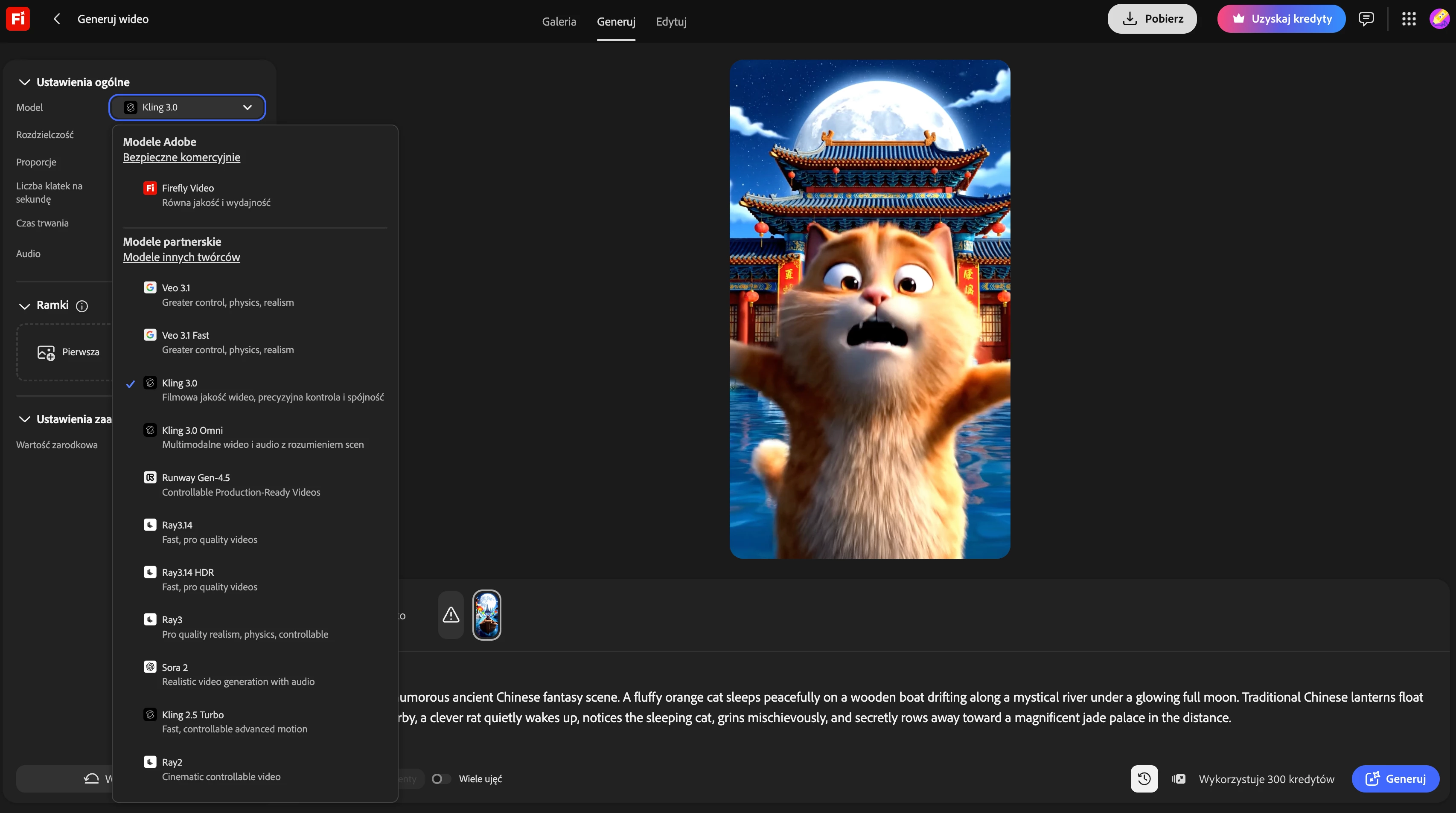
Veo, Sora and Runway work correctly.
Kling 3.0 and Kling 3.0 Omni do not work.

Error:
"You don't have access to this feature. Contact your administrator."

I am the administrator.

Please provide the exact Admin Console path where access to Kling can be enabled, or confirm that Kling access is not enabled for my organization.

 

    Correct answer Hajar Toutsi

    Hi teatr_7333,
    Thank for reaching out to us about this.

    What you’re seeing is expected behavior since -at the moment-, Kling 3.0 and Kling 3.0 Omni are not available for Teams (Enterprise) accounts.

    While you’re the administrator, there isn’t something that can be enabled from the Admin Console, there is currently no admin setting or toggle to grant access to Kling models in Teams environments.

    Hope this helps clarify things, and please don’t hesitate to reach out if you have any other questions!

    Hajar
    [Moved to questions]

    1 reply

    Hajar Toutsi
    Community Manager
    Hajar ToutsiCommunity ManagerCorrect answer
    Community Manager
    June 12, 2026

    Hi teatr_7333,
    Thank for reaching out to us about this.

    What you’re seeing is expected behavior since -at the moment-, Kling 3.0 and Kling 3.0 Omni are not available for Teams (Enterprise) accounts.

    While you’re the administrator, there isn’t something that can be enabled from the Admin Console, there is currently no admin setting or toggle to grant access to Kling models in Teams environments.

    Hope this helps clarify things, and please don’t hesitate to reach out if you have any other questions!

    Hajar
    [Moved to questions]