Inspiring
July 1, 2026
Answered

Adobe Firefly Boards has changed the 'Edit' interface. Non-Firefly models not working

  • July 1, 2026
  • 3 replies
  • 61 views

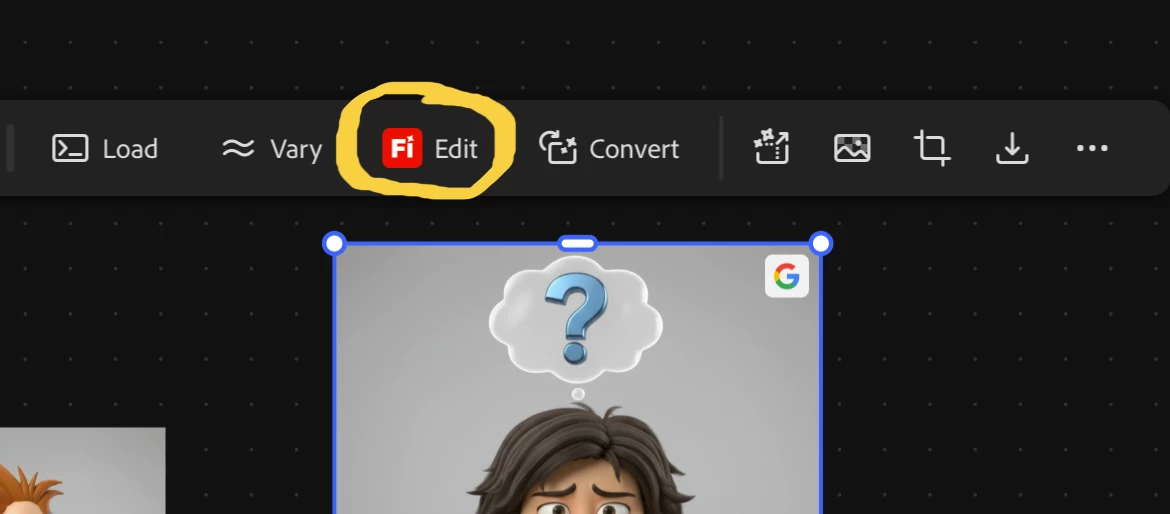
I was working just fine in Firefly boards two days ago, being able to edit my text to image results and add reference images directly from the board, without having to leave the board, and now I get this new interface. First, the Edit feature shows the Firefly logo. It wasn’t there before.
Then it takes me to a separate window. I can no longer pick up reference images directly from the board. If I want to add more reference images, I can only select from images saved to my computer. Being able to select them directly from the board was very efficient and time-saving. Now it’s gone.
In addition, I am getting this error below when trying to select a different model other than FireFly 5, to make edits with.  I have the Standard CC plan, plus Firefly Creative Production. I’m on a MacBook Pro M4
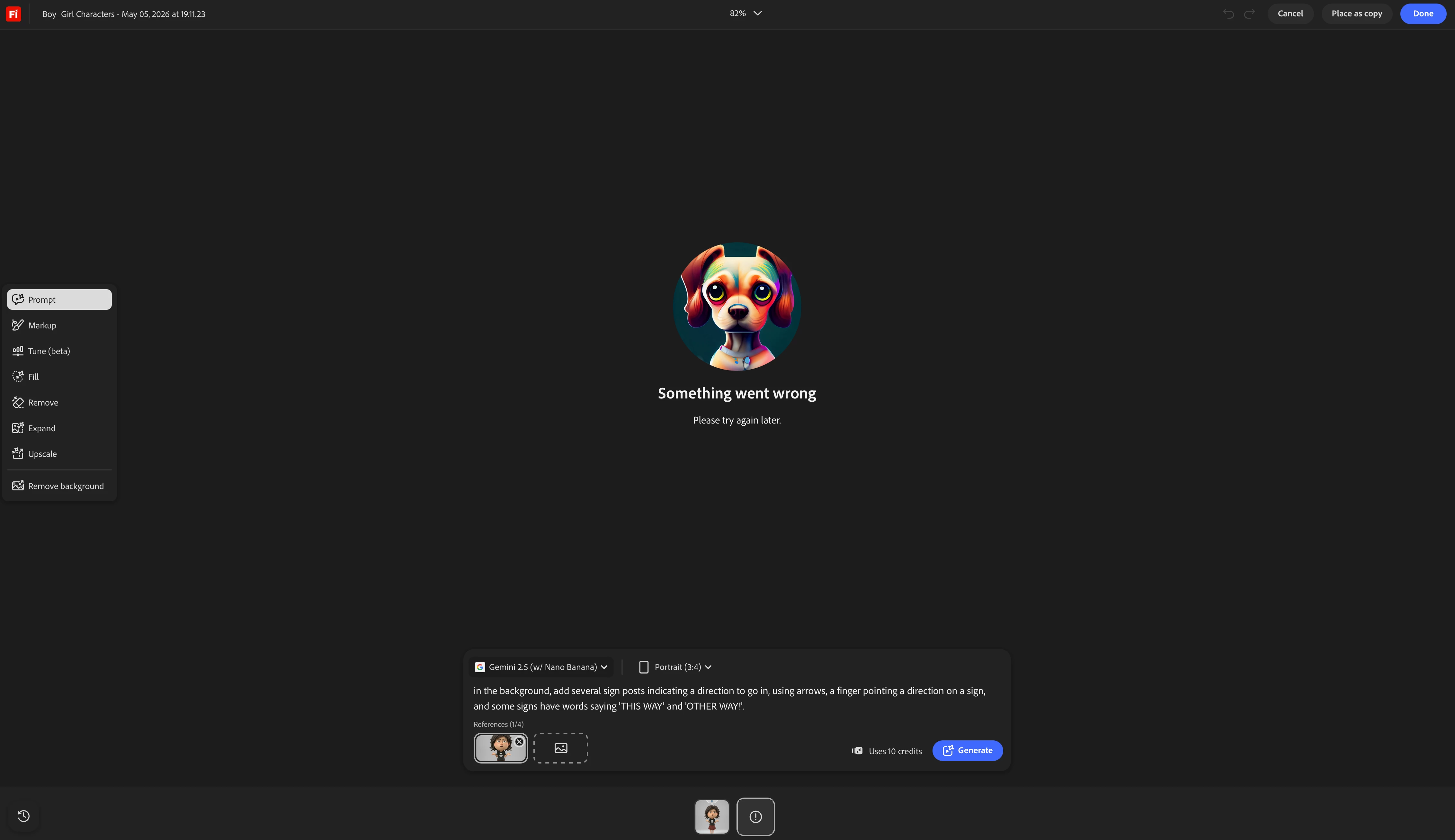
 using Tahoe 26.5.

 

    Correct answer Hajar Toutsi

     Hi nmycps,

    Thank you for sharing your feedback about the recent change to the Edit experience in Boards.

    I understand your concern about being taken out of the board and how that might affect your ability to use other images from the same board as references.
     

    While the Edit option now opens in a separate tab, this change is intended to give you access to a more complete set of editing tools in one place.
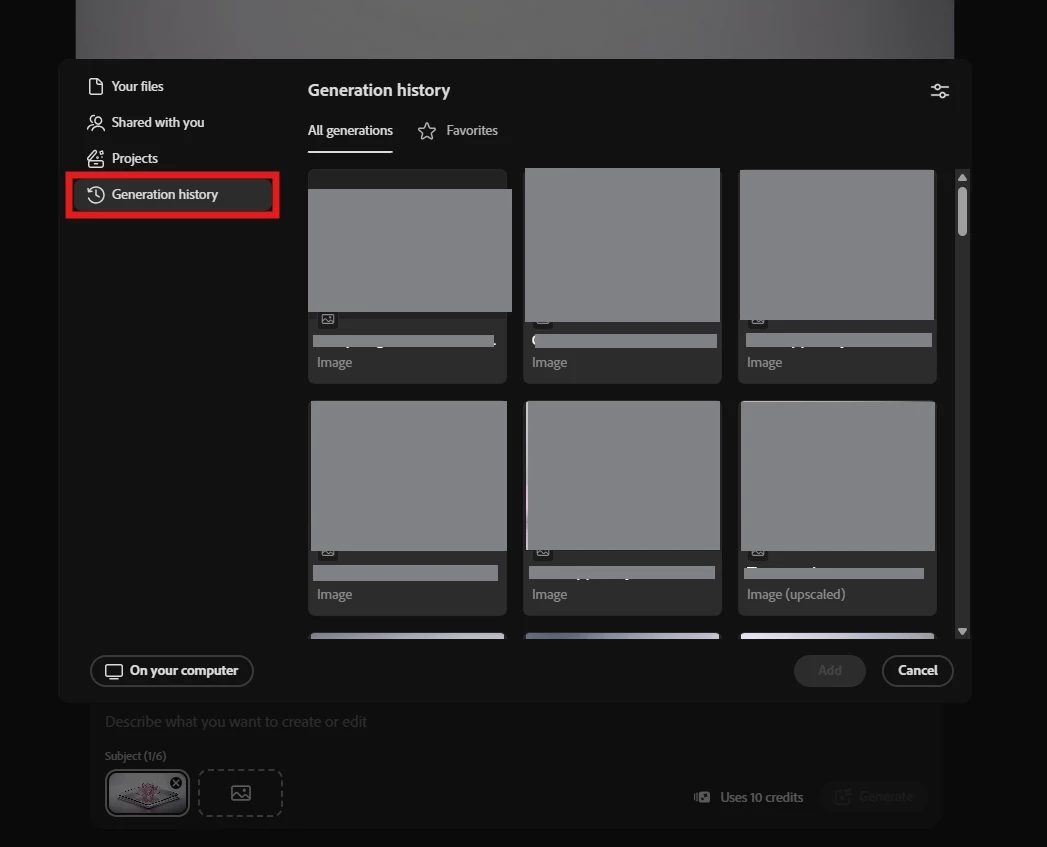
    Importantly, it does not limit you to using only images stored on your local device. You still have access to multiple sources when adding reference images, including files from your device and your generation history under Adobe cloud storage, which contains all the content generated within the board you are currently working on.
    This allows you to continue using those images as references, even though the editing experience is now separate from the main board view.


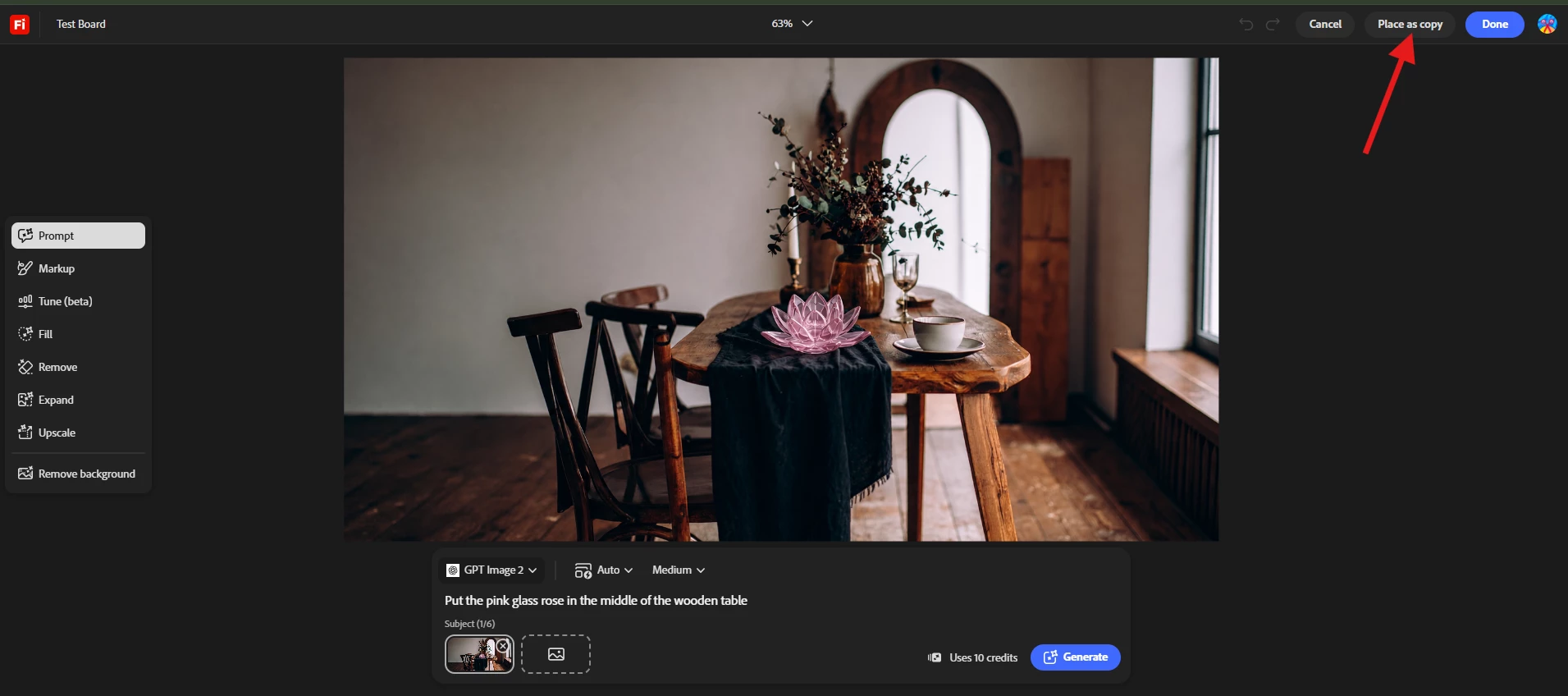
    Once you finish editing, you can choose how to proceed with your result. You can cancel the edit, place the result as a copy, or select Done to finalize your changes and continue your workflow.


    Update: The issue causing the errors is now fixed!
     

    I hope this helps clarify how the new experience works. Please let me know if you have any further questions or feedback.

    Hajar


    3 replies

    nmycpsAuthor
    Inspiring
    July 3, 2026

    The points willpowerone made about the benefits of being able to look at the entire canvas at once, cannot be underestimated in terms of making this boards interface a smoother more efficient experience despite the  advantages of more tools in a focused isolated interface, and despite being able to view from the generative history. It just isn’t the same as seeing the entire canvas at once where everything you’re working on is easily accessible. I would reconsider changing it back to an all-canvas view. 

    Participant
    July 2, 2026

    I went to use this very important step in my iterative workflows, and was surprised how much this just breaks getting what you want done now in the canvas.

    Ideally we organize lots of reference and iterations to create and then edit all in the same canvas to get results. As nice as it is to get more tool to “Edit” removing the ability to use the materials you have set out to get work done. IE losing direct references and images really causes a problem here.

    Any means to bring everything your working on with into a “focused” editing canvas area would go a long way, the having access cloud and render is ok but that's not how we work in a canvas. We want source and render and iterations as a means to edit more with the better tools. Any means to close this gap is vital for canvas workflows, even just going in and out of the canvas vs edit area to grab what you need.

    This type of breaking of how a natural infinite canvas workflow should be. Literally has me wishing for/reaching for any other canvas tools, please push this as a major concern for the product.

    Thank you.

    Hajar Toutsi
    Community Manager
    Hajar ToutsiCommunity ManagerCorrect answer
    Community Manager
    July 1, 2026

     Hi nmycps,

    Thank you for sharing your feedback about the recent change to the Edit experience in Boards.

    I understand your concern about being taken out of the board and how that might affect your ability to use other images from the same board as references.
     

    While the Edit option now opens in a separate tab, this change is intended to give you access to a more complete set of editing tools in one place.
    Importantly, it does not limit you to using only images stored on your local device. You still have access to multiple sources when adding reference images, including files from your device and your generation history under Adobe cloud storage, which contains all the content generated within the board you are currently working on.
    This allows you to continue using those images as references, even though the editing experience is now separate from the main board view.


    Once you finish editing, you can choose how to proceed with your result. You can cancel the edit, place the result as a copy, or select Done to finalize your changes and continue your workflow.


    Update: The issue causing the errors is now fixed!
     

    I hope this helps clarify how the new experience works. Please let me know if you have any further questions or feedback.

    Hajar