
caliskanser
Participant
June 22, 2026
Answered

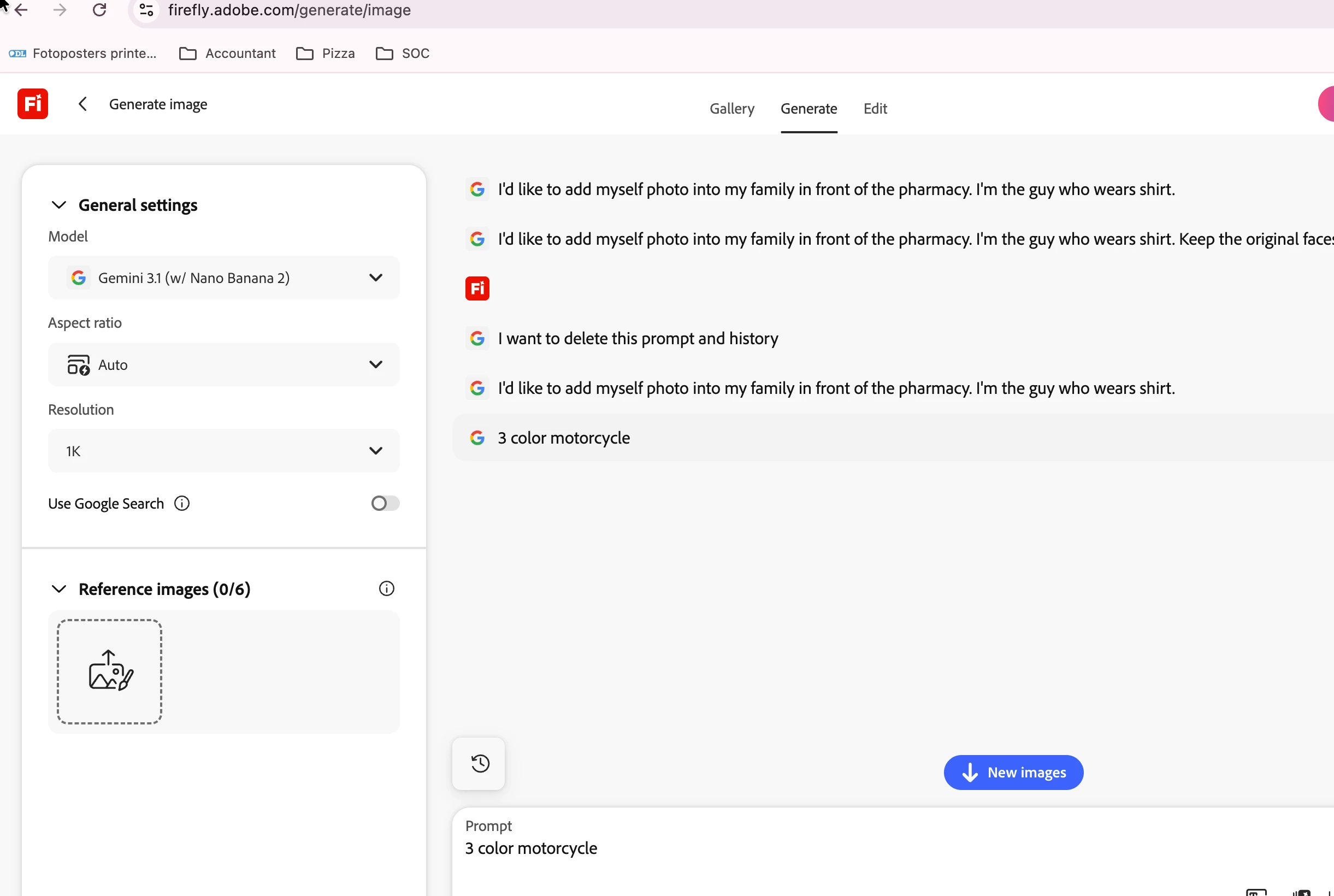
Can't delete prompt history including photos that generated by the prompts.
  • June 22, 2026
  • 2 replies
  • 10 views

It doesn’t let you delete the prompts (photos including). Even if you deleted from the files menu.

    Correct answer Hajar Toutsi

    Hi caliskanser,
    Thanks for bringing this to our attention.

    Unfortunately, there isn’t currently an option to hide or delete generations directly from the image generator page. For now, the best workaround is deleting items from Generation History or clearing your cache.

    Note: it might take some time until the list of generations clears out.
     

    If having this feature would improve your workflow, we encourage you to upvote this request, so the product team can track it.


    Hajar
    [Moved to questions]

    2 replies

    Hajar Toutsi
    Community Manager
    Hajar ToutsiCommunity ManagerCorrect answer
    Community Manager
    June 23, 2026

    Hi caliskanser,
    Thanks for bringing this to our attention.

    Unfortunately, there isn’t currently an option to hide or delete generations directly from the image generator page. For now, the best workaround is deleting items from Generation History or clearing your cache.

    Note: it might take some time until the list of generations clears out.
     

    If having this feature would improve your workflow, we encourage you to upvote this request, so the product team can track it.


    Hajar
    [Moved to questions]

    caliskanser
    Participant
    June 22, 2026

    Users don't able to delete the prompts and the prompts' reference photos.
     Even you delete the photos from reference images and files you can still reach the those photos by previous prompts by using ... dots above prompt and click "use settings" and also can't be deleted from there. Those are also can seen at generation history at the same image generation page. It would be easily deleted by users.