Raquel Glitter
Participant
April 9, 2026
Answered

Custom Models for character workflows crop full-body generations

  • April 9, 2026
  • 2 replies
  • 55 views

I wanted to share an observation after testing Firefly Custom Models with a character.

In my case, the model keeps the character identity quite well, but I’ve noticed framing issues. In full-body images, it often crops the mermaid, even when using prompts like “full-body,” “entire character visible,” or “not cropped.” I also tested different aspect ratios, and the cropping still happens.

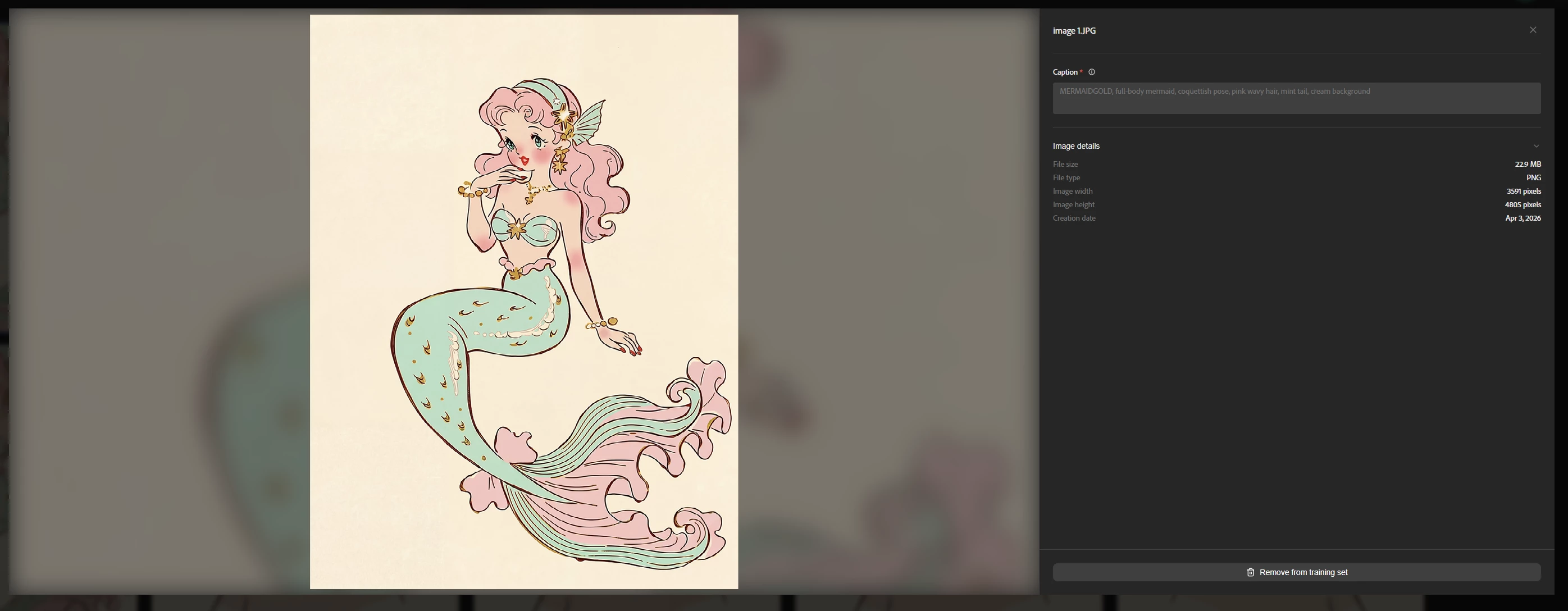
In the training set, I used “full-body mermaid” in the captions for the full-body images and “portrait” in the captions for the portrait images.
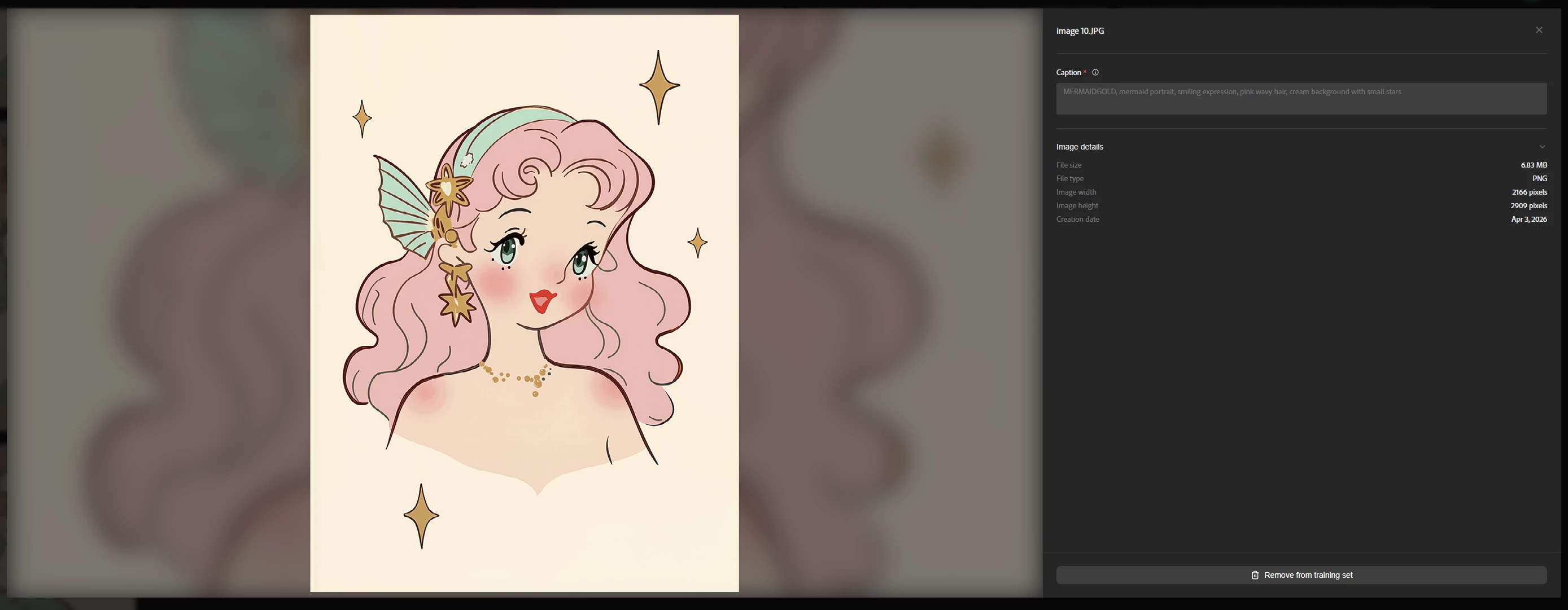
 

In portraits, the framing is closer to the training set, but when stars are included, they also tend to get cropped. If I explicitly ask for stars in the prompt, they are included more cleanly, but the portrait still ends up feeling closer than the way I trained it.

I noticed the framing improves a lot when I add a composition reference, so the issue does not seem to be character consistency, but rather framing in the generated results.

I’m attaching screenshots of the training set I used and some test results for reference.

  • Training set used

Captura de pantalla 2026-04-06 103016.png

  • Full-body test results

Captura de pantalla 2026-04-06 103205.png

image.png

  • Portrait test results

image.png

Thanks!

Correct answer Hajar Toutsi

Hi Raquel Glitter
We appreciate you bringing this to our attention.


We’ve received an update from the product team, and they advised that in these cases, instead of prompting with “full‑body,” it’s more effective to describe the specific aspects of the character that should be visible when the full character is shown. For example: “a mermaid floating in space with her tail swishing between stars.”


Please let us know if this approach resolves the issue, or if further assistance is needed.


Hajar


2 replies

Hajar Toutsi
Community Manager
Hajar ToutsiCommunity ManagerCorrect answer
Community Manager
April 10, 2026

Hi Raquel Glitter
We appreciate you bringing this to our attention.


We’ve received an update from the product team, and they advised that in these cases, instead of prompting with “full‑body,” it’s more effective to describe the specific aspects of the character that should be visible when the full character is shown. For example: “a mermaid floating in space with her tail swishing between stars.”


Please let us know if this approach resolves the issue, or if further assistance is needed.


Hajar


Raquel Glitter
Participant
April 10, 2026

Hi Hajar,

Thank you very much for your reply!

In my case, I’m using “full-body” in the prompts because I also used it in the captions during training to differentiate between portraits and full-body images. I made this change in a second round of training to see whether it would help prevent the character from being cropped.

That said, both the full-body results and the portraits still appear more zoomed in and slightly cropped compared to the original training images.

I also tried the approach you suggested, and these are the results: without using “full-body,” the image still gets cropped.

Using “full-body” together with your suggestion seems to get a bit closer to the character I trained, so in that sense it helps a little.

However, if I want the character sitting on the rock, as in the training images, it gets cropped again even when following your instructions. 

I’m also sharing a few more examples here for reference.


Thanks again for your help,
Raquel

Hajar Toutsi
Community Manager
Community Manager
April 10, 2026

We appreciate you sharing this detailed update! Raquel Glitter
 

We’re glad to hear the suggestion was at least somewhat helpful for your generations. I’ll pass your feedback along to the product team and keep you informed of any additional workarounds that might support your workflow.

Please continue to share any changes you notice, positive or negative, as your input is invaluable.


Hajar

Kartika Rawat
Community Manager
Community Manager
April 9, 2026

Hi Raquel Glitter!

Appreciate you writing in. We’ve escalated the issue with the custom model team and will update you once we get their reply. 


Thanks for your patience.

Kartika