

Participant
July 16, 2026
Answered

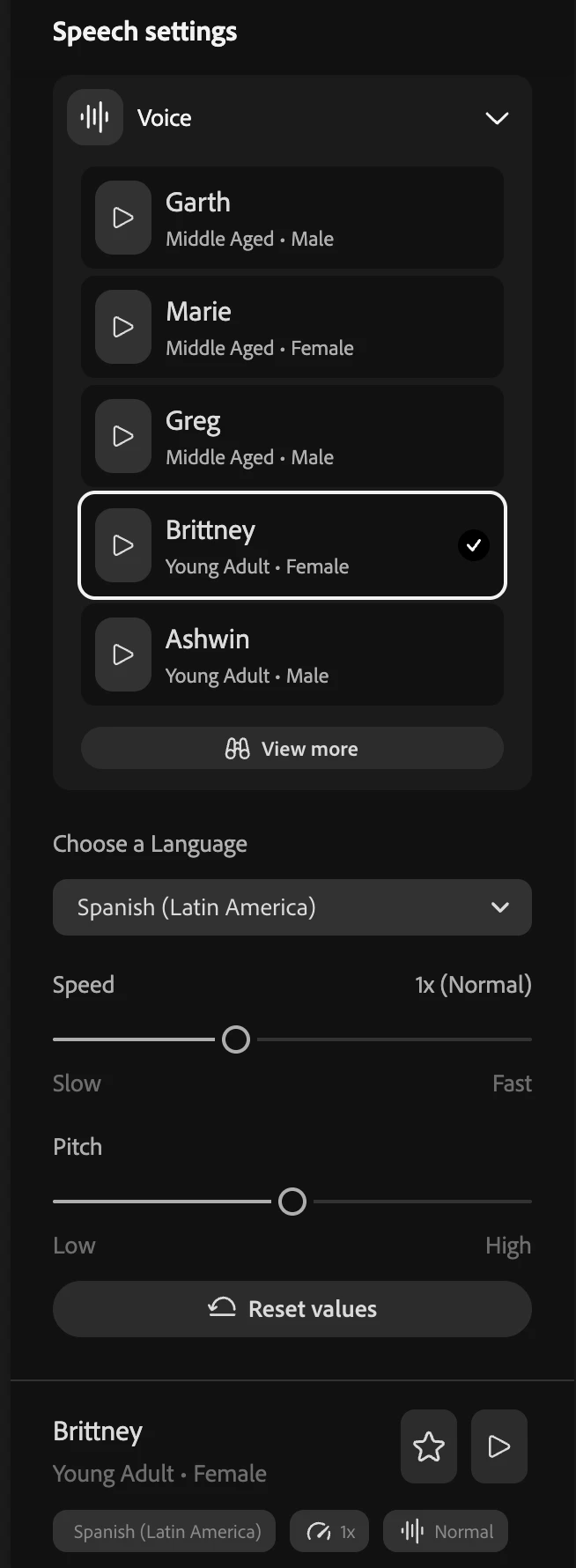
Despite choosing Spanish in the AI voiceover, it still gives me English once I hit generate.
  • July 16, 2026
  • 2 replies
  • 20 views

I have chosen Spanish (Latin America) and yet, when I generate, it’s still in English. i need a spanish voice and a spanish translation.

    Correct answer Hajar Toutsi

    Hi Larry36082064ymtd,
    Thank you for bringing this to our attention.

    Just to clarify, did you happen to type or paste English text into the prompt box before hitting generate?

    If so, that is likely why you are still hearing English. Text-to-Speech (TTS) tools are designed to read the exact text you provide to them, they do not translate the language for you. When you select a "Spanish" voice but provide English text, the AI will just try to read the English words (often with a heavy Spanish accent, or it might just revert to an English voice to match the text).


    To get a Spanish voice, you'll need to:

    1. Translate your English text into Spanish first (using a translation tool).

    2. Paste that translated Spanish text into the generator.

    3. Select your preferred Spanish voice and hit generate.


    If the text was in fact Spanish, please share the text with us to look into it.
    Hope this helps!

    Hajar
    [Moved to questions]

    2 replies

    Hajar Toutsi
    Community Manager
    Hajar ToutsiCommunity ManagerCorrect answer
    Community Manager
    July 16, 2026

    Hi Larry36082064ymtd,
    Thank you for bringing this to our attention.

    Just to clarify, did you happen to type or paste English text into the prompt box before hitting generate?

    If so, that is likely why you are still hearing English. Text-to-Speech (TTS) tools are designed to read the exact text you provide to them, they do not translate the language for you. When you select a "Spanish" voice but provide English text, the AI will just try to read the English words (often with a heavy Spanish accent, or it might just revert to an English voice to match the text).


    To get a Spanish voice, you'll need to:

    1. Translate your English text into Spanish first (using a translation tool).

    2. Paste that translated Spanish text into the generator.

    3. Select your preferred Spanish voice and hit generate.


    If the text was in fact Spanish, please share the text with us to look into it.
    Hope this helps!

    Hajar
    [Moved to questions]

    Participant
    July 17, 2026

    Well that worked perfectly. I was clearly not thinking yesterday. It sounds great. Thanks.
