



Mitch Towne
Participant
April 17, 2026
Answered

Firefly AI Voices Mispronounce Most Words

  • April 17, 2026
  • 2 replies
  • 19 views

I am testing Adobe Firefly for its AI voice generation capabilities. The Firefly voices mispronounce most of the words. Basic words like "manager" get pronounced in odd ways like "manchk." I have tried retyping the text but I get the same results. The ElevenLabs voices pronounce everything correctly.

This is my text. It ends up being practically gibberish. 

“In Proactive Risk Manager, a risk strategy is the way user’s organization designs detection and operations so suspicious activity is identified and handled consistently.”

    Correct answer Oh.N8

    Hey ​@Mitch Towne 
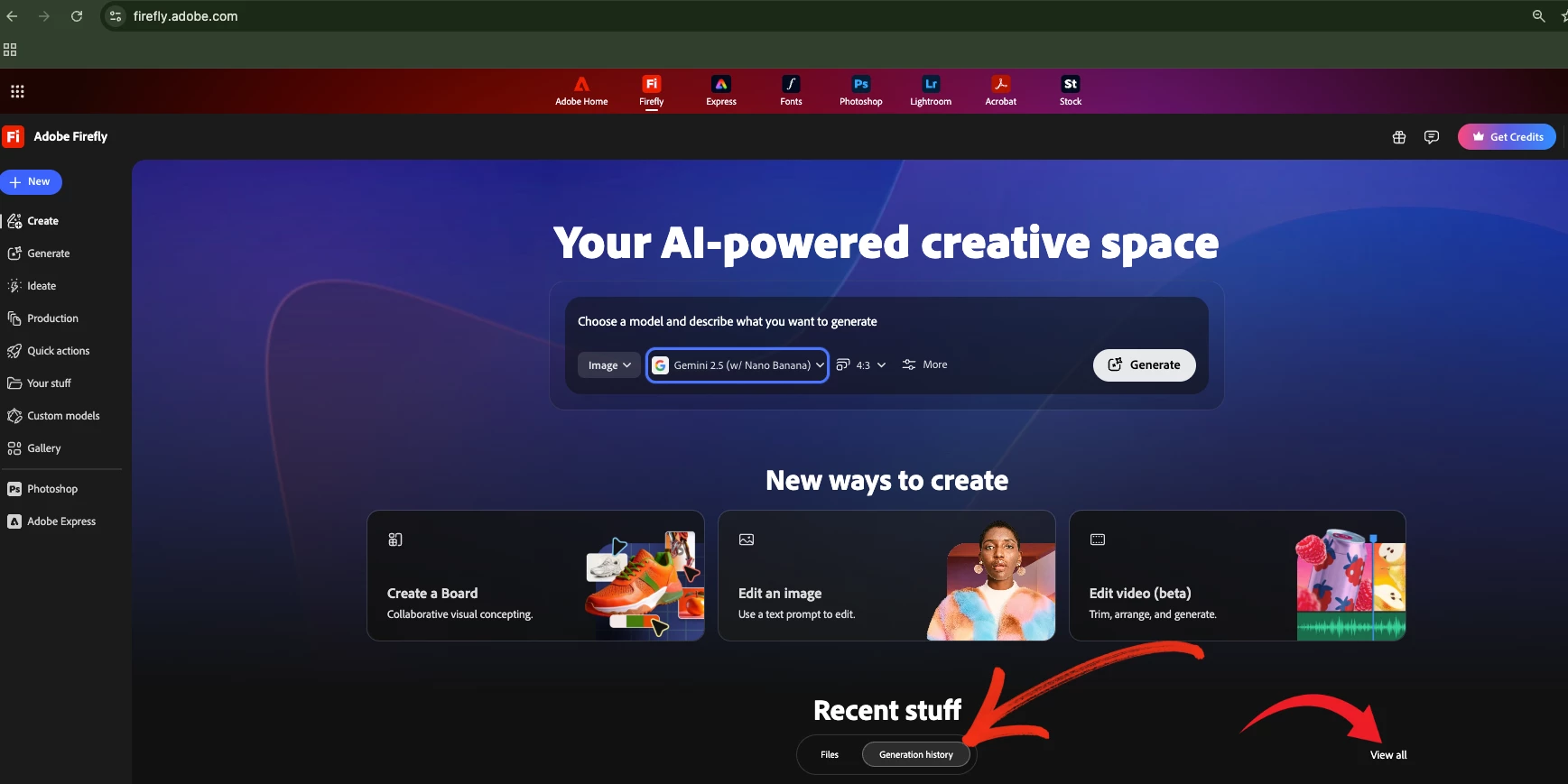
    Could you try going into your generation history and deleting the files that are not working and start fresh? 

    You may have a bad seed.

    Press Generation History then View All


    This likely isn’t your setup-since resets didn’t help, it’s probably a text/language parsing issue in Adobe Firefly.

    Try:
    Use plain text only (no formatting/symbols)
    Test with a simple sentence
    Create a new project
    Toggle language to English again


    If it still fails, it’s likely a Firefly backend bug/session issue, not user error. Please let us know. 


    Cheers

    Nate

    2 replies

    Raymond35766225d36k
    Participant
    April 18, 2026

    This may have worked (removing all prior work).  “a bad seed”.  Problems started occurring after wifi connection dropped in the middle of a speech generation - maybe that caused a bad seed. 


    But after trying Eleven Labs, I found their voice models more appealing. 


    It would be helpful if the Firefly Eleven Labs interface for speech provided for pausing (or explain how to)  Eleven Labs explanation of how to accomplish this does not work in Firefly.


    Oh.N8Community ExpertCorrect answer
    April 18, 2026

    Hey ​@Mitch Towne 
    Could you try going into your generation history and deleting the files that are not working and start fresh? 

    You may have a bad seed.

    Press Generation History then View All


    This likely isn’t your setup-since resets didn’t help, it’s probably a text/language parsing issue in Adobe Firefly.

    Try:
    Use plain text only (no formatting/symbols)
    Test with a simple sentence
    Create a new project
    Toggle language to English again


    If it still fails, it’s likely a Firefly backend bug/session issue, not user error. Please let us know. 


    Cheers

    Nate