
Participating Frequently
February 17, 2026
Question

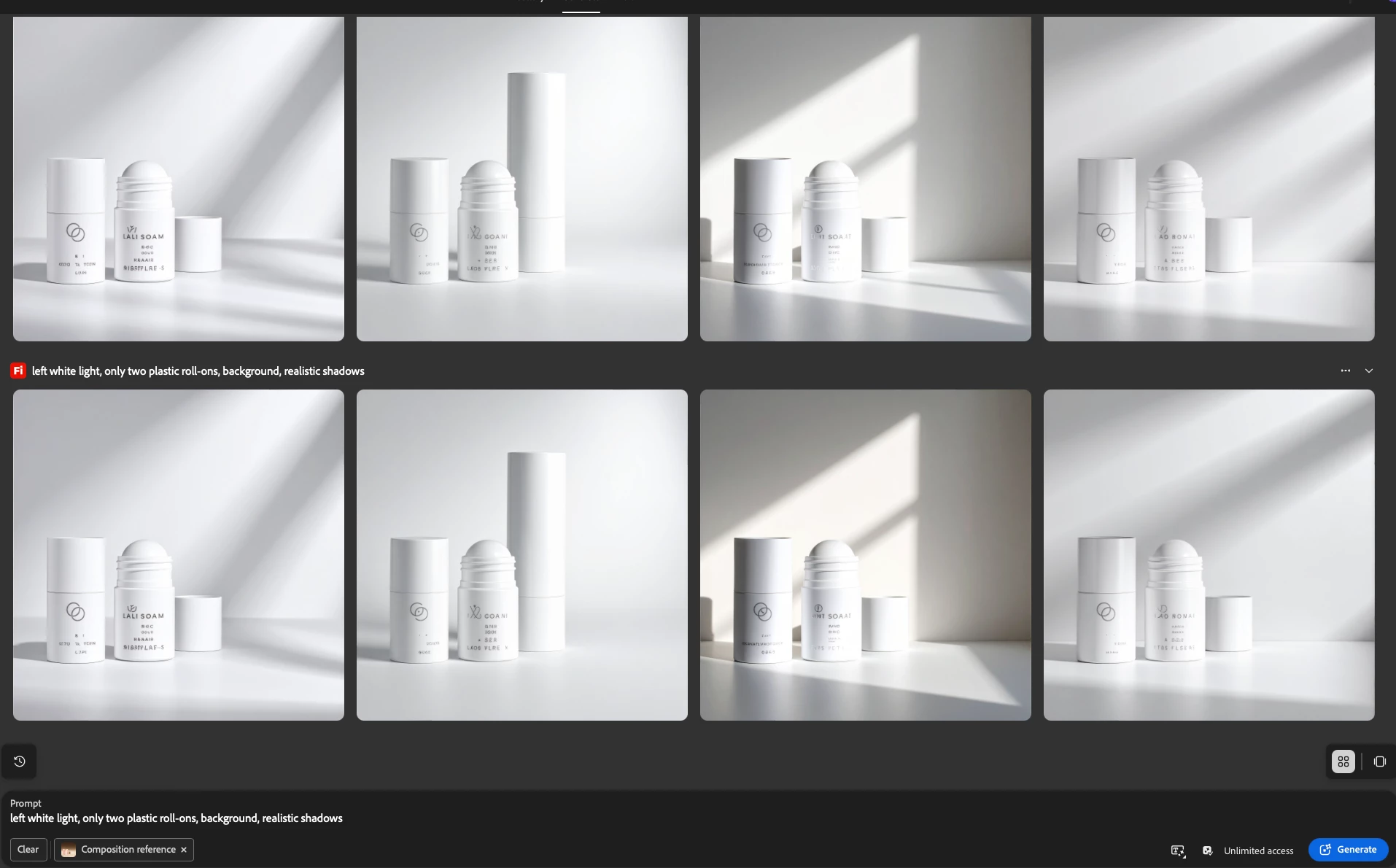
Firefly image 4 produces only shadows directed to the left, every time I try to use promt "left side light", right side shadows or many others, give this same effect, shadows alway go to the left side

  • February 17, 2026
  • 1 reply
  • 15 views

Firefly image 4 can not create composition (a few products together) with a shadows on the right side

on every image I can get only shadows on the left


    1 reply

    Hajar Toutsi
    Community Manager
    Community Manager
    February 17, 2026

    Hi slawomirk,
     

    Thanks for bringing this to us.
     

    I reproduced a similar generation using Firefly Image 4 and uploaded the 2nd image on the right as my reference for both Composition and Style. I also tweaked the prompt to add more detail, which helps guide the lighting more accurately:

    Prompt:
    “Apply lighting from the left side of the scene so that the objects cast natural, soft shadows toward the right. Keep the original composition and products unchanged, but adjust the illumination to create stronger highlights on the left surfaces and deeper shadows on the right, as if the light source has shifted to the left.”
     

    Here are the results I got:


    For this test I made sure to turn on ‘Enhance Prompt’ which refined the prompt even further:


    I hope this helps you achieve the lighting effect you’re aiming for in your next generations.

    Hajar

    slawomirkAuthor
    Participating Frequently
    February 18, 2026

    Hi Hajar, Thank you very much for quick response. I really appreciate the effort. it does not work for me, unfortunately. Here are my results.

    SKa


    Hajar Toutsi
    Community Manager
    Community Manager
    February 18, 2026

    Hi slawomirk,
     

    I appreciate you sharing your update.
     

    Since updating the prompt didn’t solve the issue, it makes me wonder whether the reference image might be causing the inconsistency.
     

    Image format can sometimes affect results, so could you double‑check that your reference image is in JPG or PNG format?

    Another thing you can try is adding the reference image to both Composition and Style to see if that improves consistency.
     

    If the issue still persists, I’d be more than happy to dig deeper and help you find a solution.
     

    Looking forward to your update.


    Hajar