

grace_2191
Participant
February 13, 2026
Question

Firefly no longer following Composition/Style references?

  • February 13, 2026
  • 1 reply
  • 0 views

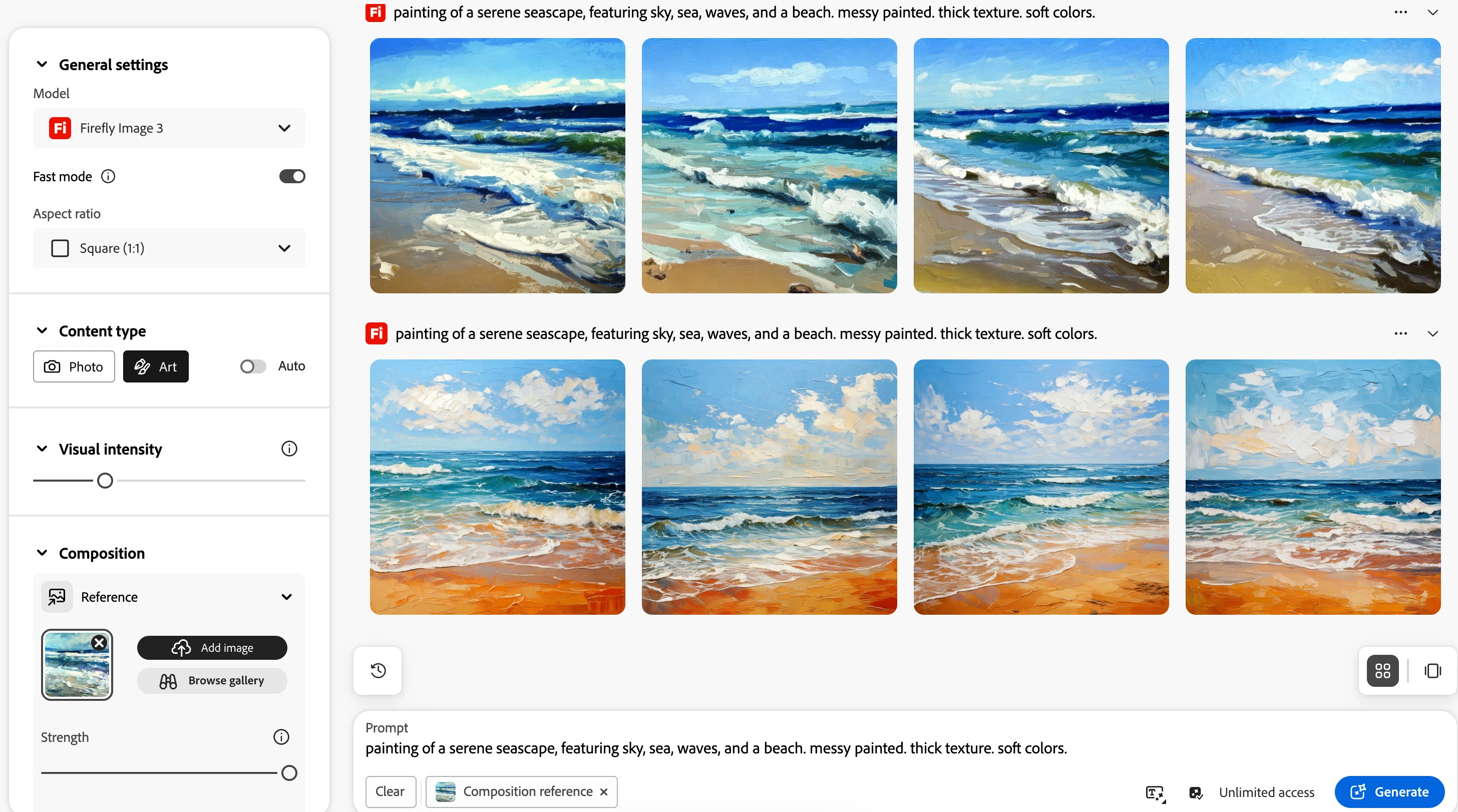
I have an example of when I used Firefly previously to create images that I needed (the first row) based off a similar style composition I wanted. However using the same settings now result in a very different result that seems to ignore the composition/ style reference. I have played around with the sliders but nothing seems to work any suggestions? 
 

    1 reply

    Hajar Toutsi
    Community Manager
    Community Manager
    February 13, 2026

    Hi grace_2191,

    Thank you for sharing this.

    I tested with a reference image similar to yours and used the same settings shown in your screenshot. From what I observed, relying only on the reference image in the Composition section won’t produce results that stay fully true to your original. To get closer to your reference, you’ll also want to upload it in the Styles section. The strength needs to be adjested as well.


    If it still doesn’t work after trying those steps, just let me know and we’ll keep digging together.

    We are here to help.

    Hajar​​​​​​​

    grace_2191
    Participant
    February 13, 2026

    Hi Hajar,

    Thank you for the reply. The original one I I liked the 4 results of did not use a style reference, only the composition…it seems that it also gets stuck in a loop (or a seed I believe it’s called?) and unlike the initial desired result produces overly saturated similar ones?

    Hajar Toutsi
    Community Manager
    Community Manager
    February 13, 2026

    Thanks grace_2191 for asking,

    What stood out to me is that the first four variations you received stayed very close to both the Composition and the Styles of your reference. That can be great when you want a faithful match, but it can also limit creativity when you’re hoping for Composition only guidance with more freedom elsewhere.
     

    That’s why adjusting the settings is so important, it helps steer the variations toward the exact balance you want. In your case, since you want to preserve both the composition and style, adding the reference image to both sections is the best approach.
     

    Regarding the four variations repeating as if they’re stuck in a loop, I noticed the same behavior and I’ll pass this along to the product team for review.
     

    As for the Seed setting, it’s currently available only for video generation, where it helps control randomness and keep results closer to the initial output. I can see it to be a useful addition for image generation too.
     

    Let me know if you have any other questions.
     

    Hajar