Participant
Oct 7, 2026 12:41 AM UTC
Answered

Firefly Virtual Assistant Wasting Credits

Virtual Assistant has become exploitive and a huge waste of credits. Often the assistant wastes credits creating generations that I didn’t ask for or confirm to create. I have requested it to always confirm before generating anything and even then it doesn’t always follow that rule. Aside from the poor disclosure of how many credits each generation would take before creating, the credits are wasted on generations that the A.I is going off on tangents creating. This wasn’t really a big deal when it was free for these mistakes it made but almost overnight what was a really useful tool has become a complete waste of money. Also upon trying to contact support about this, they replied in bad grammar then proceeded to close my case when their last response was “I Understand, let me check on this.” How do I get my wasted credits refunded?


    N8.
    N8.Correct answer
    Oct 7, 2026 5:24 PM UTC

    Thank you ​@Jim for writing in and explaining things in detail.
     

    Make sure to delete the files that are not working to prevent having a bad seed. This sometimes has an effect on image quality. I never see an images one and done. Rather as a starting point.

    How to Delete multiple Files

    Delete multiple files


    Regarding your credits:

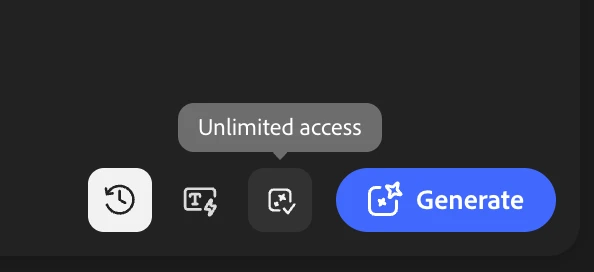
    Bottom Right Corner shows how many credits will be used.
    ​​​​​​
    Depending on your plan: some models have unlimited credit usage.


    The generate button needs to be pressed before an image or video can be generated. If it is generating on it’s own, this is an issue the team would like to know more about:
     

     Could you create a full screen video of your workflow showing us what is happening? This would help considerably.

    >>Make sure to remove person details: email address, name... before posting<<

    Nate
     

    1 reply

    N8.
    Community Expert
    N8.Community ExpertCorrect answer
    Oct 7, 2026 5:24 PM UTC

    Thank you ​@Jim for writing in and explaining things in detail.
     

    Make sure to delete the files that are not working to prevent having a bad seed. This sometimes has an effect on image quality. I never see an images one and done. Rather as a starting point.

    How to Delete multiple Files

    Delete multiple files


    Regarding your credits:

    Bottom Right Corner shows how many credits will be used.
    ​​​​​​
    Depending on your plan: some models have unlimited credit usage.


    The generate button needs to be pressed before an image or video can be generated. If it is generating on it’s own, this is an issue the team would like to know more about:
     

     Could you create a full screen video of your workflow showing us what is happening? This would help considerably.

    >>Make sure to remove person details: email address, name... before posting<<

    Nate
     

    Translate