

BikerRally
Participating Frequently
Sep 15, 2023 10:38 AM UTC
Question

Firefly won't properly load in any browser, Photoshop, etc loads just fine.

Help.  I'm running the Chrome browser and I don't want to change but I can't run Firefly on Chrome.  I've heard that there is a change I need to make to Chrome so that it will run Firefly but I can't find that change info anywhere.


I'm a member of Adobe and when I call up Firefly it loads okay but when I try to use any of the functions it tells me to login, and when I login is where Firefly won't load.  I'm attaching a screen shot of what comes up when I try to load Firefly.  It loads, but then there is a screen asking me to "Accept" or "Cancel" but clicking on either does nothing.  The strange this is I can see Firefly clearly loaded in the background but I can't get to it because of this little screen out in front that wants a response "Accept" ro "Cancel" but no amount of clicking does anything.  The exact same thing happens in Microsoft Edge as well, so I'm stumped and it's a bummer because I really want to get more "AI' than I can with Photoshop (Beta).  Thanks.
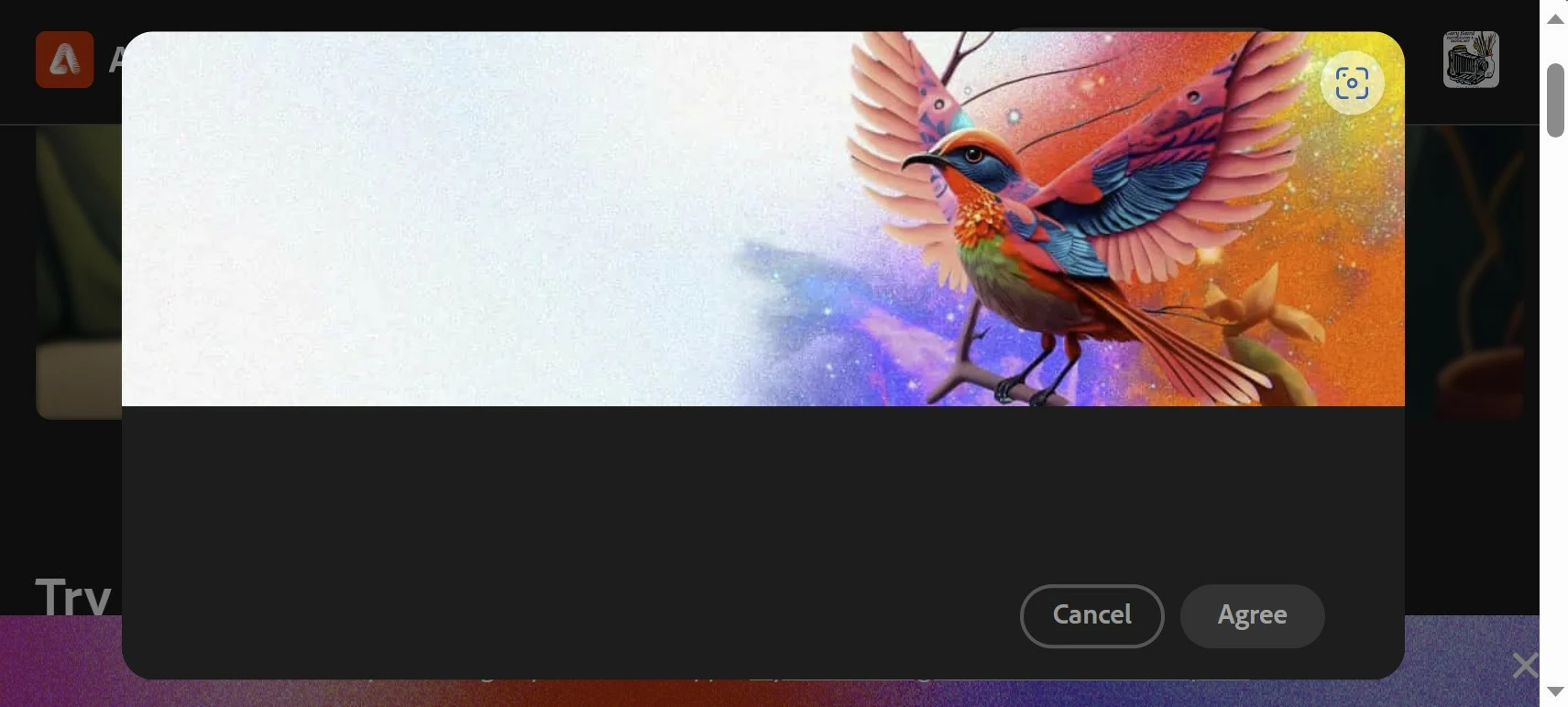
19 replies

droopydog500
Community Manager
Community Manager
May 27, 2025 10:23 AM UTC

This is an old error, so will lock this now.


    droopy

Translate
Adobe Community Expert (not an Adobe employee)
Participant
Sep 7, 2024 5:57 PM UTC

I've reset my firewall and am still getting a blank page when trying to use Adobe Firefly. Any suggestions??

Translate
droopydog500
Community Manager
Community Manager
Sep 10, 2024 10:58 AM UTC

@karthiky17730466, please try a different browser and see if it works in the other browser. That will help determine if it is a browser extension interfering.


Are you able to test another computer or device on the same network? That will help determine if it is a network issue.


    droopy

Translate
Adobe Community Expert (not an Adobe employee)
Participant
Aug 28, 2024 5:58 PM UTC

WORKED FIXED 


Reset your windows firewall and that's it. Working again.

Translate
Participant
Nov 24, 2024 9:48 PM UTC

Thank you, Worked for me too

Translate
Participant
Sep 25, 2023 11:45 PM UTC

I had the same trouble on chrome. What worked for me was: instead of launching Firefly through searching up web domain, I opened Firefly through the Creative Cloud application. 


Translate
MassC
Legend
Sep 26, 2023 3:55 PM UTC

@Hamish32526425oxck is this the only way it works for you? 

Translate
Rishabh_Tiwari
Legend
Sep 15, 2023 11:50 AM UTC

Hi @BikerRally ,


Sorry to hear about the trouble. Would you mind testing this in the incognito mode of Chrome once? To open an incognito mode you can click on the three dots on the right and select the incognito mode. Let us know how it goes.


Thanks

Rishabh

Translate
MassC
Legend
Sep 15, 2023 5:01 PM UTC

@BikerRally , adding to what my colleague said, please make sure your Chrome browser is up to date. See how to do that here: https://www.google.com/chrome/update/

Translate
BikerRally
Participating Frequently
Sep 15, 2023 10:07 PM UTC
Hi CMass,

Thank you for responding. I updated my Chrome and there was no change, I
still cannot get Firefly to properly load.

During that same session at Adobe I can get all of my other Adobe products
to load but just not Firefly.

Everything at Adobe loads just fine but not Firefly. I can see Firefly
running in the background of the opening screen that asks me to either
"Accept" or "Cancel" but when I click on either of those nothing happens.
It seems to be a problem with my Adobe account.

Here's the opening screen that I see when trying to run Firefly. As I
said, I can see Firefly running behind this screen, and I can scroll the
background but I can't get past this screen:
[image: 00FireFlyNoAccess.jpg]
Translate