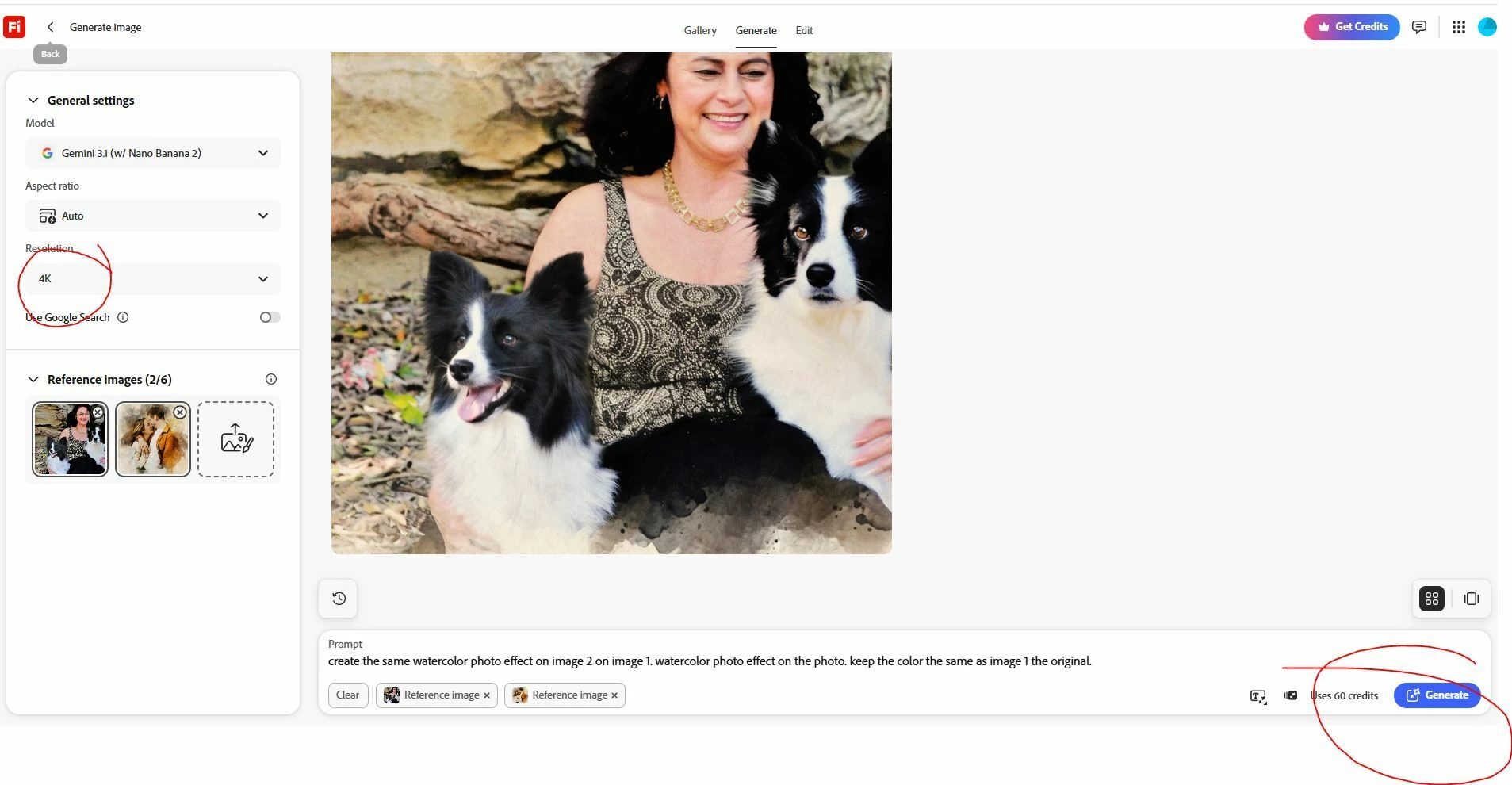
FRIEFLY DOES NOT WORK. I AM FED UP! IF I WANT TO UPSCALE TO 4K IT DOES NOTHING, IT DOES NOT WANT TO GENERATE, THE GENERATE BUTTON DOES NOT WANT TO CLICK. I AM WANT TO CANCEL MY SUBSCRIPTION AS I DO NOT WANT TO PAY FOR SOMETHING THAT DOES NOT WORK!
FRIEFLY DOES NOT WORK. I AM FED UP! IF I WANT TO UPSCALE TO 4K IT DOES NOTHING, IT DOES NOT WANT TO GENERATE, THE GENERATE BUTTON DOES NOT WANT TO CLICK. I AM WANT TO CANCEL MY SUBSCRIPTION AS I DO NOT WANT TO PAY FOR SOMETHING THAT DOES NOT WORK!
As soon as i want to upscale to 4K, then nothing works anymore, i cannot push the generate button, it does not work! VERY Frustrating as it put my work behind, i want to cancel my subscription as it does not work and would rather get another program without issues!
I completely understand how frustrating it is when a tool disrupts your workflow, and thank you for bringing this to our attention.
I went ahead and tested this out using the exact same settings from your screenshot, and I was actually able to generate the image successfully. When the Generate button becomes unresponsive like that, it can usually be solved by forcing your browser to clear its cache for the page. I recommend trying a hard refresh and then trying again:
Windows: Press Ctrl + Shift + R
Mac: Press Cmd + Shift + R
A Better Way to Upscale: More importantly, looking at your workflow, it seems you are trying to upscale using the standard text-to-image generation interface. Since your primary goal is to upscale an existing image to 4K, there is a dedicated tool that will work much better and be far less of a headache!
Instead of using the generation prompt, try this:
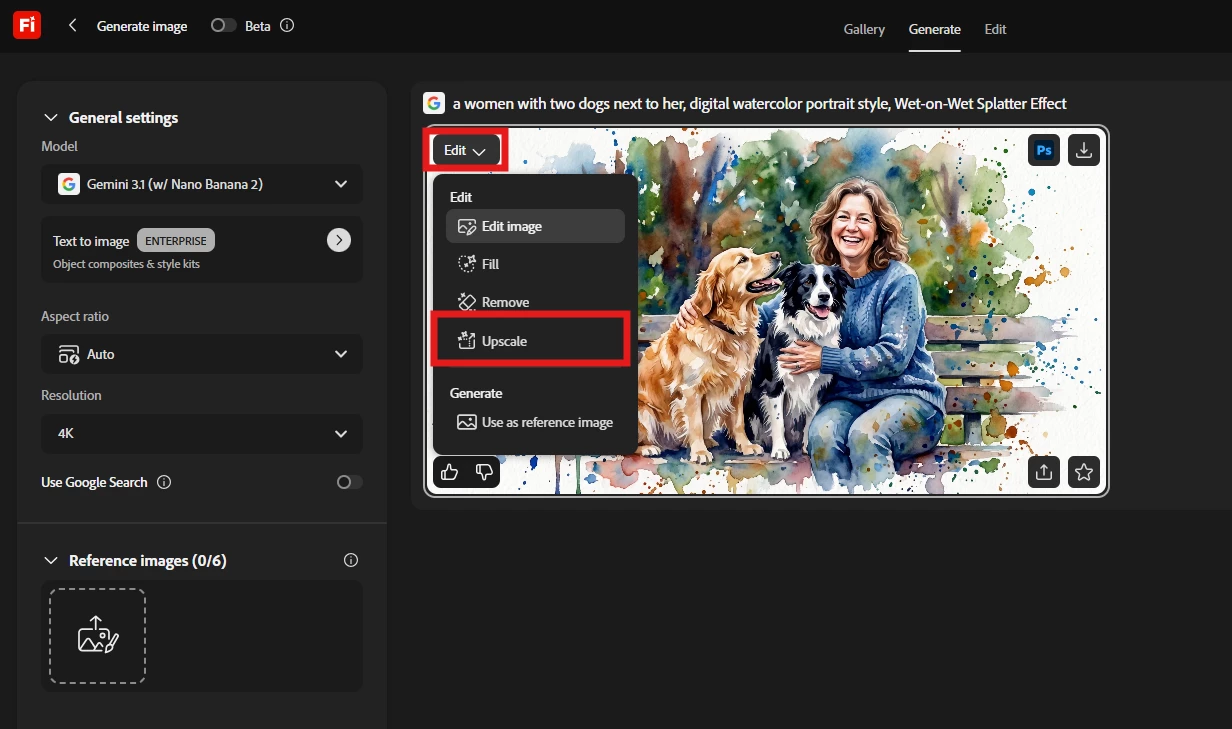
Navigate to the Edit tab with your image.
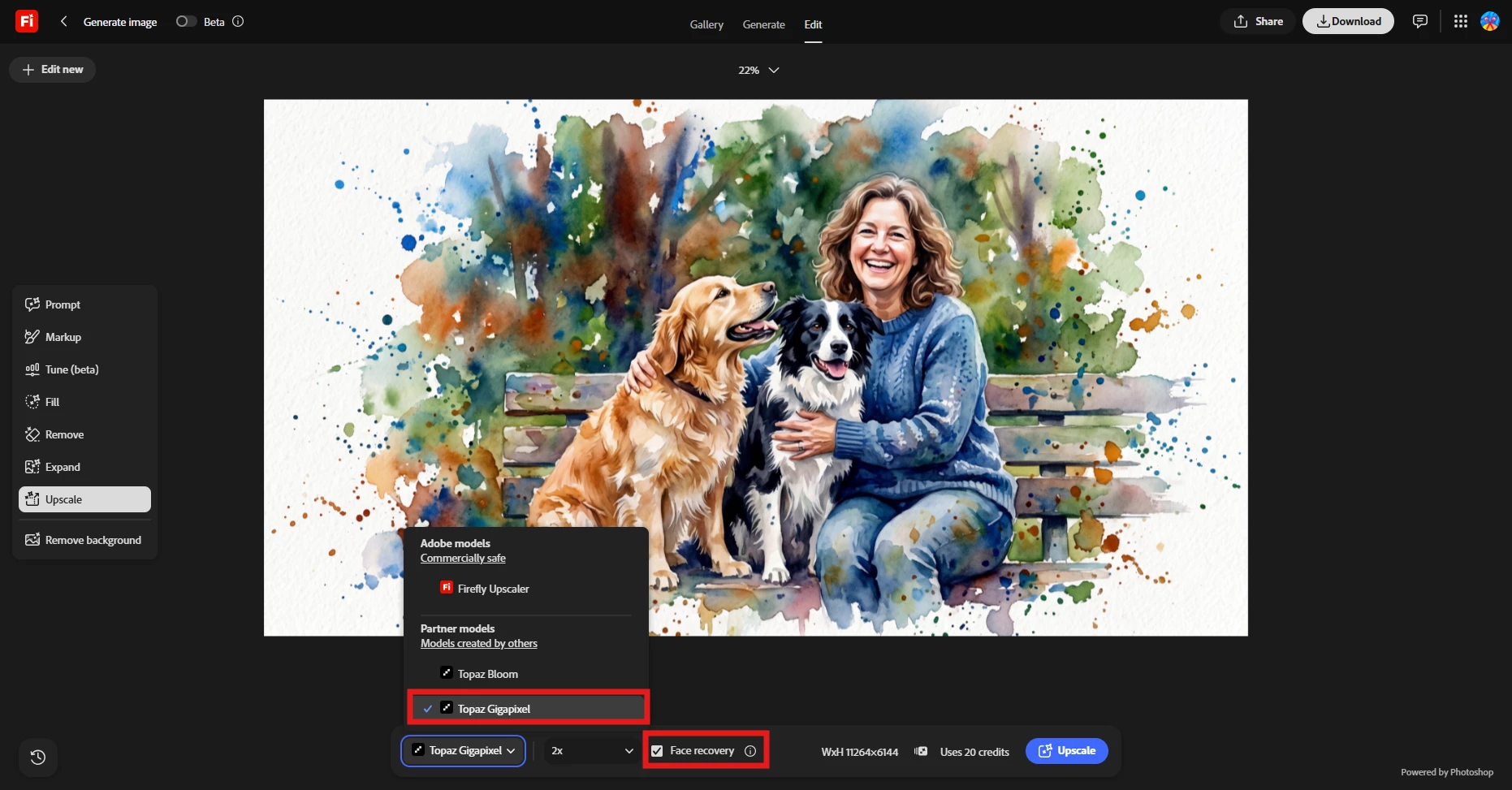
Select the Upscale tool.
From there, you can choose to upscale based on either the creativity or quality of the image. In this case you have to pick quality enhancement.
This dedicated tool is specifically designed for exactly what you are trying to achieve and should completely bypass the glitch you were facing.
Give that a try and let us know if it gets you back on track!
I completely understand how frustrating it is when a tool disrupts your workflow, and thank you for bringing this to our attention.
I went ahead and tested this out using the exact same settings from your screenshot, and I was actually able to generate the image successfully. When the Generate button becomes unresponsive like that, it can usually be solved by forcing your browser to clear its cache for the page. I recommend trying a hard refresh and then trying again:
Windows: Press Ctrl + Shift + R
Mac: Press Cmd + Shift + R
A Better Way to Upscale: More importantly, looking at your workflow, it seems you are trying to upscale using the standard text-to-image generation interface. Since your primary goal is to upscale an existing image to 4K, there is a dedicated tool that will work much better and be far less of a headache!
Instead of using the generation prompt, try this:
Navigate to the Edit tab with your image.
Select the Upscale tool.
From there, you can choose to upscale based on either the creativity or quality of the image. In this case you have to pick quality enhancement.
This dedicated tool is specifically designed for exactly what you are trying to achieve and should completely bypass the glitch you were facing.
Give that a try and let us know if it gets you back on track!




 AdChoices