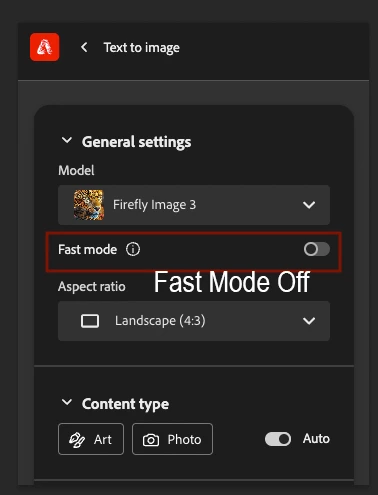
Hey @Koda Kodalina You might be using Fastmode in Firefly. If that is the case, just turn Fastmode off and you should be able to submit your images to the Gallery.
Hey @Koda Kodalina You might be using Fastmode in Firefly. If that is the case, just turn Fastmode off and you should be able to submit your images to the Gallery.
So when I create an image, the "submit to gallery" option is grayed out. That's new because I used to have that option. I know firefly is free but I have creative cloud subscription. So I don't understand why this is happening
Thank you for your message. I am sorry you are having this problem.
If you are submitting to the gallery, that means you want to submit an image which Adobe might feature in the community gallery, located here on the Firefly home page:
The reason I mention that is because some people accidentally use "gallery" when they mean "favourites".
If you are submitting to the gallery, are you following this process (or where in this process is it failing)? On any image you want to submit, you use option "J" (shown in the image below) after pressing the "share" ("K") button:
After pressing that, it will prompt you to verify your profile:
Then advise you of the submission guidelines:
The you should see a green confirmation box:
So, as my friend @Kartika Rawat asked, where in this process did it fail and can you please submit a screen shot.
Thank you for replying. I used to be able to share, but now the option is grayed out. Although firefly is free, I do have a creative cloud plan, so idk why it’s not allowing me access.


 AdChoices