


Participant
July 31, 2025
Answered

getting firefly to delete an animation feature at the end of the clip

  • July 31, 2025
  • 1 reply
  • 169 views

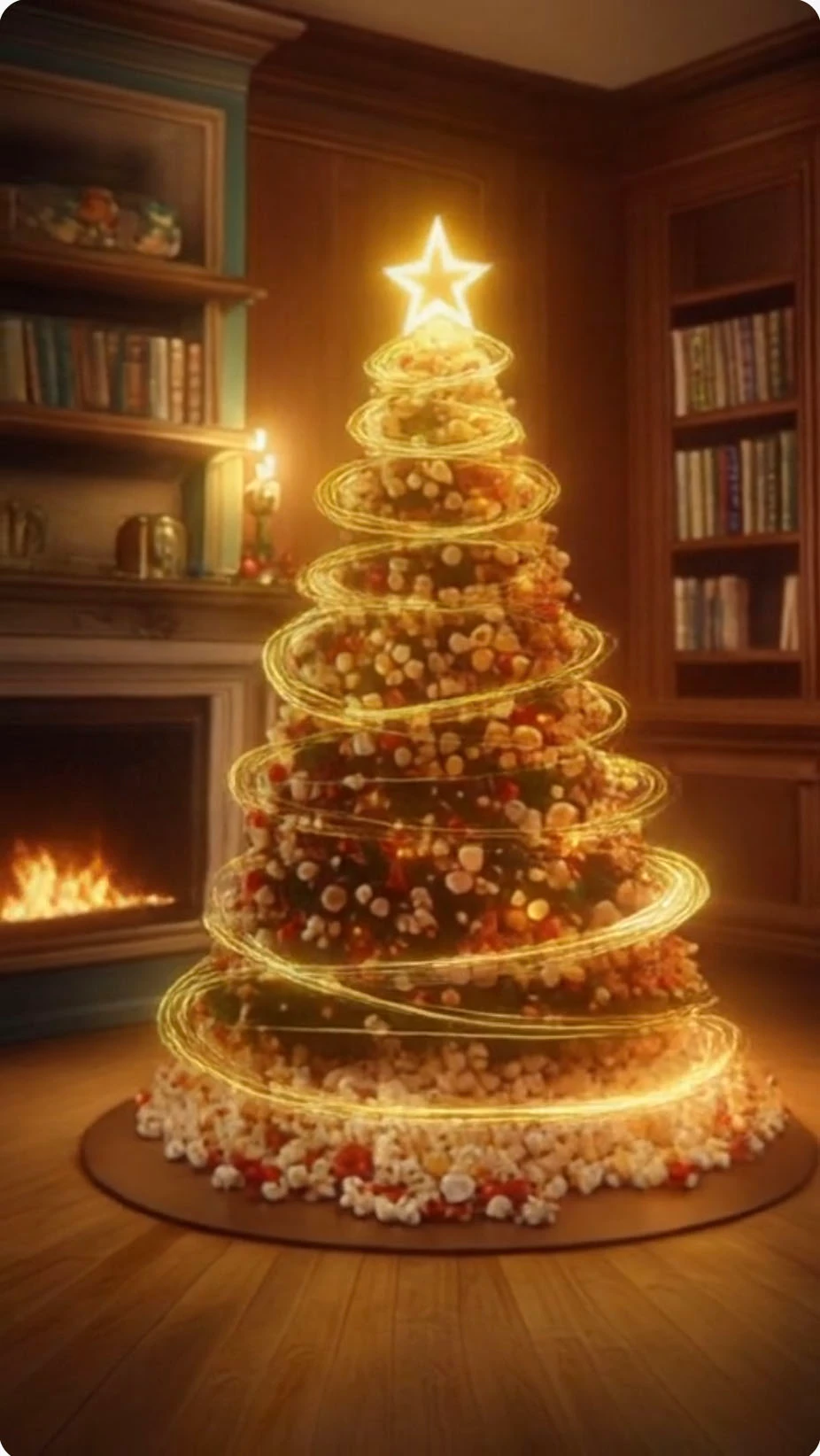
any suggestions on instructing the app to cease the light swirls at the end of this clip? 10 tries with different wording have not yieded any progress - always ends with the light beams still visible.

Correct answer Kartika Rawat

Thanks for sharing the prompt. You can try adding keyframes to create videos, like add image with no light strings for end frame: https://adobe.ly/4m3Z6Aq


Let us know how it goes. 


^KR

1 reply

Community Manager
August 1, 2025

Hi @rmoore007!


Could you share the video and the prompts used? We can try on our end too. However, Firefly does not recognize negative prompting. If you say "without" or "should not," It will not recognize this.


Thanks 

^Sam
rmoore007Author
Participant
August 1, 2025

sure thing:
large red and green and yellow popcorn kernels that are in the shape of a Christmas tree with some ornaments and lit star on top. photo-realistic in style in a warm living room, semi-dark with fireplace, warm woods, book shelves, antique styling. rotate camera around the tree slowly while circular streams of white and golden light beams zoom around and around the tree, circling up the tree like from a wizard's wand. tree is made from red, green and yellow popcorn kernels with some golden ornaments. Do not zoom into the scene. Swirls of light beams disappear by the last few frames and culminate at the star on top of the tree and are not present at the end of clip. The tree is not elevated off the floor.

Kartika Rawat
Community Manager
Kartika RawatCommunity ManagerCorrect answer
Community Manager
August 4, 2025

Thanks for sharing the prompt. You can try adding keyframes to create videos, like add image with no light strings for end frame: https://adobe.ly/4m3Z6Aq


Let us know how it goes. 


^KR