

rositsa_0493
Participant
June 4, 2026
Question

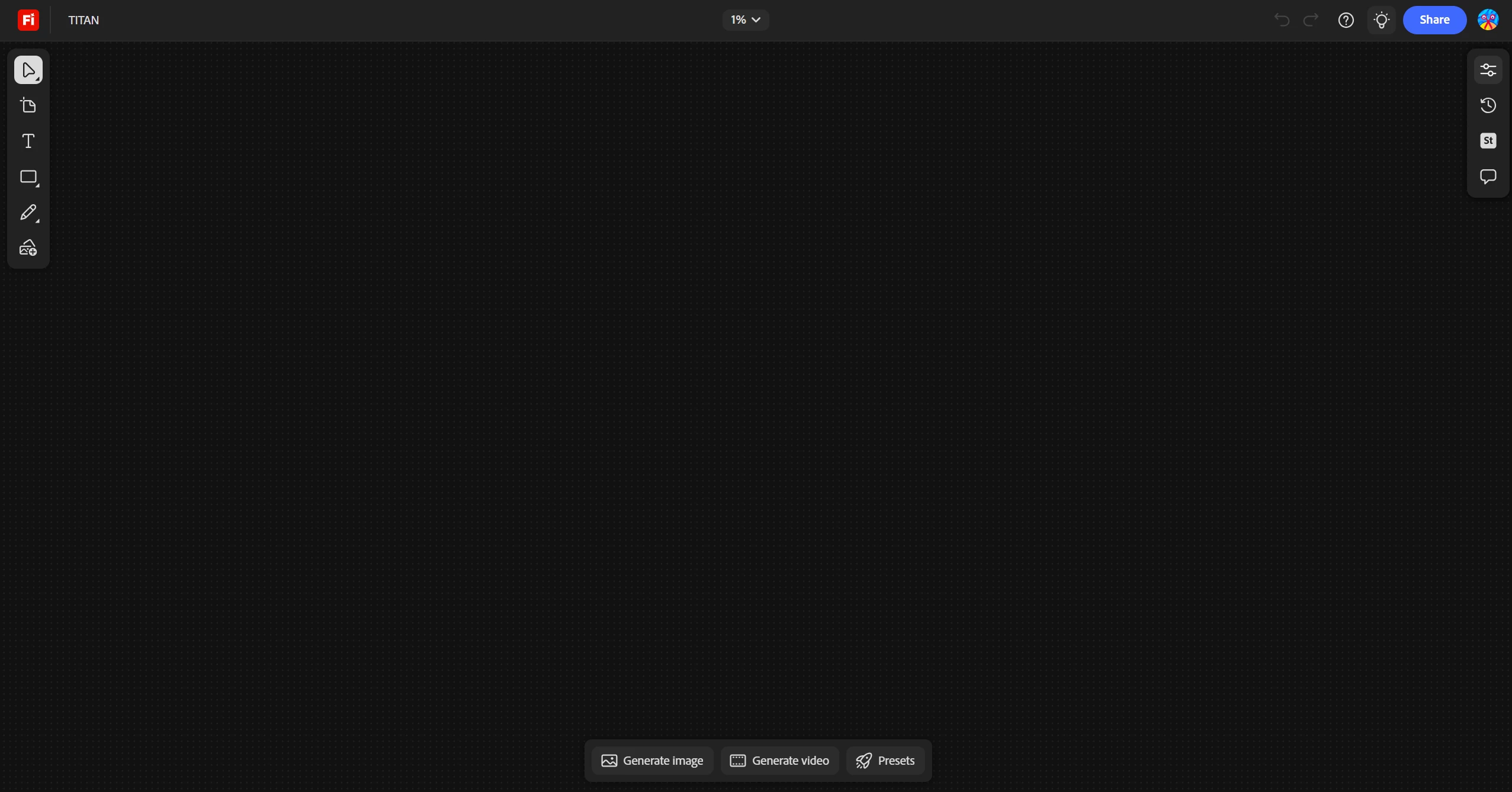
Hi, i've been working on Firefly Boards, and suddenly one of the boards was empty, so i was wondering what did happened, because it has important stuff there

  • June 4, 2026
  • 3 replies
  • 95 views

Hi, i've been working on Firefly Boards, and suddenly one of the boards was empty, so i was wondering what did happened, because it had important stuff there i was working on
 

    3 replies

    Adamvb
    Participant
    June 16, 2026

    After reaching out to support this is what they told me to try. In the end they said my board was working fine and never recovered the data at all. VERY FRUSTRATING. Here are the steps I could try on my end but in the end didn’t work for me:/


    Adobe support info


    Thank you for reaching out! I sincerely apologise for the disturbance, This is a known sync or canvas rendering bug. The flashing data confirms that your data is not permanently deleted; rather, the browser is struggling to render the canvas layout, often caused by a cache conflict, canvas zoom bug, or network timeout. Because your Generation History is intact, your assets are still tied to your Adobe account. Follow these steps to restore or access your work immediately.
     

    *Force the Canvas to Re-center

    1. Open your broken Adobe Firefly board.
    2. Look at the top center of the screen for the Zoom percentage box (e.g., 100%).
    3. Click the dropdown arrow next to it.
    4. Select Fit all content.

    *Duplicate the Board from your Dashboard

    1. Go to the Adobe Creative Cloud Assets Portal or the Your Stuff tab on the Firefly home screen.
    2. Find the thumbnail of your broken project.
    3. Click the three dots (...) icon on the corner of the thumbnail.
    4. Select Duplicate (or Make a Copy).
    5. Open the newly created duplicate file to see if the images and videos load.

       
    6. Roll Back to an Older Saved Version
    7. Open the problem board.
    8. In the top-right corner toolbar, look for the Version History icon (it looks like a clock with a counter-clockwise arrow).
    9. Click it to open the timeline panel.Scroll down and click on a timestamp from yesterday or last week.
    10. Once the preview looks correct, click Restore this version.
    11. *Extract the Files Directly from Cloud Storage
    12. Log directly into the Adobe Cloud Documents Portal.
    13. On the left-hand sidebar, click Cloud Documents or Your Files.
    14. Look for a folder named Firefly or Generative AI Assets.
    15. Locate your missing images and videos here, click the three dots (...), and select Download to save them safely to your computer.
    16. important* Disable Network Web Blockers
    17. Turn off any active VPNs or network proxies.
    18. Perform a hard refresh


    Hajar Toutsi
    Community Manager
    Community Manager
    June 16, 2026

    Hi Adamvb,

    I’m really sorry to hear how frustrating this has been for you, especially after trying multiple solutions without success.
     

    I’d really like to help get to the bottom of this for you. To do that, could you please share your Board ID with us so our product team can investigate further? To do that:

    • Click Share on your Board
    • Go to Settings
    • Select “Anyone with the link”
    • Copy and send us the link


    Note: The board has to be shared with us as an "Editor"

    If you’d prefer not to share it publicly, you can also send the link to us via direct message (DM) instead. This will help us check what’s happening on your specific Board and assist more effectively.

    Looking forward to your update.

    Hajar

    Adamvb
    Participant
    June 5, 2026

    Adobe Firefly has completely deleted my artboard information. Generation history is still available but nothing on the artboard is visible.
    Adobe Firefly will not load the information on my artboard. After a hard refresh it will show a brief flicker of the data on the board but will return to dotted black screen. Generation history is still available but I need the work on the artboard. There are alot of image and videos on the artboard that are important.

    This is the case in multiple browsers. Microsoft edge, safari, and google chrome. 

    My artboards have been opened and closed many times and been saving data for several weeks now. It is not normal for it to delete all data. Please help!

    Hajar Toutsi
    Community Manager
    Community Manager
    June 8, 2026

    Hi Adamvb,
    Thanks for writing in.

    Since you’ve confirmed finding the generations in your Generation history and you’ve tried other browsers, please follow these steps:

    1. Try logging out and back in, then re‑opening the file.

    2. You can also go to Adobe files and locate the board directly to open it again.

    Additional tips that sometimes help:

    • Clear your browser cache then try opening Firefly in different browsers/device.

    • Double‑check your internet connection, as sync interruptions can cause boards to appear empty.

    • If none of these steps work, I recommend reaching out to Adobe support so they can investigate further on the backend.


    Please let us know how it goes after trying these steps!


    Hajar

    [Moved to questions]

    Adamvb
    Participant
    June 8, 2026

    Hello Hajar Toutsi

    I have tried Clearing browser and cache history as well as signing into the board from another account. I can locate the file and open it, but all information appears to be hidden. How do reach out to support for help? I thought this was support and the link you provided is unclear. Is there a place to register a support ticket or email or phone number I should reach out to?

    Hajar Toutsi
    Community Manager
    Community Manager
    June 4, 2026

    Hi rositsa_0493,

    Thanks for reaching out.


    Let’s go through a few steps that often resolve this:

    1. On the Firefly Board, under the zoom option in the top center bar, select Fit all content. This ensures that if any content was misplaced, it will reappear on the canvas.

    2. Check the generation history from your board, placed on the top-right bar to see if your board has saved versions you can restore.

    3. If the above doesn’t help, try logging out and back in, then re‑opening the file.

    4. You can also go to Adobe files and locate the board directly to open it again.

    Additional tips that sometimes help:

    • Clear your browser cache or try opening Firefly in another browser/device.

    • Double‑check your internet connection, as sync interruptions can cause boards to appear empty.

    • If none of these steps work, I recommend reaching out to Adobe support so they can investigate further on the backend.


    Please let us know how it goes after trying these steps!


    Hajar

    [Moved to questions]